

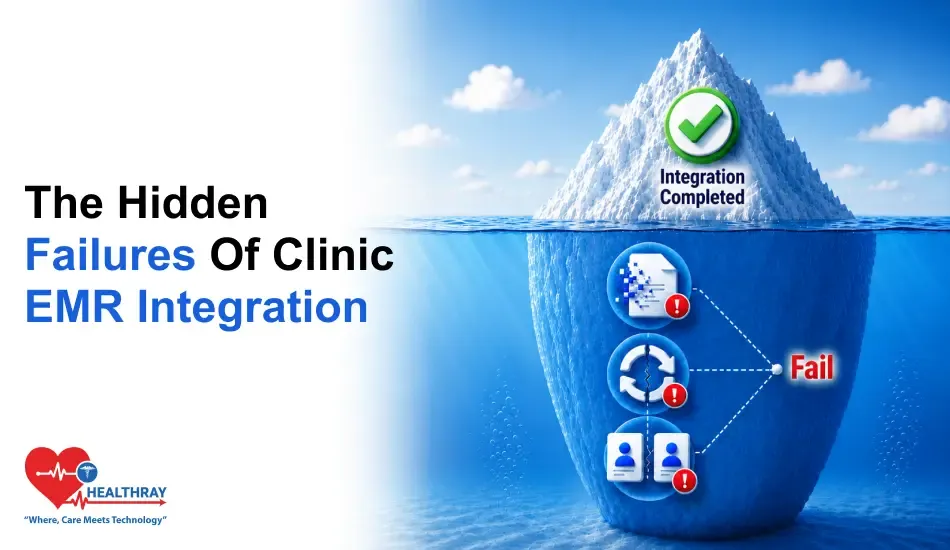
In This Blog,
Clinic software EMR integration is among the top promises that are most oversold. Demos may look flawless. However, real clinic data often reveals hidden faults. Run these five self-tests before go-live to identify the failures:
- Silent sync failure: data arrives corrupted, truncated, or incomplete
- Broken update loop: record changes in clinic software don’t reliably reach the EMR
- Duplicate record collision: the same patient exists twice with conflicting data
- Identifier mismatch: patient IDs, legacy IDs, or formats don’t align across systems
- Format and mapping drift: date, code, and field mapping rules change after updates
Many EMR integration errors remain hidden at first. They usually appear weeks later as incorrect data in the wrong field. These three areas explain where most integration issues happen without anyone noticing and the methods that discover these problems before go-live, instead of after.
Why EMR Integration Fails Quietly
Often, when a clinic management software EMR integration breaks, it doesn’t seem like a failure at all. The link is active; data is flowing. Records are present in both systems. The issue lies in the record contents. The data reaching the EMR may not match the data stored in the clinic software.
Many times, Clinic software EMR integration failures happen at translation points: field mapping, format conversion, character limits, sync timing. Many healthcare data integration failures originate at these translation layers, where information moves between systems that interpret data differently. Vendor tests use clean, controlled data. Production data is messier. The test passes. The production data corrupts. Quietly. Daily.
What “Integration” Actually Means
Clinic software EMR integration can mean three different things: a live bidirectional sync where changes propagate immediately; a scheduled one-way push at defined intervals; or a manual export-import requiring staff action.
All three are described as integration by different vendors. Only the first prevents the three failures below and provides the level of healthcare interoperability most clinics expect when connecting clinical systems.
The 3 Failures and Their Self-Tests
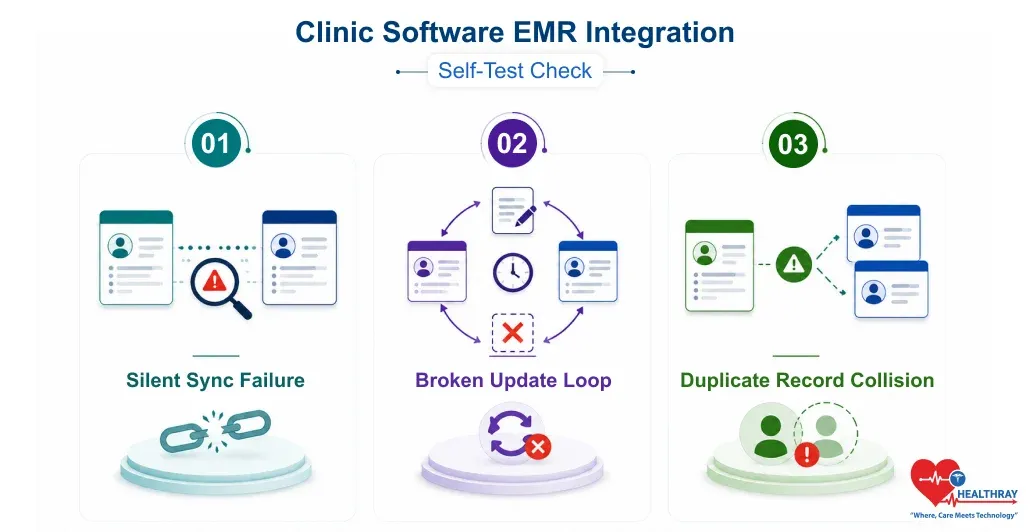
These three failures very seldom totally prevent an integration. Instead, these failures quietly create data problems that remain hidden until they affect patient care or reporting.
1. Silent Sync Failure
What it is: Silent sync failure occurs when data seems to be transferred, and both systems display a record, but the key values are incorrect, e. g., the medication dose is shortened, the diagnosis and prescription code are mis-mapped, or the date format is swapped (DD/MM vs. MM/DD).
The record exists, but the data is wrong. Improper field mapping and format translation silently corrupt records throughout the system without triggering an error.
The Self-Test:
- Use a name with an apostrophe, hyphen, or accented letter
- Enter an address longer than 255 characters
- Add a medication with a decimal dosage value
- Use a diagnosis code that maps differently between systems
- Enter date of birth in a format the target system might reinterpret
What to check: Long text fields (do they truncate?), date formats (does 03/04 stay 03/04?), coded fields (do diagnosis and medication codes map to the correct equivalent?), and decimal numeric values (do they round?).
What it reveals: If anything appears different between source/destination, by just a single character, the integration has a translation delta. This delta applies to every matching record in production. That is, it isn’t a one-time glitch.
2. Broken Update Loop
What it is: Imagine a scenario where just one record update results in a failure: patient information is updated in the clinic appointment booking system (for instance, a new allergy or a medication change is documented), but the update fails to reach the EMR.
The doctor coming next will see a perfectly clean but old record, and that means they might prescribe a medicine to an allergic patient as per the allergy list updated in the clinic software but never synced.
The Self-Test:
- Create a test record, sync one time, confirm data matches
- Change medicine, add allergy, update contact number
- Wait for next sync cycle to finish
- Open EMR record and check every changed field
- Change the same three fields again with different values, check sync again
- Delete a medication, check whether EMR removes it or displays stale entry
What to check: Whether each update appears in the EMR within the expected window. Whether the deletion removes data or leaves a ghost entry. Whether a second round of updates propagates as reliably as the first.
What it reveals: Those one-way or schedule-based integrations probably get that first sync right, but they aren’t really designed to figure out if there are any changes later on. It’s actually the second and third update cycles that reveal most of the broken update loops.
 NOTE
NOTE
3. Duplicate Record Collision
What it is: Duplicate record collision occurs when the same patient exists in both systems with small differences in name, ID, or date of birth. As a result, the integration ends up creating a second EMR record instead of updating the original. This can lead to fragmented patient information, data inconsistencies, and workflow inefficiencies in a functional medicine EMR, making accurate patient record management and continuity of care more challenging.
This results in clinical history being split across two records and is extremely challenging to remedy, mainly in multi-location clinic centralized software deployments.
The Self-Test:
- Identify 10-20 EMR records with name, ID, and date variations
- Create matching clinic software records with similar, not identical, variations
- Run the integration and observe how each pair is matched
- After sync, confirm each test patient appears once, updated, not duplicated
- For duplicates, inspect which field drove matching and how ambiguity was handled
What to check: Does an integration generate a new record or alter an existing one? Do ambiguous matches get flagged for review or are they resolved silently?
What it reveals: Consequently, the foundation of integration matching logic relies on one unique identifier, usually a patient ID or email address. Variations in identifiers, such as legacy IDs, typos, or formatting differences, can cause the matching process to fail silently. A test dataset with intentional variations reveals how robust the matching logic is.
 PRO TIP
Fixing Failures and Maintaining Integration Quality
A self-test failure before go-live is not bad news. The test is doing its job. The problem would be exactly what the test was meant to detect. What really counts is how the problem is tackled and how integration quality is maintained over time.
When a Test Surfaces a Problem
To detect a problem through a self-test failure one moment before going live is actually the best time for it. What really counts is the response:
- Document the failure with exact details so the integration team can find the root cause faster
- Retest the same scenario that failed; don’t rely on a vendor’s verbal confirmation that it’s fixed
- Expand testing to similar fields and record types because one wrong assumption usually affects many areas
- Delay go-live until all failures are resolved; fixing corrupted production data is much harder later
Why Integration Testing Doesn’t End at Go-Live
EMR integrations do not fail once and stay broken. They fail whenever something changes. For example, a software update, a new record type, or cloud clinic software security patches might lead to mapping errors that weren’t there before.
If a clinic employs an HL7 interface engine, they should make sure that message formatting and routing remain unaffected by the updates. Also, it is a good idea to perform a silent sync failure test again after any significant change step. This is very crucial for multi-branch deployments and extensive healthcare data integration scenarios where a single problem can have ramifications for all connected systems.
Learn more: If EMR integration issues aren’t fixed before go-live, every report in this guide – Clinic Software Analytics: 5 Reports Every Clinic Manager Should Act On – will reflect corrupted data, and the decisions based on them will be wrong.
Conclusion
All three failures discussed in this blog post are quite predictable. In fact, testing can identify these failures at well-defined points before a single live data record enters the system. Self-test procedures provide the answer. But teams preserve data integrity by committing to run these tests and delaying go-live when they find an issue.
