

In This Blog:
- The financial loss, staff time, and patient trust are just some of the costs that scheduling chaos causes clinics.
- Most clinics only fix scheduling problems after experiencing them.
- When a doctor appointment calendar system is designed, it identifies the points of the biggest scheduling chaos and gives the exact changes that will fix them.
- There are system-level solutions for double bookings, no-shows, and phone overflow.
- Don’t just pick a system for your features – choose the one that will suit your workflow.
- One way to gauge success is by the decrease in no-shows, errors, and staff overload.
The Scheduling Problems Clinics Don’t Realize Are Costing Them
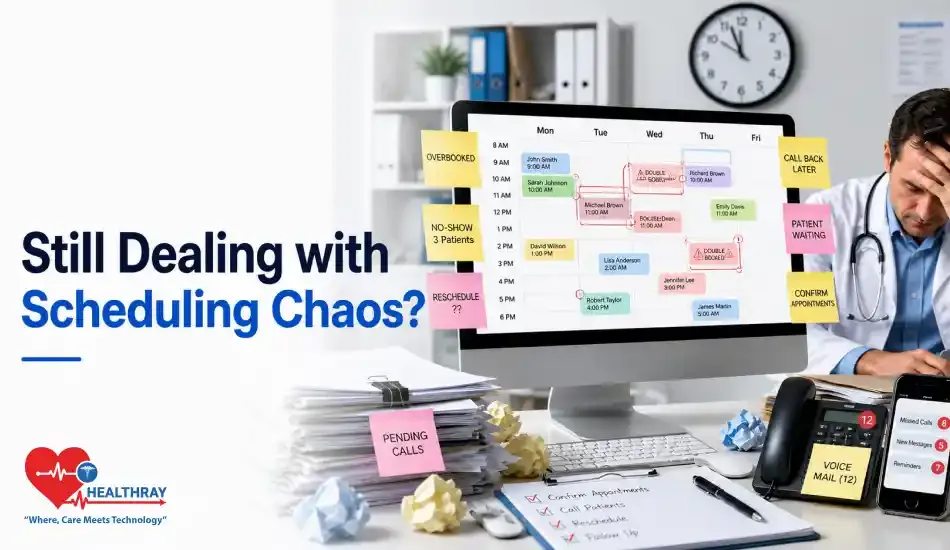
Most clinic administrators know that scheduling is a pain. What they don’t realize is how much that mess costs in terms of lost sales, staff burnout, and patients who leave without saying anything. These are the three most common and most costly points of chaos for clinics that still operate without a proper doctor appointment system.
1. Double Bookings That No One Catches Until It’s Too Late
It’s embarrassing to double-book, and it’s almost always possible to avoid them. The damage isn’t just the awkward time when two patients show up at the same time. One waits too long and gives a review with only one star. The other person gets rescheduled to a time that doesn’t work and quietly moves to a different clinic. Most of the time, the reason is that the doctor’s calendar, spreadsheets, paper books, or front desk software don’t match up with their real schedule.
2. No-Shows That Quietly Drain Revenue
Most clinics have accepted that no-shows are an unavoidable way for them to lose money. No, they’re not. Empty slots don’t say anything; they just quietly take up time week after week without fixing the problem. Most clinics only respond after the fact, calling patients one by one and trying to fill gaps on a paper waitlist. At that point, the slot is already full.
3. Phone Tag That Wastes Staff Hours
A lot of the front desk’s time is spent on calls about appointments, making and changing appointments, confirming them, and chasing people who didn’t pick up. It’s repetitive, full of mistakes, and completely unnecessary. Some mistakes happen when you schedule by phone, which don’t happen when you schedule digitally, like hearing a wrong date, recording a wrong time, or missing a callback. Those little mistakes add up and show up right away in how happy patients are.
How a Doctor Appointment Calendar System Fixes Each Problem Specifically
Automated appointment reminders for doctors are not just a paper notebook that has been moved to a computer. It stops problems before they happen, reminds patients before they forget, and takes people out of the tasks that cause the most mistakes. This system deals with each messy area one at a time, as shown below.
1. Automated Conflict Detection → Stops Double Booking
Modern calendar systems block off unavailable slots in real time for all staff, rooms, and booking channels at the same time. Everything is checked against one live source, whether a patient makes an appointment online at midnight or a walk-in comes to the front desk. Clinics that have made this switch consistently report double bookings becoming a near-non-issue, not reduced, essentially gone.
2. Smart Reminders → Cuts No-Show Rates
Automated reminders sent by text, email, or app notification are the best way to stop people from missing appointments, and timing is more important than most clinics think. Two reminders are better than one, and the closer the appointment is, the less likely it is that a patient will forget. More advanced systems also automatically fill a waitlist as soon as a cancellation comes in, so that a lost slot becomes a recovered one without anyone on staff having to do anything.
3. Self-Scheduling Portals → Ends the Phone Tag Loop
Most patients would rather book online, but a surprising number of clinics still don’t offer it. That’s where the phone tag problem comes in. When patients can make their own appointments, change them, or cancel them, the number of calls goes down on its own, and that time can be used for things that really need a person.
| SCHEDULING PROBLEM | SYSTEM FIX | MEASURABLE OUTCOME |
| Double bookings | Detecting conflicts in real time across all channels | Scheduling conflicts can be cut down by as much as 94% |
| No-shows | Automated reminders that happen in multiple steps and an automated waitlist | A 29-38% drop in the number of people who don’t show up |
| Phone tag/staff overload | Portal for patients to schedule their own appointments | 30-50% fewer calls to schedule appointments |
| Waitlist gaps | Auto-fill from the digital waitlist when someone cancels | More use of slots without staff effort |
Why Most Clinics Still Struggle Even After Getting a System
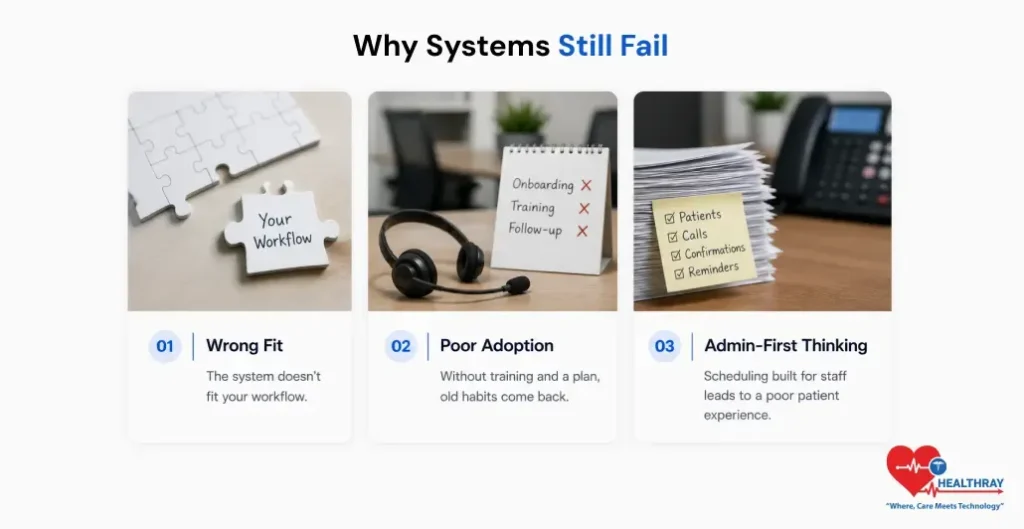
Here’s something no vendor will tell you: plenty of clinics that invest in doctor availability management software are still drowning in the same chaos six months later. The tool isn’t the problem. What went wrong usually happened before anyone logged in for the first time.
1. Picking Software Based on Features, Not Workflow Fit
Walk into most clinic purchasing conversations, and you’ll see the same playbook: someone builds a checklist, three vendors get demoed, and whoever ticks the most boxes wins. It feels rigorous. Implementing an EHR feels like a huge project. Chances are it won’t be that big of a deal.
Consider this for a moment. A super-packed urgent care clinic is so different from a solo specialty practice that they really have nothing in common. The system that works for one will only bring frustration to the other. So, if you just look at a system’s features and don’t consider how they fit in your actual workflow, you’ll probably purchase costly software that nobody wants to use.
2. Skipping Staff Training and Adoption Planning
Having a doctor appointment calendar system is one thing. Making sure that the personnel know how to use it and get the most out of it is another one. And guess what? Clinics do not see the difference between the two. One hour of onboarding is a mere introduction. Without role-specific training and a well-defined adoption timeline, the staff at the front desk will go back to their old ways: the spreadsheet, the sticky note, the verbal handoff. That’s not resistance. That’s what actually happens when people simply don’t get enough time to trust something new.
3. Treating Scheduling as an Admin Problem, Not a Patient Experience Problem
If scheduling is seen as a back-office headache, the system will be built around what’s most convenient for the staff. That’s how patients get stuck with complicated booking flows and no option to reschedule other than making a phone call. Those clinics that see the booking moment as the patient’s first impression make very different choices, and it’s reflected in their satisfaction scores and filled slots.
 NOTE
NOTE
What to Actually Evaluate in Medical Scheduling and Appointment Tools
When you are figuring out what doctor queue management software you need, the main consideration should not be ‘what does this system do? ‘ Rather, it should be ‘what does this system prevent? ‘ So, here is how to judge from the perspective of chaos elimination, not just by comparing features.
1. Does It Fit How Your Clinic Actually Operates?
Before scheduling a demonstration, trace your real scheduling workflow down to the tiniest details. You should know at what moment appointments get initiated, the people involved at each contact, where the handovers occur, and which places are prone to errors. After completing this, check whether the system supports your flow without change, or if you are forced to remodel your entire operation around the system.
Some of the main questions that you should consider at the time of evaluation are:
- Is your system able to support different appointment types with varying durations, as well as take into account provider-specific rules?
- Is your system capable of integration with your current EHR so patient data can be transferred without the need for re-entry?
- Can your system handle multi-location scheduling in case you have more than one site?
- Does the system allow front desk staff to have real-time visibility of all providers’ calendars at the same time?
2. Will Your Staff Actually Use It?
The most elaborate platform will be of no use if your employees keep finding ways to avoid using it. So, measure the ease of adoption on as large a scale as the functional capabilities of the software.
Also, evaluate the patient-facing side. Is the self-scheduling portal mobile-optimized? Can patients receive reminders in their preferred language? Is rescheduling a two-click process or a four-screen ordeal? Any kind of patient friction during the booking process will contribute directly to a patient not showing up for their appointment.
 PRO TIP
Signs Your Doctor Appointment Booking Software Is Actually Working
Deploying software is only one part of the story. To see if your doctor appointment booking software for clinics really did a great job in solving the problems, you shouldn’t base it on your gut but rather check tangible, measurable indicators. Here are some ways an efficient system will become evident in the day-to-day scenario.
1. Measurable Signals the Chaos Is Gone
- No-show rate drops below 10% within 60-90 days of full launch.
- Front desk scheduling calls decreased by 25-30% in the first quarter.
- Double bookings are almost eliminated (ideally zero in the incident/complaint logs).
- Check-in wait times go down because patients complete basic info and insurance online before visits.
- Staff overtime for end-of-day scheduling cleanup clearly decreases within the first month.
2. Before vs. After: A Realistic Snapshot
| METRIC | BEFORE SYSTEM | AFTER SYSTEM (90 DAYS) |
| No-show rate | 18-25% | 8-12% |
| Double booking incidents | 3-5 per week | Near zero |
| Daily scheduling calls | 80-120 per day | 40-60 per day |
| Patient wait time at check-in | 12-18 min | 5-8 min |
| Staff scheduling errors | Frequent, undocumented | Logged, rare, and declining |
Learn more: Many clinics still choose scheduling software based on feature lists instead of workflow fit. Medical Scheduling Tools: How to Choose the Best One breaks down what really matters during evaluation.
Conclusion
Clinic scheduling chaos just cannot be confined to people or process alone; it goes down to the system level. When clinics are dependent on manual reminders, calendars that are not in one place, and booking by phone only, then double bookings, no-shows, and staff overload are almost a matter of time.
When it is chosen to suit your workflow, accompanied with proper staff training, and measured by actual results, it simply does not clean up the calendar; it actually contributes to a more comfortable, more trustworthy, and more efficient clinic.
