

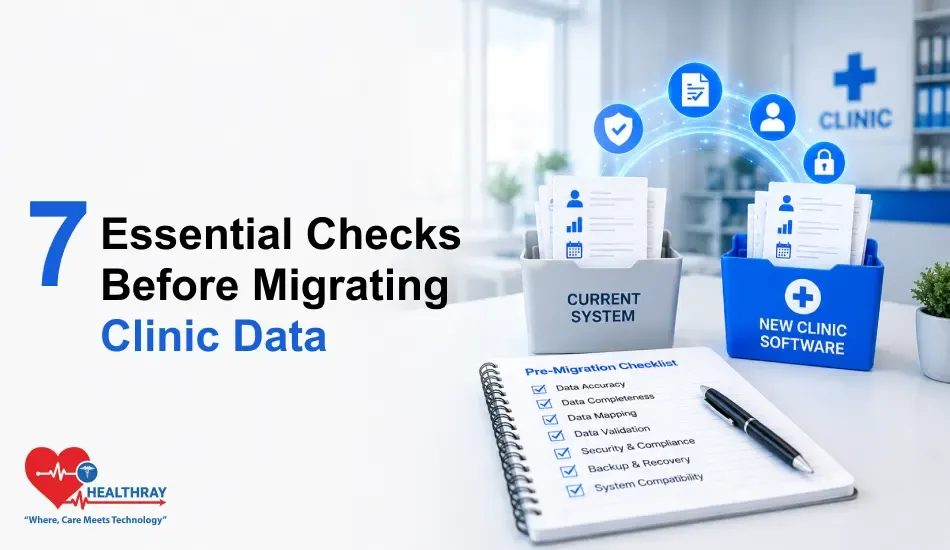
Summary
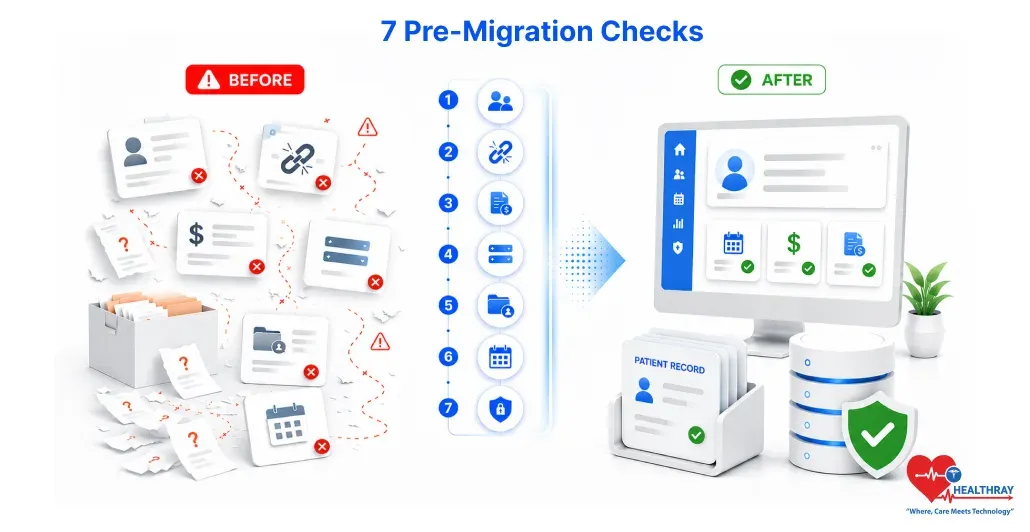
Clinic data migration succeeds or fails based on the quality of the data you move. These seven checks tell you whether your data is ready to move:
- Duplicate patient IDs – the same patient appearing as multiple records.
- Broken appointment links – appointments with no valid patient, doctor, or room attached.
- Legacy billing codes – codes from old fee structures that the new system won’t recognise.
- Unmapped custom fields – data in fields that the new system doesn’t have a home for.
- Orphaned records – records that exist but are no longer connected to any active entity.
- Format mismatches – dates, phone numbers, and identifiers in formats the new system rejects.
- Permission gaps – access controls that don’t translate cleanly to the new system’s role structure.
This article brings you a step-by-step outline for carrying out an effective pre-migration data audit, ensuring that your clinic data migration doesn’t get dragged out over months of doing the cleanup afterwards. Doing a thorough check for duplicate patient IDs, broken appointment links, old billing codes, unmapped custom fields, orphaned records, format mismatches, and permission gaps before the movement of a single record will help you determine if your data is ready for migration and what to do if it’s not with absolute certainty.
Why the Audit Comes Before the Migration, Not During It
Clinic data migration definitely has a very attractive logic: the new system is installed, records start being migrated, and problems get sorted out as they arise. Any seasoned implementation team can confirm that this will stretch a two-week migration into a three-month cleanup. Good clinic management software will feature powerful import tools; Yet, a superior procedure cannot make up for un-audited data.
A clinic that completes all seven checks before moving a single record will have a cleaner, faster migration and a new system that works from day one. One that skips them will spend its first three months untangling problems that were already there before the move.
 NOTE
NOTE
The 7 Pre-Migration Checks: What to Look for
Perform each of these checks on your current data before the migration takes place. Any anomalies that you find should be corrected in your current system before the records are imported into your new system.
Check 1: Duplicate Patient IDs
Export your complete patient list and perform a duplicate check using patient ID, name, and date of birth. In most clinic databases that have been operating for more than three years, duplicate records are practically certain; multiple staff members have probably created new records for returning patients, or records were imported from a legacy system without deduplication. Each duplicate represents a fragmented clinical history.
What Good Looks Like
Each patient gets their own singular record. The ones that have duplicates have been merged with a confirmed primary record and a combined history.
Warning Signs
Duplicate records are still unaddressed and have not been removed. Moving them to the new system will result in split histories and pose an even greater risk that the clinicians will not be able to see complete patient information.
Check 2: Broken Appointment Links
Monitor appointment records for cases where any necessary link has been broken, i. e., referring to a patient who has been deleted, a provider who has left, or a room that no longer exists. It is quite common that after staff removal or department restructuring, historical appointments are left without cleaning up
What Good Looks Like
Every appointment record is connected to a legitimate, active entity. The historical appointments that belong to the former staff have been appropriately reassigned or archived with explanatory notes.
Warning Signs
There are appointment records in the dataset that have links to nowhere. Such records become orphaned ones in the new system. Because of this, they distort scheduling history, ramot and utilisation analytics.
Check 3: Legacy Billing Codes
Collect all billing codes from your existing system and cross-check them with the fee schedule you plan to implement on the new platform. Sometimes, clinics that alter their fee schedules or join with another practice end up with codes that are not legitimate anymore but still remain linked to the old records. The clinic profitability software that you are moving to might either disallow or wrongly categorize these codes.
What Good Looks Like
All the billing codes that are in use at present definitely match a valid code in the fee schedule of the new system. Outdated codes have either been discontinued with a certain end date or mapped to the nearest available codes.
Warning Signs
If there are unmapped old codes in the live or archived records, these are the source of the errors during import, the empty fields for billing, or the wrong revenue distribution in the financial reports.
Check 4: Unmapped Custom Fields
Map each one of your custom fields to a field in the new system the most suitable for the data. If an exact match is impossible, you will have to decide whether it is necessary to migrate this particular piece of information, keep it in an external archive or throw it away. Such a decision has to be made before the migration, not at the time of migration.
What Good Looks Like
Every custom field has a mapped destination in the new system, or has been deliberately excluded with the data either archived externally or confirmed as dispensable.
Warning Signs
Custom fields exist with no mapped destination. This data may be lost during migration or end up in generic notes fields, where it becomes difficult to search, report on, or use clinically.
Check 5: Orphaned Records
Orphan records are still in the system, but they are not connected to anything, for example, a doctor’s visit note without the patient, a prescription without the doctor who prescribed it or a billing record without the corresponding appointment. These piles of orphan records are the result of the partial deletion of records or the removal of staff accounts over several years. Conduct an audit to identify any record type lacking the required parent link.
What Good Looks Like
Either no orphaned records exist, or if so, they have been reviewed, linked to the proper entity, or permanently deleted with a recorded history.
Warning Signs
There are still unresolved orphaned records. They become a kind of invisible noise when they migrate and may give a wrong picture of reporting, analytics, and operational insights.
Check 6: Format Mismatches
Each system uses a different standard for date format, telephone ID number and address. Besides, different staff members also entered data using different formats over the years. A date written as DD/MM/YYYY in one place and MM-DD-YYYY in another may cause data import errors or even silent data corruption. Conduct a format review every time for those field types that have a definite structure.
What Good Looks Like
Every date, phone ID and address field is arranged in a uniform way, complying with the specifications of the new system’s import.
Warning Signs
Various formats exist for the same field type. Format mismatches that are not acknowledged, leading to incorrect data, will be very difficult to trace since the data will look valid even after import.
Check 7: Permission Gaps
Document the function of each role in your existing system, and determine the closest match of each to the new system. Gaps in permissions left unaddressed are a potential avenue for compliance and security risks. Conduct a trial of the clinic software free trial to make sure that role-based access is functioning as intended before migration.
What Good Looks Like
Recently, each position has a corresponding role in the new system with the same level of permissions. If there were any discrepancies, these have been thoroughly discussed and fixed before the start of migration.
Warning Signs
Permission differences may be found, the roles may not convert properly, or the access controls may have to be manually set up after the migration. Such problems may result in wrong access to the clinical or financial data.
 PRO TIP
What to Do When Your Data Isn’t Ready
Discovering issues during an audit is hardly a failure; on the contrary. These problems had existed all along. What an audit does is reveal them while there is still time to amend the situation, all within the present system, where the context of the data is still available, and cleanup is still feasible.
1. Fix in the Current System, Not the New One
All problems discovered in the audit must be resolved in your current system before starting the migration. Correcting duplicates in the new system will lead to the loss of certain data, which might be why safe decisions on merging. Because of this, cleaning up is a task of the present system.
2. Document Every Decision
Document every single change you make: log the problem, the choice, and the approver. This will not only help you to maintain a clear trail of your work for compliance purposes but also provide you with a reference context in case questions are raised after the migration. Next, before loading your entire dataset, perform a test migration with a limited, cleaned, and representative sample to ensure that records are imported correctly and that any last issues are identified early on. For larger healthcare organizations managing data across multiple systems, data warehouse consulting can help standardize, validate, and prepare information before migration.
3. For Clinic Chains: Audit Each Location Independently
When a clinic chain scaling operation is highly advisable, individually audit each location, separate from any centralized data migration. Each clinic not only has a duplicate pattern, but also a legacy code and even a custom field structure, which is unique. Combining several datasets that have not been thoroughly audited is one of the quickest methods to bring about migration issues, which often become very hard to identify later on.
Learn more: A successful data migration creates the foundation for scaling. How Clinic Chains Scale Operations Seamlessly at Every Growth Stage – This guide shows how healthcare organisations build systems and workflows that support growth across multiple locations.
Conclusion
Clinic data migration is like work done most of the time without a single record transferred. This audit’s seven criteria, duplicate IDs, broken links, legacy codes, unmapped fields, orphaned records, format mismatches, and permission gaps, separate the smooth transfer from a slog of a cleanup in a system that was meant to resolve your issues.
If you are migration-ready, you will have passed all seven. If you have failed any, you know what to fix and where. That’s the whole point of getting clarity.
