

Summary
The medical billing system demo is the most vital step before you actually go ahead and purchase a billing system in India. The reason is simple: all the complexities in billing that you have to deal with TPAs, Insurance Companies, and Compliance rules can lead to payment delays of 15%-25% if your work is not efficient. A well-planned demo will allow hospital/clinic staff to see the solution in action, in a real-life scenario. It will help them get a feel of the system, know the processes, identify the risks involved and more importantly know-how easy it is to operate it. A good vendor will show how automation, reports, and interfacing with other systems can enhance the process completely. It will help them zero down on a system that helps get faster reimbursements.
Introduction
When healthcare providers are looking for new solutions, they do a lot of comparisons; comparing pricing, feature sets, and vendor statements. Most of the time, systems look comparable on paper. However, the actual differences become apparent as a result of a medical billing system demo.
This is the point in the process where the features move from the theoretical state of being an idea to being actually realised. Rather than an individual reading about how a solution has the capability of doing something, he or she will be able to view the application performing that function as part of the overall workflow of the entire operation of the selected vendor’s medical billing system. This is extremely important when performing an evaluation for Medical Billing Software, as billing relates to patient care, compliance, and the timing of the revenue cycle.
Why Medical Billing System Demo Is Important
Billing process in a healthcare facility is a complex, multi-step processes like Patient Registration → Clinical Documentation/Assessment → Coding and claim submission (Tracking of payment).
A demo of a medical billing system can provide information for hospitals to identify if the particular solution is going to be able to achieve the specific complexities and will also give clarity on how it works in reality too.
During a demo of the system should include key questions for the hospital:
- Can the medical billing system reduce manual labour?
- How does the system handle errors?
- Is the user process of the medical billing system simple enough for staff to navigate?
- Can the medical billing system facilitate a faster claim processing time?
Hospitals that do not thoroughly evaluate every aspect of the medical billing system during the demonstration may incur operational difficulties later on in the use of the system resulting in delays in and/or a need to reprocess claims and ultimately lose revenues as a result.
What Happens During a Demo
Most demo sessions follow an established format, but the realism of the demonstration determines the actual value.
1. System Overview
The first item that is typically reviewed in a demonstration of the medical billing system is an overview of the components of the system that will be discussed. Typically, this includes a description of the system itself and an overview of the key components of the system inclusive of billing, coding, reporting, and claim management.
At this initial stage of the demonstration, it is important to examine how well the medical billing system is organized, and whether the various components will interface with one another as one would expect from a fully developed system. A well designed system should demonstrate an interconnected flow between the components. The components should not be viewed as independent operations of the medical billing system.
2. Workflow Demonstration
This is the most crucial aspect of the demo. The vendor should demonstrate how information flows in the application from patient registration to claims submission and finally claims settlements.
A complete demonstration of the medical billing process workflow must be carried out. It should capture the patient details, how the coding is performed, and how claims are generated. Any omission in the demonstration might indicate that the software will have limited functionality when used for actual billing. The vendor should also demonstrate how the application handles exceptions, such as the input of incorrect information during claim processing.
3. Feature Walkthrough
The vendor describes how various features of the software help automate the billing process and ensure accuracy.
As opposed to trusting whatever the vendor provides you with information about, focus on how all the features operate. For instance, how are all the errors identified in the application? How are errors rectified in the process? Are the features fully automating things or merely shifting them from one phase to another?
4. Reporting and Dashboard
The features of reporting are illustrated here by use of the health care billing dashboard. Note the convenience of accessing and analyzing the data provided. The dashboard should be able to give real time analysis, indicate any delays and rejections of claims and also allow for immediate actions.
5. Q&A and Customization
Hospitals are permitted to ask any questions and customize processes depending on their individual requirements. The demonstration contains its most essential component within this particular section. You should ask specific questions instead of asking general questions. The demonstration must prove that the application can modify its functions to meet the particular requirements of different hospital departments.
For instance, request to be shown how rejected claims or managing more than one insurance company in the demo. This will help in determining the customization level of the system.
 NOTE
NOTE
Key Areas to Evaluate During the Demo
A medical billing system demo is meant to give insight into how the system performs in real operations, not just what features it offers.
Workflow Compatibility
Each hospital has its unique way of doing things. The software must either align with the hospital’s workflow or adjust to fit it. If the system requires complete alteration of your workflow, it might trigger resistance from staff members, leading to poor adoption rates.
Ease of Use
Usability directly impacts efficiency.
During the demo, observe:
- How many steps are there to complete tasks
- Whether the interface is intuitive
- How quickly staff can learn the system
A system that feels complex during a demo will likely be more difficult in real use.
Error Detection and Prevention
Billing errors are one of the biggest problems of claim rejection.
A good system should:
- Detect errors during data entry
- Provide clear alerts
- Allow quick corrections
Hospitals that use well-structured billing systems often see up to a 20% rise in claims accepted on the first try.
Integration Capabilities
Hospitals use multiple systems, including EHR and lab software. The billing system must connect to all of their systems.
Disconnected systems create data gaps, which lead to delays in medical billing software for hospitals
Visibility and Reporting
A strong healthcare billing dashboard should provide:
- Real-time claim status
- Payment tracking
- Rejection trends
This visibility helps hospitals make faster and more informed decisions.
The Role of Automation in Billing Software
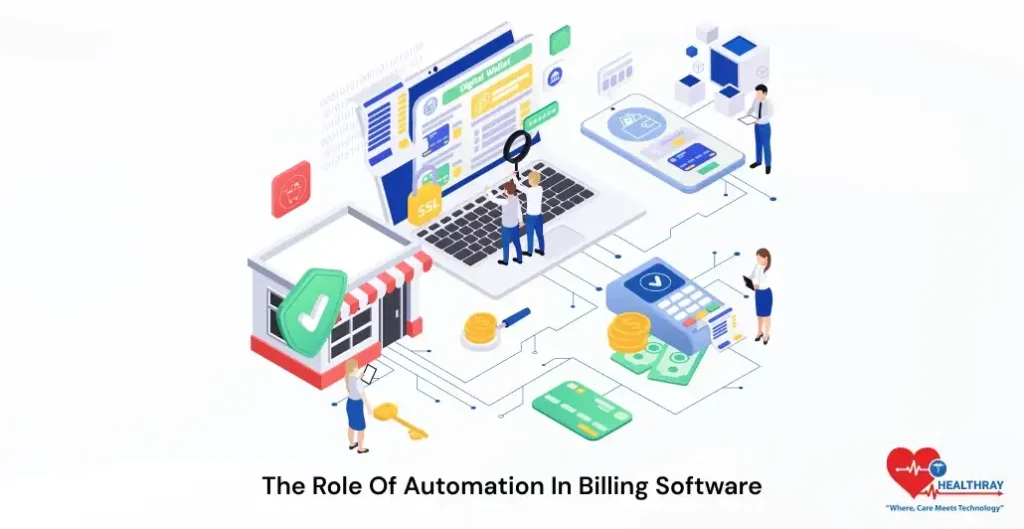
Automation is often highlighted during demos, but it should be evaluated carefully.
Automation should not just speed up processes. It should improve accuracy and reduce manual work.
During a demo, check whether the system:
- Automates repetitive tasks
- Validates data automatically
- Reduces dependency on manual entry
Automation becomes even more valuable when the system is part of a broader revenue cycle management software in healthcare ecosystem, where all stages of billing are connected.
Real-World Scenarios to Test During the Demo & Data Security and Compliance
Generic demos rarely reflect real challenges. Hospitals should request scenario-based demonstrations.
Examples may include handling of:
- High patient numbers
- Claim rejections
- Coding mistakes
- multiple insurers and TPAs process
Such situations will give you an idea of how the billing platform performs in stressful conditions.
Now, let’s talk about Security. So, data security is one of the most important aspects to consider during a demo, but is often ignored because the focus is on the efficiency of the system.
However, billing data in healthcare is tied to patient records.The software provider needs to show their security measures which protect sensitive information because it is a requirement to confirm their implemented security measures. The storage procedures with their information access points and their data protection methods against all possible threats need to be investigated. The system needs to include three specific security features which are role-based access control and audit logging and encryption capabilities.
The healthcare billing systems require compliance as their most important requirement. In India, insurers, TPAs, and regulatory agencies prefer standardized and transparent billing processes.
Therefore, the system needs to provide document tracking tools which will monitor all billing documents while creating an audit trail.
How Different Departments Should Evaluate the Demo
Because a billing system affects more than one team, everyone who has a stake in it should be involved in the evaluation.
- Finance Team: Keep an eye on income, approve claims, and report.
- Administrative Team: Checks how well the workflow is working and how well people are working together.
- Clinical Team: Make sure that billing and documentation work well together
- IT Team: Check the security, scalability, and integration of the system.
A combined evaluation helps you make better choices.
Common Mistakes Buyers Make & Hidden Costs to Know During a Demo
Many hospitals make avoidable mistakes during demos.
- Focusing only on features
- Ignoring workflow compatibility
- Not asking practical questions
- Overlooking scalability
Avoiding these mistakes improves decision-making.
Let’s be honest, the cost of software is only one part of the picture. Hospitals need to think about what all of this will cost them, and they should ask themselves questions such as: How much will it cost me to run this software?
Hospitals should ask about:
- Implementation fees – The costs for software installation and initial configuration.
- Training costs – How much it will cost to train staff to use it.
- Maintenance fees – costs for ongoing maintenance and upgrading of your system.
And don’t forget the hidden costs! If a new system doesn’t fit with what you do in your hospital, it may make life more complicated and less productive for everyone involved.
 PRO TIP
How to Compare Demos and Make the Final Decision
| Evaluation Area | What to Check During Demo | Why It Matters |
| Workflow Compatibility | Does the system align with your hospital’s pricing process? | Reduces operational friction and rework |
| Ease of Use | Is it easy to navigate through the interface? | Improves staff adoption and efficiency |
| Error Handling | Does it support real-time detection and correction of errors? | Reduces claim rejection rates |
| Implementation Support | Is onboarding or setup support offered by the vendor? | Ensures smooth transition after purchase |
| Training | Will you receive training sessions or guides? | Enables employees to use the system optimally |
| Vendor Reliability | Does the vendor possess healthcare experience? | Ensures long-term support and stability |
| Scalability | Is it scalable as per growth in patients and data? | Supports future expansion |
| Financial Impact | Is there an increase in approvals and a decrease in delays? | Promotes better cash flow and revenue uplift |
As soon as you begin comparing demos in an organized way, you will figure out that having to pick one of the apps based on looks but how they perform.
Post‑Demo Phase: Internal Alignment and Final Approval
Once the demos are over and initial comparisons have been made, organizational decision-making must begin. This is a time when settling on the right single selection between multiple teams is more important than what software itself.
The team should assemble for a short break which will allow them to review the main elements from the demonstration. The hospital requires a demonstration of system operations which will support both its everyday activities and its extended operational objectives.
These processes include final approval, the discussion of budget and the expectations for what will happen. The more teams talk to one another, the more everyone in the company agrees with the system, making it easier to adopt.
The organization currently seeks a system which will operate successfully across all departments without introducing any implementation difficulties.
Conclusion
The demonstration of a medical billing system functions as an essential milestone that enables customers to experience the system beyond its advertising statements.
Through their examination of workflows and system usability and operational performance, hospitals can reach better decision-making results. The correct system selection results in higher operational productivity and decreased mistake rates and brings about quicker payment processing times.
A system selected correctly is not about the most advanced and cheapest solution. You should choose the system that meets your needs and gives reliable results.
