
Summary
Still counting numbers to make clinical decisions? In 2026, it will not work out. LIMS analytics software holds immense power!! If you’re using a traditional approach to collect and compile data in excel and preparing reports manually, then you will lag behind your competitors. LIMS analytics software displays all the numbers on the same screen. It automatically collects data from multiple departments and prepares enticing reports displaying all numbers, statistics, pivot table and more. Also, it gives you suggestions where your numbers are going down and need high consideration. In this blog, I will discuss how LIMS gives you a powerful solution to convert all your data into automated reports. And I will also cover how healthcare companies can utilize these reports to figure out weak areas and take tangible action to improve them. Keep reading!!!
Introduction
Laboratories generate a huge amount of data daily. Every sample registration, test result, instrument reading and report approval creates an important data point. But just collecting data is not sufficient. Clinics get real value when clinics convert this real value into useful insights that help lab managers take concrete decisions. Many labs have data but still don’t have clear insights. In 2026, many lab departments are relying on old spreadsheets and scattered reports.
Data is stored in different systems; it becomes challenging for companies to analyze it deeply. Managers are unable to determine which test results are in high demand, which branch has a slow turnaround time and which instruments are not properly utilized.
That’s the reason labs miss out on important trends and improvement opportunities. Therefore, it is highly crucial for clinics to adopt a laboratory information management system. Most importantly, analytics helps clinics make empirical decisions instead of just depending on hypothetical assumptions. When decisions are based on real numbers and trends, then operations naturally become efficient and enhance the service quality.
What is the Purpose of LIMS Dashboards?
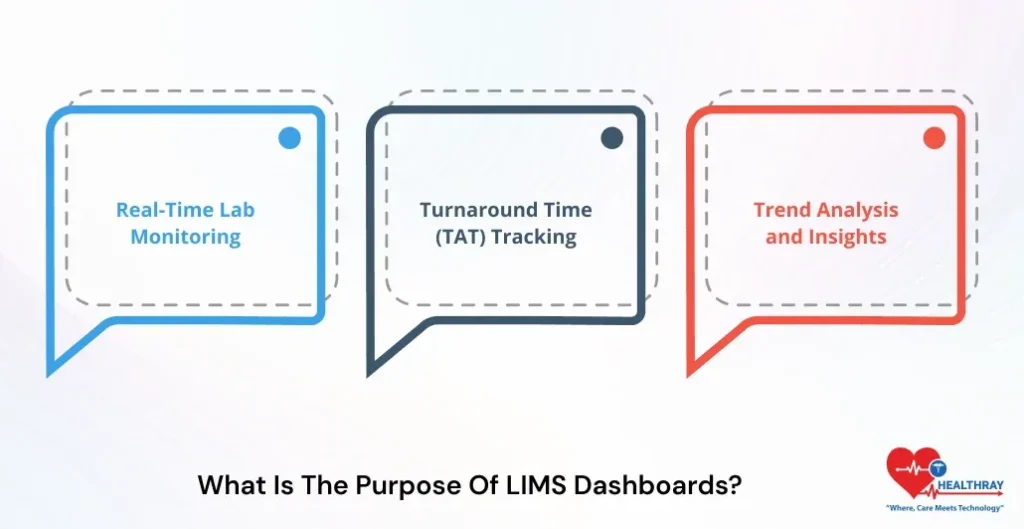
1. Real-Time Lab Monitoring
LIMS dashboards provide real visibility to clinicians to run their practices. Further, managers and lab technicians can view every single piece of information on a single dashboard. They can check every stage of the sample, pending reports, and reports that need approval and more. Additionally, if the system detects any uncertainties, it will automatically send alerts.
2. Turnaround Time (TAT) Tracking
Multi-branch LIMS dashboards allow clinics to easily monitor turnaround times. Further, if the test is consuming more time, then the manager can instantly pinpoint the bottlenecks and take concrete action to improve it.
3. Trend Analysis and Insights
LIMS displays historical patient data in the form of statistical figures like pie charts, tables, charts, graphs and other interesting visualizations. Furthermore, lab specialists can conveniently analyze each pattern and figure. They can figure out which tests are high-performing and which tests are consuming time and many other essential insights to improve the practices.
Why Do Dashboards Fail to Deliver ROI?
1. Unclear Goals and KPIs
Labs mostly indulge in creating dashboards but they fail to define their clear objective before embarking on this journey. Further, when lab participants are unaware of questions suggested by dashboards, then converting visuals into meaningful decisions is not achievable.
2. Lack of Proper Requirements Planning
Sometimes project teams and vendors overlook deep requirements gathering. Consequently, the dashboard will track metrics that are not measurable. They fail to evaluate metrics that are highly critical and important.
3. Over-Customization Problems
Few clinics indulge in adding all the features in version 1 of projects. Further, the LIMS system becomes overly complex. This results in:
- Slows down the implementation process.
- Increases the budget.
How Do Top Implementations Succeed?
1. Focus on Value-Driven Design
Successful labs don’t just consider dashboards as reporting tools. Further, they evaluate KPS such as turnaround time, error rate, retest cost and instrument deeply to determine their impact on ROI. When clinics design dashboards that focus on their real lab needs. Consequently, they can extract powerful insight that raises their operation to a higher level.
2. Clear Workflow and Requirements Analysis
Before implementing the LIMS in the practices. Top clinics first indulge in evaluating the workflows deeply. Further, they thoroughly analyze the current situations in lab departments and what are the best practices they should consider for future growth. This approach will help clinics to construct dashboards that perfectly align with their real labs’ needs.
3. Role-Based Dashboard Design
Every user requires different information because their designations in lab services differ. Further, a junior lab specialist will require specific features like collection, generating reports, etc., and a senior specialist will require features like approval, financial information, patient security, etc. Manager requires performance insight features as well. In summary, a successful lab builds a dashboard based on the user’s designated role.
 PRO TIP
4. Phased Rollout and Continuous Improvement
Leading labs don’t implement all the features at a single time. Further, they first launch important KPIS and then gradually move to advanced analytics. This phased approach:
- Minimizes the risk in the practices
- Value becomes instantly visible.
How to Build a Custom LIMS Report?
1. Define the Reporting Need
Firstly, clinics should clarify the purpose of their report generation. Whether it’s about:
- QA team to analyze the quality of samples.
- Management to review the entire practice and extract useful information.
- For client reporting.
Further, they should check important KPS such as sample ID, test results, turnaround time (TAT), and sample status. When all your metrics are clear, then clicks can present reports more accurately and highlight deeper metrics.
2. Select Data Sources and Filters
In the next step, clinics choose a data source such as a report and query builder. Further, this can be samples, tests, orders and inventory tables. Clinics should also apply filters such as :
- Data range
- Test type
- Client name
- Sample status
This makes the report generation more accurate ,focused and centered on appropriate, pertinent data.
3. Design the Report Template
Next step is to design clinic templates. Furthermore, lab data management software includes a ready-made template editor where clinics can conveniently add headers, result tables, lab logo and footers. In this stage, clinics should put efforts into making the report structure clear and professional.
4. Add Calculations and Dynamic Fields
Clinics should integrate calculated fields or dynamic data to make the report more appropriate and appealing. The LIMS system should automatically display average values, TAT calculation, and flagged comments. This reduces the need for manual calculation.
5. Configure Formatting and Output
In this stage, clinicians decide in which format they should generate reports, such as PDF, Excel, or CSV. File. They should focus on naming rules and language options. Further, they should consider role-based access so that only authorized users get permission to modify the records.
PDF or Excel LIMS Reports: Which is Better for Audits?
For auditing pdf record are considered more reliable, as they encompass a fixed layout structure. Further, once the report is generated, no one changes the report. This keeps the report content secure and compliant with medical standards. On the other hand, excel is useful for internal analysis. Lab can use excel for data calculations, trends and performance analysis. LIMS software exports the data into excel template.
What Clinics should prefer?
In order to create compelling reports that highlight potent metrics and statistics that support clinics in taking specific actions, the lab should choose excel for internal analytics. On the flip side, use signed PDF and PDF/A reports for generating official and audit-ready reports.
Step towards digital era with our healthcare solution
Revamp your hospital facilities and embrace change for better healthcare management. Ease in managing and organizing large medical datasets leads to effective analysis. Seize the opportunity now!
Can LIMS analytics predict sample demand and workload?
LIMS analytics are adept at predicting sample demand and workload. Let’s check more about it.
1. Forecasting Future Sample Volumes
Modern LIMS analytics deeply understands the historical data of lab departments and can predict the future demand of samples. Further, LIMS are embedded with AI and machine learning algorithms and study previous months’ data, seasonal patterns, and client activities. This help clinic’s lab determines the sample estimation in the upcoming weeks and months. Read our blog, LIMS software technologies, to know more about it.
2. Predicting Test Demand
Along with sample forecasting, LIMS are capable of estimating test demands as well. Further, the system can calculate:
- The total number of tests that clinics need to perform.
- The number of instruments required to run the test.
- Reagent consumption
Overall, this helps labs to determine the future requirements and helps them to organize their practices as per the future data.
3. Capacity Planning for Instruments
Predictive analytics help labs to plan the instrument needs accurately. Further, the LIMS system can predict the following:
- Which instruments are in higher demand during peak times?
- Which instrument will remain idle?
Through this insight, the lab can optimize their test schedule properly and minimize workload at the last moment.
4. Early Alerts for Workload Spikes
AI-enabled LIMS sends early alerts to the manager if resources are going below the threshold. Further, this helps the lab team to plan the resources when the sample volume gets increased. System can easily predict the future need and suggest recommendations to plan the resources accordingly.
 NOTE
NOTE
Conclusion
LIMS analytics help clinics to convert raw data into powerful insight. The LIMS system deeply analyzes sample records, test results and workflow data and provides clear information to management to properly plan their resources. If the lab focuses on clean data, proper planning and user adoption, then dashboards and analytics deliver real value.
Platforms like Healthray help labs clearly define their KPIS to create a strong data foundation and user-friendly system adoption.