
Quick Summary
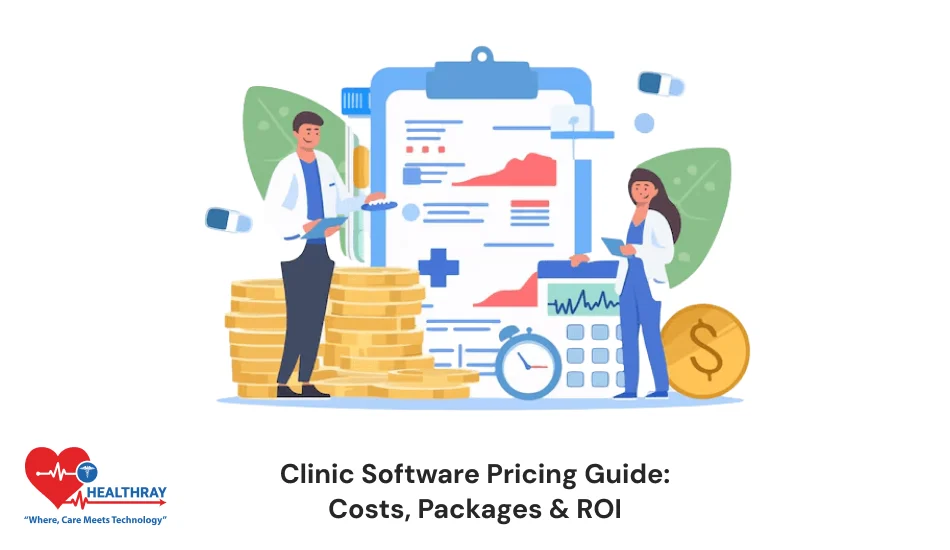
Picking a clinic software may feel difficult. But with this clinic software pricing guide, you can do it easily. Understand how the cost changes based on features, users, and setup. It shows how to choose the right plan for your clinic as per its needs. This will help you to save your time and make more revenue.
Introduction
Too many tasks are going on in the clinic. In one place, the front desk is scheduling the appointment. Whereas in the other corner, the accountant is finalising the bills. The clinics have to manage several tasks every day, including staff salaries, rent, and supplies. To add to this burden, there is paperwork, missed appointments, and billing errors.
This is where clinic management software steps in. It brings you order and saves both your time and money.
But then comes the big question. How much does it cost?
To answer this and clear all your doubts, this clinic software pricing guide will help you understand its pricing. With the help of this blog, you will:
- Understand what you pay for.
- See what affects the price.
- Learn how to measure value.
What are The Core Functions of Clinic Software?
Clini software is the digital brain of your clinic, which manages your daily routine. It brings everything in one place. It replaces your paper with online screens and completely removes the guesswork.
Most clinic software includes these core functions:
Patient management
This software stores every single detail of the patient. It has their medical history, contact details, and even the insurance information. So, you can pull up anyone’s records in seconds.
Appointment scheduling
Modern systems have online appointment software for clinics, which lets patients book visits through the website. Patients can check the complete schedule of doctors and book their slots online. So, there are no more double bookings or any missed appointments.
Electronic medical records (EMR)
Digital charts are replacing paper files. There are no more folders, missing pages, or handwriting confusion. Doctors use this software to update their notes during the consultations. Because of this, everything stays organized.
Billing and invoicing
Billing becomes quick with this software as it removes manual miscalculations. It calculates every test and service that the patient underwent. This software generates bills automatically after visits and tracks each payment.
Reporting and analytics
This system turns your daily clinic activity into useful insights. They show what exactly happens in your clinic. It tells you which services.
 PRO TIP
How Pricing Models Work in Clinic Software
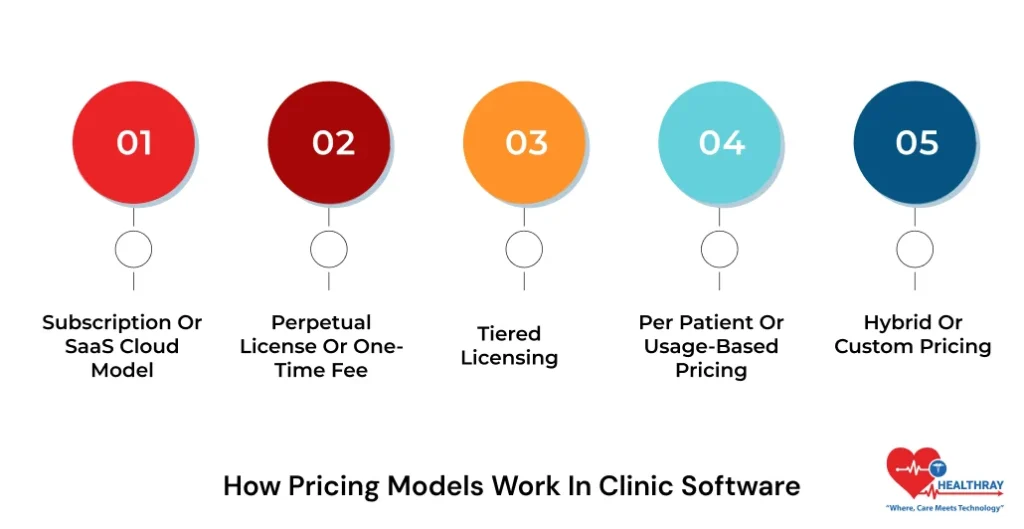
Clinic software does not follow one fixed price. Companies charge in different ways. Each model fits a different type of clinic. This clinic software pricing guide explains each of them one by one:
a) Subscription or SaaS Cloud Model
This is like your Netflix subscription. You can pay monthly or yearly. You just log in through the internet and get updates automatically. This software lives in the cloud. So, you can access it from anywhere and with any device. You can use it with a phone, tablet, or laptop.
Many clinics choose this option. The prices of it mostly depend on users, features, and clinic size. With this, you avoid high upfront costs and start quickly.
b) Perpetual License or One-Time Fee
This model charges once. You just have to pay only one time. You can just install the software on your system and own that version forever. For installation, you don’t have to pay again and again. But updates, support, and maintenance often cost extra. This system is usually suit for clinics that have in-house IT teams.
c) Tiered Licensing
This mode offers you different plans, which usually include basic, standard, and advanced. Each of these tier unlock more features. So, the price rises with more feature upgrades. This method is best for the growing clinic. You only have to pay for what you need. So you can start small and upgrade later.
d) Per Patient or Usage-Based Pricing
In this, you pay for what you use. This means if you have more patients than you would have would have higher costs. And if there are fewer patients, then you have to pay less. This model usually works for those who have fluctuating volumes.
e) Hybrid or Custom Pricing
Sometimes clinics need mixed models. If you have multiple locations or special workflows, then vendors create custom plans for you. They mix different models that work best for your clinic. It can be like you pay a base fee plus extra for certain features. Prices mostly depend on usage, users, or features.
 NOTE
NOTE
Typical Price Ranges by Clinic Size and Needs
Prices vary widely for the clinic software, but patterns exist for its distribution. This clinic software pricing guide will explain to you some common ranges.
1) Small Clinics or Single Practice
If you are solo or have a tiny team, like 1-3 doctors, you would not need too many features. You may only require:
- Basic patient records
- Simple appointment scheduling
- Invoice generation
- 1-5 users
You just need the starter pack, which covers the essentials. You can try subscription plans as they are affordable and their setup is quick.
2) Medium Clinics or Multi-Provider Practices
Clinics that manage more patients require more advanced features. They have to manage more staff and data. They mostly need:
- Advanced patient management
- Detailed reporting
- Multiple user access
- Better customization
- Lab integration
As the clinic is growing, it needs tools that can keep up with it. So, the pricing rises with users and features.
3) Large Clinics or Specialty Practices
These clinics need depth. They have big operations and multiple departments. They also have many doctors for a high volume of patients. The common features that they mostly need are:
- Interoperability in clinic systems
- Advanced analytics
- Custom workflows
- Priority support
- AI-powered features
- Multi-location support
The pricing depends on the scope. So they usually have custom plans for their clinic software.
What Affects Clinic Software Cost
We have understood that not all the software is priced as same. So, what exactly drives their cost up? This clinic software pricing guide highlights those factors that affect the clinic software cost:
Feature Set
It is simple to understand that if you have more needs, more features, then it would cost you more. But unused features will waste your money. So, focus on your daily needs and ignore extras if you are not using them. You need to balance what you want versus what you actually need.
User Count
Most software charges per user. So, if your users increase, then prices will also go up. Some vendors offer unlimited users at higher tiers. Compare carefully and plan users’ access carefully if you are planning to grow. Do not overbuy licenses.
Deployment
Cloud software costs you less upfront, but you have ongoing fees for updates. Whereas, on-premises software costs more now, but you don’t have to pay monthly fees later. You buy servers and handle everything on your own.
Integrations
If you want your clinic software to connect with other systems, then you need integrations. Each integrations cost you money. Simple linking may be free, but for complex and custom ones, you need to pay extra.
Compliance and Security
Healthcare is sensitive. You need proper security for the medical data. You need to follow regulations. So, better security costs you higher. But it is non-negotiable. And if you have one data breach and you are done.
Customization
Out-of-the-box software is cheaper, but if you add custom features and workflows, then it will cost you more. So, if you need tailored features, then be ready to pay extra for them.
Step towards digital era with our healthcare solution
Revamp your hospital facilities and embrace change for better healthcare management. Ease in managing and organizing large medical datasets leads to effective analysis. Seize the opportunity now!
Choosing a Pricing Package – What to Look For
You have seen the models, and now you also know the ranges. But if you still feel choosing the plans feels tricky, here is some clarity for you with this clinic software pricing guide :
Start With Your Workflow
Many clinic makes this one big mistake. They look at the price first. This usually leads to regret. Every clinic has a different workflow. This uniqueness also extends to branding elements like healthcare logo design, which helps clinics present a clear and professional identity to patients. Some manage walk-in patients all day, some run diagnostics, and others focus on follow-ups. The cheap plan that does not match your needs may slow down your work. So, invest in those plan that suits your daily flow and save money in the long run.
List Your Daily Tasks Clearly
Your daily tasks reveal what you really need, rather than the sales claims. Write down what happens every day. For example, appointment scheduling, consultation notes, billing, and follow-ups. Now match these tasks with your plan features. If a feature does not support your routine, then you don’t need to invest in it.
Match Features to Tasks, Not to Hype
More features do not mean it will be utilized. They often create more complexity. A pricing plan should cover your essential tasks first. You should use advanced features when you really need them. Do not waste your money on those features that you don’t need. Choose a plan that supports your real work and not someone that sounds only fancy.
Check Scalability Before You Decide
You would not want to keep your clinic the same forever. Everyone wants growth. So look for the easily scalable software. Maybe you open a new branch, or your patient volume increases. So your pricing plan should grow with you as it allows for upgrades. It should not force your complete system to change later. You should ask about future costs now, instead of later.
Check Support Access Carefully
You would need software support when your software breaks and work stops. For this support, quality matters a lot. Quick help saves you hours, whereas slow ones waste your days. Some pricing plans have complete support, some have limited access, whereas some charge extra. Always check support hours before looking for a plan.
ROI: How to Justify the Investment
ROI simply means return on investment. You can understand this in easy words. It means how fast you recover what you have spent. This clinic software pricing guide breaks ROI into simple pieces:
Time savings
You calculate your ROI with your hours you save every day. If your staff stop doing the same work again and again. Your routine tasks are organized, and doctors spend less time searching for information. This eventually shows you have a better ROI. These saved minutes turn into real money.
Revenue gains
Manual billing causes mistakes, which delays payments. This hurts your cash flow. With clinic software, your errors are reduced. Bills generate quickly and get tracked properly. So, there are no more outstanding dues. Your clinic would collect more of what it already earns. You don’t need extra patience for this.
Operational efficiency
The clinic runs smoothly with coordination. With this clinic software, your schedules are organized. This system automatically sends the reminder to patients. So, this reduces no-shows. Your staff knows what to do next, and there is no more confusion. Eventually, this leads to fewer daily problems. Your workdays are calmer and predictable.
Patient satisfaction
The clinic software reduces the waiting time of the patient as the appointments are more organized. There is better and clearer communication. The patients’ trust in the clinic increases. These lead to repeat visits and referrals. Eventually, it improves your revenue without any extra marketing.
Learn more: Top 10 Clinic Management Software in India
Conclusion
The clinic software helps your healthcare to work smoothly with its routine tasks. But sometimes choosing the correct software for your needs becomes difficult. This clinic software pricing guide is aimed at simplifying everything. With this, you now:
- Understand pricing models.
- Know what affects cost.
- Compare packages wisely.
- Calculate ROI with confidence.
If you choose the right software, it will not drain your money rather save you a lot of time and make more revenue.
If you want to explore clinic software options, you can explore Healthray. It offers you clear pricing, transparent features, and practical value.