Summary
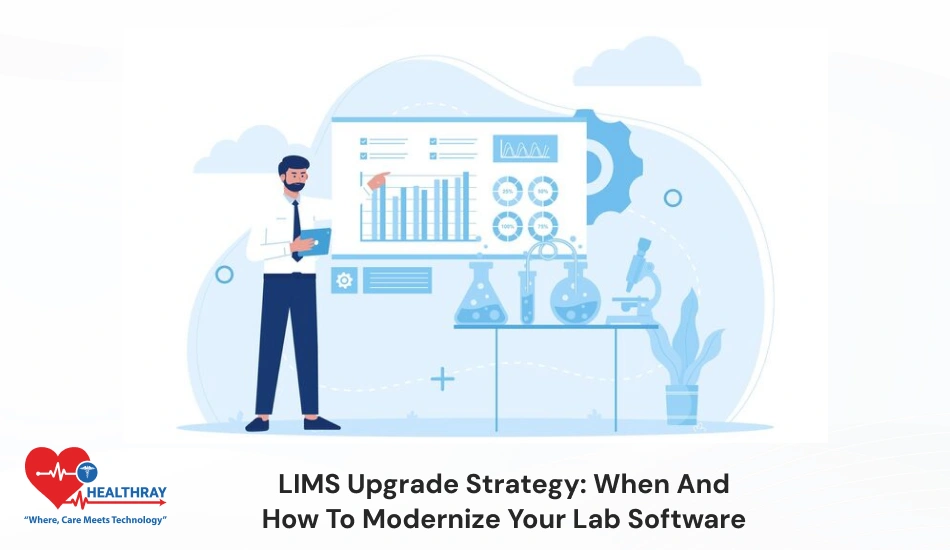
In 2026, the lab faces changes with high pressure volume and regulation. Traditional LIMS are not fully functional to handle such unavoidable situations in lab clinics. In simple words, traditional software is incapable of handling high-pressure volume or sudden spikes in case of emergency. It is highly paramount to leverage the practices with LIMS upgrade strategy to handle complex tasks more easily. Upgraded LIMS includes highly advanced AI algorithms that automate all the tasks that require considerable effort. Upgradation helps clinics achieve strong ROI and builds a friendly environment for patients. In this blog, I will share some unconventional approaches to upgrade your traditional software. Also, I will cover how LIMS upgrade strategy helps you build smart, efficient, future-ready lab practices. Keep reading!!!
Introduction
Labs in the contemporary healthcare ecosystem are struggling with the pressure of growing test volumes. Along with that, demand for NABH regulations and real-time EMR/HMS integration is also increasing. Conventional systems are inefficient in handling such huge pressure. However, old LIMS software is stuck with data silos. This increase delays manual errors and inefficient workflows, which reduces the lab efficiency up to 30%.
Upgrading the modern laboratory information management system is no longer an option. It is highly imperative for scalability, compliance and AI-based insights, especially for multi-branch hospitals where data and workload are greater. Upgraded LIMS provides better data accuracy and automates the entire workflow. Cloud-based LIMS can easily manage large data without periodic outages. If your system has outdated security, weak EMR/HMS integration, and improper vendor support, it’s a clear sign that your software needs a LIMS upgrade strategy. A successful upgrade requires a proper roadmap that highlights requirements planning, phased implementation and team training. Step-by-step minimizes risks and ensures smoother adoption.
LIMS Upgrade Strategy: What are the Signs a Lab Needs a New LIMS?
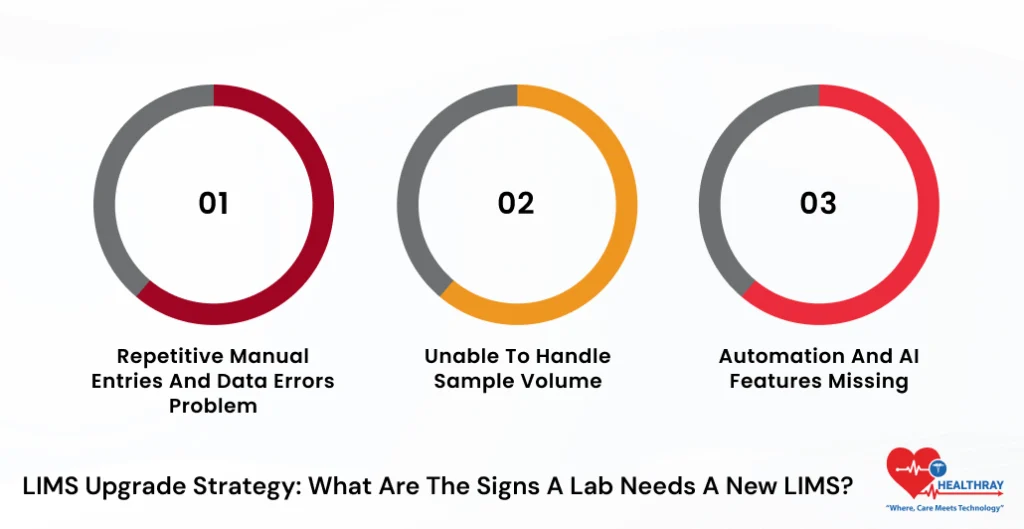
1. Repetitive Manual Entries and Data Errors Problem
If lab staff take more time for manual entries and errors are increasing more, then it’s a clear sign that clinics should upgrade their LIMS outdated features.
2. Unable to Handle Sample Volume.
As the workload is increasing, the LIMS for hospitals is becoming slower. Further, clinics face challenges with system malfunctions. Then, it’s all the right time to upgrade your software.
3. Automation and AI Features Missing
If your clinic’s system lacks automation, cloud, or AI support. In 2026 ,these features are highly imperative for lab clinics to accommodate workload and stay ahead of the competitive edge.
How to Evaluate LIMS Vendors for an Upgrade?
1. Clearly Define your Lab Requirements
Firstly, the lab should clearly understand their needs. Furthermore, clinics should map their workflows clearly from sample collection to clear report delivery. Decide on all the features that are highly crucial. Typically, labs need HL7/FHIR integration, instrument connectivity, and NABH compliance. Also, discuss future needs with your vendors, such as AI analytics and multi-branch expansion. Moreover, when labs are clear about their goals, then it becomes easy to decide on the right vendor.
2. Create Appropriate Vendors checklist
There are many reputable vendors present in the market but not all are suitable for your lab needs. Further, clinics should focus on healthcare-focused vendors and narrow them down based on their experience. Check review ratings on G2 and other review platforms and check their real hospital case studies. India-based experience is essential, especially if you are targeting NABH compliance.
3. Properly Test Features and Functionality
Don’t make long-term decisions based solely on the brochure. Further, clinics should check real-life test cases such as sample tracking, barcode scanning, reporting, dashboards and more in the demo and trial phase. Test the system to ensure its appropriateness. Check to see if work is going out of the box.
4. Evaluate Scalability and Future Roadmap
LIMS should not only focus on the current needs of the clinics. Further, they should evaluate their future needs as well. Check whether the lab management solution is adept at handling multi-location labs and high sample volume. Evaluate the vendors’ 2-year roadmap and check whether they are providing standardized AI features, automation, and regular updates.
5. Properly Analyse Total Cost and ROI
Clinicians should not just look at initial pricing. Further, they should evaluate the 3-year Total Cost of Ownership (TCO). It includes subscription, customization, training, and maintenance. Additionally, you can calculate ROI, to help management properly plan their budget.
Step-By-Step Guide to LIMS Upgrade Strategy
1. Proper Assessment of Current System
First, the clinic should properly audit their existing LIMS and workflows. Second, they should identify areas of delay, such as a slow TAT rate or errors exceeding 5%. This step is highly important as it helps clinics determine the areas that need improvement.
2. Finalize with Requirements Stakeholders
Clinics should involve all the staff members to finalize the requirements. Furthermore, decide the must-have features such as HL7/FHIR integration, cloud support aur NABH compliance. that you want in lab practices. The best practice is to use the MoSCoW method (Must, Should, Could) to set the priority. This minimises confusion and lab workflows move in the same direction.
3. Start Configuration and Pilot Testing
Configure the new LIMS as per your lab needs. Further, choose one department, for example: hematology and perform pilot implementation. Perform UAT (User Acceptance Testing) in real scenarios. This helps clinics detect early issues and rectify them before going ahead.
4. Go-Live and Hypercare Support
Instead of launching the system completely, clinics should execute a phased rollout approach. Further, after launching the features, the clinic should provide 24/7 support for a minimum of 30 days. This process is called the hypercare phase. Clinics should thoroughly evaluate KPI’s such as, TAT, and user adoption once the system is launched.
Step towards digital era with our healthcare solution
Revamp your hospital facilities and embrace change for better healthcare management. Ease in managing and organizing large medical datasets leads to effective analysis. Seize the opportunity now!
Common Pitfalls to Keep in Mind During LIMS Data Migration
1. Do not ignore the Data loss risks
The biggest downside that most clinics face during the migration process is loss of data. Further, if clinics fail to properly map the new and existing systems, consequently, clinics will lose important data.
2. Consider Data Integrity Issues
Manual transfer and poor planning can cause duplicate entries, wrong units (mg vs. µg), and missing values. Further, this leads to confusion, as management relies on wrong reports and analytics. Therefore, it is essential for clinics to consider data integrity thoroughly.
3. Don’t Skip Proper Validation Plan
It becomes highly tough for clinics to verify the data after the migration phase. This is a critical stepping point and will require designing from scratch. Further, clinics should identify data volume, dependencies and priority datasets. They should adhere to a phased migration approach.
4. Not Considering Backups
Before indulging in the migration phase, clinics should first perform regular data backups. Further, clinics can address any uncertainties if anything goes unexpectedly wrong. Clinics should keep multiple backups (local + cloud) so that data remain safe in any situation.
 PRO TIP
What are the Data Backup Strategies Before LIMS Migration?
1. Full System Backup is Mandatory
It is crucial for clinics to take backups of the full system before carrying out the data migration phase. Further, they should take data backups of databases (PostgreSQL/SQL Server) or files. Clinics should plan weekly full backups or daily incremental backups. Relying just on backups is not sufficient; perform restore tests as well to recover 100% data.
2. Follow the 3-2-1 Backup Rule
For safe backup, follow the 3-2-1 rule. It represents three copies of data, 2 different storage types (disk + cloud), and 1 offsite backup. Further, clinics can use Encryption (AES-256) to keep the patient data secure.
How Long does a Standard LIMS Upgrade Take?
1.LIMS Upgrade Time is not Fixed
LIMS upgrade strategy duration is not fixed. Further, it’s completely based on lab size, data volume and project type. Simple upgrades take 3-6 months to accomplish. However, full migration takes 3-12 months for accomplishment. Mid-size labs’ average timeline is around 8-16 weeks.
2. Simple Modular Upgrade Takes Less Time
It takes less time to complete the upgrade if you’re working with the same vendor. Further, it requires minimal data migration and certain configuration changes. This type of upgrade usually takes 3-6 weeks and downtime is usually minimal.
3. Full LIMS Replacement Requires More Time
If clinics are staffed with completely new vendors, then the upgrade process may take time. Further, it involves vendor selection, PoC, data migration (ETL), and training. This upgrade normally takes 3-6 months depending upon complexity.
4. Cloud Migration is longer for Multi-site Labs
If your lab operates on multiple branches or is making a transition to the cloud, then firstly clinics have to perform a phased rollout approach. Due to HL7/FHIR integrations and site-wise deployment, the timeline may extend up to 4-9 months.
5. Key Factors that Affect the Timeline
There are many factors that impact the upgrade duration. Let’s understand more about it:
- If data volume is more than 1M+ records, then usually it takes extra 6-8 weeks
- Integrations takes extra 2–4 weeks
- Staff training takes typically 1–2 weeks.
 NOTE
NOTE
Conclusion
Legacy systems may hinder lab expansion in 2026. If your lab system is slow, more prone to errors, or facing challenges with integration, then it is high time to implement the LIMS upgrade strategy to the system. If clinics delay their upgrades, then consequently, the system becomes slow and unable to meet new standards. This will put you behind rivals and raise the possibility of problems with compliance. The Healthray platform helps clinics establish a solid position in the digital healthcare market and is a practical tool for business expansion.