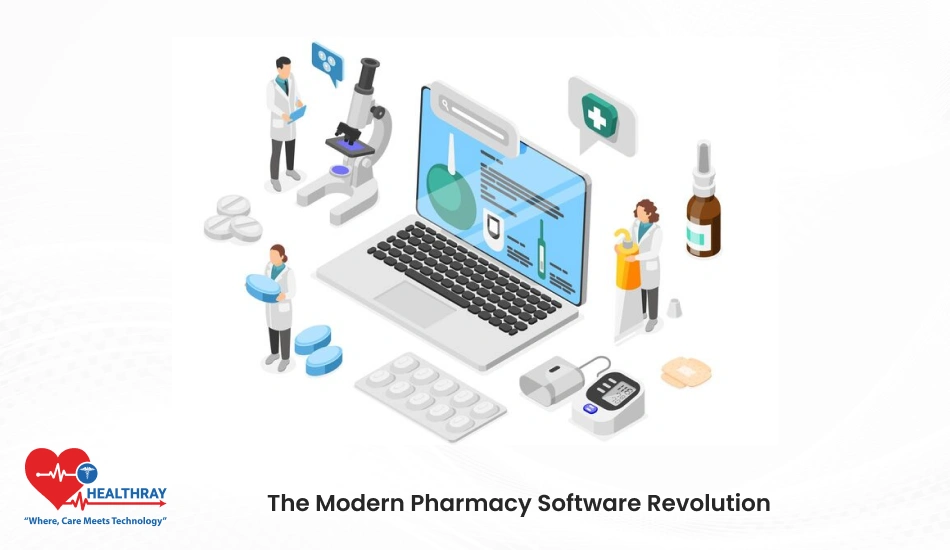

Quite well the running business of the pharmacy is not a minor feat as there are numerous responsibilities ranging from inventory to sales tracking and complying with changing government regulations. If it happens that a person feels doing more paperwork than patient care, then he/she is not alone.
Such a system is referred to as in this case-a PMS: a house operating under significant tranquillity making workflow faster and less stressful in their everyday operation. These processes include automated inventory tracking to real-time reporting features.
This guide will break down everything that needs to be understood concerning PMS systems, including benefits, features, and methods to select the right one for your pharmacy. By the end of this course, you will have all the tools to make an informed decision to take your pharmacy operations to the next level.
Understanding Pharmacy Management Systems

To put it simply, pharmacy management software is revolutionizing the operation of pharmacies. They go beyond just managing prescriptions – these systems encompass a complete solution that addresses the entire spectrum of operational tasks necessary to run a pharmacy, enabling owners and staff to devote more time to the care of patients, rather than having to spend time and energy worrying about administration.
What is a Pharmacy Management System?
This software specifically targets pharmacy-oriented mandustry solutions. It automates and manages functions such as processing prescriptions, inventory tracking, billing, and regulatory compliance. With the entire process now centralized on one platform, manual errors are decreased, as well as time savings.
Must-have Features of a Pharmacy Management System
1. Inventory Management: Manages stock quantities in real-time, alerts for low stocks, and even helps prevent overstocking or avoidance of stockouts.
2. Prescription Management: Automatic generation of prescriptions – electronic prescriptions and refills, patient records, and management of prescription history.
3. Billing and Payment Processing: Put an end to the woes of billing through integrated payment gateways, bulk processing of insurance claims, and thorough financial reporting.
4. Regulatory Compliance: Stay compliant with locally imposed regulations and international health care regulations through good documentation and constant tracking of your pharmacy.
5. Customer Relationship Management (CRM): Retains patient records, tracks purchase history, and even reminds patients about refilling their medications.
6. Reporting and Analytics: Provides comprehensive insights regarding sales, inventory, and performance of operations; thus data-driven decisions are enabled.
7. Integrative upshot: Provides smooth integration with other systems such as Electronic Health Records (EHR) and accounting software for optimally streamlined processes.
Why Invest in a Pharmacy Management System?
Pharmacy owners are faced with different challenges like maintaining accurate records, meeting customer demands, and rising operating costs. PMS directly deals with all these issues by:
– Preventing manual errors in critical areas of inventory control and billing.
– Saving time spent on performing routine jobs and processes through automation.
– Meeting customer satisfaction via faster service-specific recordkeeping.
– Enabling growth through scales that adapt as the pharmacy expands.
By understanding PMS and its features, you are already one-step-ahead in making an informed decision. The next section highlights specific PMS benefits concerning pharmacy operations.
Benefits of Pharmacy Management Software
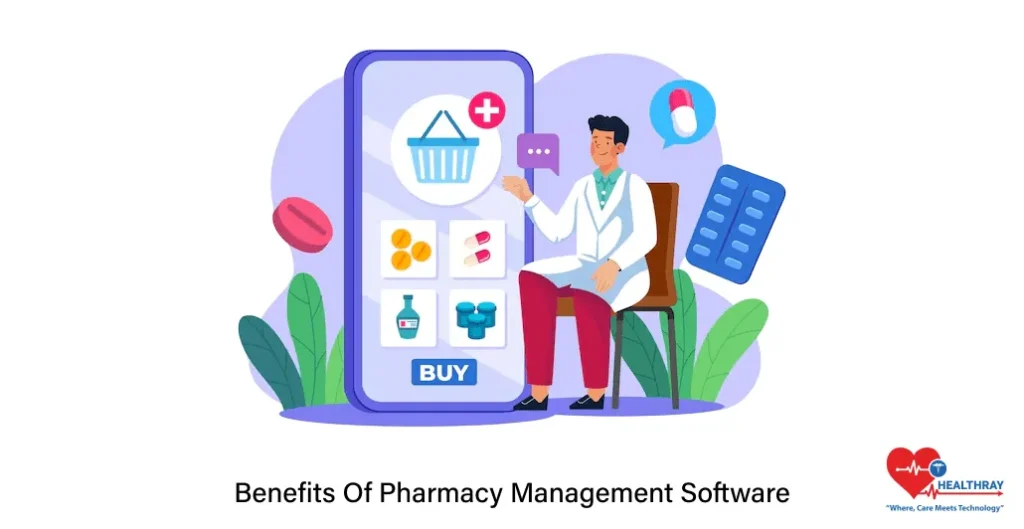
Benefits to applying may differ from pharmacy to pharmacy owing to size and organization type and type of operations. Introducing a Pharmacy Management System (PMS) is more than a simple technological upgrade for a pharmacy-impacting moment in efficiency, compliance, and customer satisfaction. Let us now look at the main advantages that your pharmacy will gain through PMS adoption.
Improved Efficiency and Streamlined Workflows
Routine yet repetitive jobs consume so much time and resources at the same time in a pharmacy. A PMS automates most of these processes, including prescription handling and invoice preparation. It makes life easier in terms of faster patient care and less time spent by staff to perform manual administrative work.
As an example:
– Automated prescription management: This saves manual entries and ensures accuracy.
– Quick Billing: Speeds up the checkout process, thereby decreasing customer waiting time.
Accurate Inventory Management
The largest pharmacy management challenge when it comes to inventory is stock mismanagement. There is a real-time inventory tracking of Pharmacy Management System Service Provider to ensure you are either running out of important medicines or stuck with those that are all expired.
The following reference points are just some of the highlights:
– Low stock alert threshold.
– Automated stock ordering to prevent any abrupt shortages.
– Stock tracking through expiry dates to avoid excess wastage.
Regulatory Compliance
Healthcare regulatory requirements are complex and ever-changing. Non-compliance can mean facing penalties or having your license suspended. The PMS helps you stay on top of all these requirements through:
– Maintaining appropriate records for audits.
– Generating reports to meet compliance requirements.
– Tracking controlled substances to ensure legal adherence.
Improved Patient Care
With a PMS, your pharmacy will achieve even quicker and reliable service. The system maintains correct patient records, offers timely refill notifications, and fills prescriptions correctly.
The other advantages include:
– Faster service engenders higher customer trust.
– Personal care facilitated through access to detailed patient histories.
– Easy coordination with doctors and other health providers.
Cost Savings
Establishing a PMS may seem to be a hefty investment, but in the long run, it saves on costs. Pharmacy operations turn out to be more profitable due to reduced manual errors, little stock wastage, and high operational efficiency.
Data Analytics for Better Business Decisions
A PMS not only makes for a fast operating system; it also gives vital information through analytics and reporting. This would help in identifying sales trends, monitoring staff performance, and establishing areas that require attention.
For example:
– Seasonal demand trends for different medicines.
– Revenue insights from sales reports produced in detail.
Choosing the Right Pharmacy Management Software
Not all PMS Software are created similarly. The key to extracting maximum value depends on the one determined to suit the unique needs of your pharmacy. Let us see how you could make your choice.
Understand Your Pharmacy’s Needs
Every pharmacy operates differently. A small neighborhood pharmacy may prioritize ease of use, while a larger chain may require advanced reporting or integration functionality. Start with the following points:
- Size of the pharmacy: Is it small, medium, or large?
- Operations: Which areas consume most of the time, and where are the operations inefficient?
- Expectations of customers: Are you going for faster service, better inventory, or regulatory compliance?
Consider Must-Have Features
When analyzing the alternatives, ensure that the PMS addresses your must-have requirements. The following features are a must:
- Inventory tracking and alerts.
- Electronic prescription management.
- Regulatory compliance tools.
- Integration with other systems (e.g., EHR or billing software).
- User-friendly interface for staff.
Evaluate Scalability
A PMS lasts forever, so look for a solution that scales with your pharmacy. Check for the following:
- Add-on modules for the expansion of operations.
- Support for multiple locations in case it is ever needed.
Check Reputation of Vendor
A PMS is only as good as the company behind it. Thoroughly research the vendors:
- Customer reviews: Check what other pharmacy owners say.
- Industry expertise: Look for vendors that specialize in pharmacy solutions.
- Support & training: Verify that they offer ongoing customer support and training for your staff.
Assess Integration and Customization Options
The right PMS should seamlessly integrate into your existing system of pharmacy management system- like that of accounting software or patient databases. Customization is important- every pharmacy is different; hence, your system must accommodate your specific workflows.
Trial and Demonstration
Most reputable vendors will offer free trial versions or live demonstrations. This is an opportunity to:
- Test the usability and interface of the system.
- Obtain experience from staff who will be using it daily.
- Establish whether the PMS fulfills your needs without unnecessarily complicating them.
Budget and Pricing Transparency
The price of a PMS can have a great variation. Some systems need a one-time acquisition, while others are subject to monthly fees. With comparison, consider:
- Setup and installation fees.
- Training and support costs.
- Future expenses for upgrades or add-ons.
Procedure for Implementation: How to Install a Pharmacy Management System Effectively
Having selected a fitting Pharmacy Management Software, ensure that the next step is its smooth implementation into the workings of your pharmacy. Considered here is a phase where adequate planning and execution could greatly minimize interruptions to the business from the old to the new system.
Implementation has to be planned.
Have a thorough groundwork that would include:
- Timeline of implementation.
- Major milestones such as staff training and data transfer.
- Distribution of functions among your team and that of the vendor.
The clear plan makes sure that everybody remains on the same wavelength and avoids unpleasant stories toward the end.
Prep Your Team
The successful adoption of a PMS will depend on the level of comfort and confidence of your team with the new system. Their inclusion from the beginning and continuously will be very useful:
- Clarifying how the work done day-to-day by the staff will be made easier with a PMS.
- Discussing their concerns for fear of resistance to change.
- Conducting hands-on training sessions so that everyone gets the feel of it.
Positive talk about system benefits helps sensitize the team to learn and use it effectively.
Be Careful in Data Migration
This one very critical step-and yet grossly overlooked-is the transfer of existing data, patient record, inventory list, and sales history. Here are ways by which the step could become seamless:
- Audit data meticulously for accuracy.
- Work with the vendor in carefully doing the migration so that everything is error-free.
- Backup all the important data prior to execution of transfer.
Beginning with Clean Data sets and Organized Data saves a number of operational hiccups after going live.
System To Be Installed And Tested
Before the PMS system fully comes to life, the testing must be conducted, which allows for the identification and eventual solving of all the possible issues. Discussions point include:
- Affirmation of all integration, for example, EHR or billing-system interfacing.
- Run sample transactions for bill posting and inventory update confirmation.
- Testing of the user roles and permissions for security.
All this builds an assurance testing phase before going live.
Concurrent Deployment Should Be Implemented
It is best to avoid if you will ask everybody to make the move into the new Pharmacy Software altogether. Let it be a staggered affair so that the team can fit into the changes more comfortably and with lesser disruption. For example:
- Use only one feature when possible; for instance, inventory control before turning on other modules.
- This establishes incremental exposure to the system for the staff.
In this way, the smooth transition should be birthed, along with a realization of the potential to overwhelm your team.
Sustaining Support and Training
Post-implementation training and support would be vital for the longevity of the PMS, among many other things, if one were to consider carrying out such. Here are a few tips:
- Refresher in-services for staff members.
- Technical support from the vendor for quick resolution of issues.
- Keep requesting updates and new features from the vendor.
Well-trained and supported individuals make fewer mistakes and find a system more pleasurable and useful.
Monitoring Performance and Usage Optimization
Post-implementation performances of the system should be monitored, and user acceptance should be observed for areas that might need some tweaking:
- Which features are difficult for the staff?
- Does the efficiency of the system in time and cost still meet projections?
- Is it possible to find more applications for use?
Impact assessment will continuously guide the PMS to provide dollar value as per the evolving needs of your pharmacy.
Conclusion
Running a pharmacy comes with its own unique challenges; however, a Pharmacy Management System (PMS) makes it just a tad easier. Not only has PMS made daily transactions simpler and even given compliance issues a solution, it has also become a requisite in this fast-moving world of healthcare. With a good Hospital Management System, one will be able to save time, eliminate errors-from otherwise tasking chores-and concentrate on what he really is meant to do: best patient care. Another benefit of PMS is automation and real-time access, which will put you in a good position when making decisions that would ensure much more steady growth for your business.