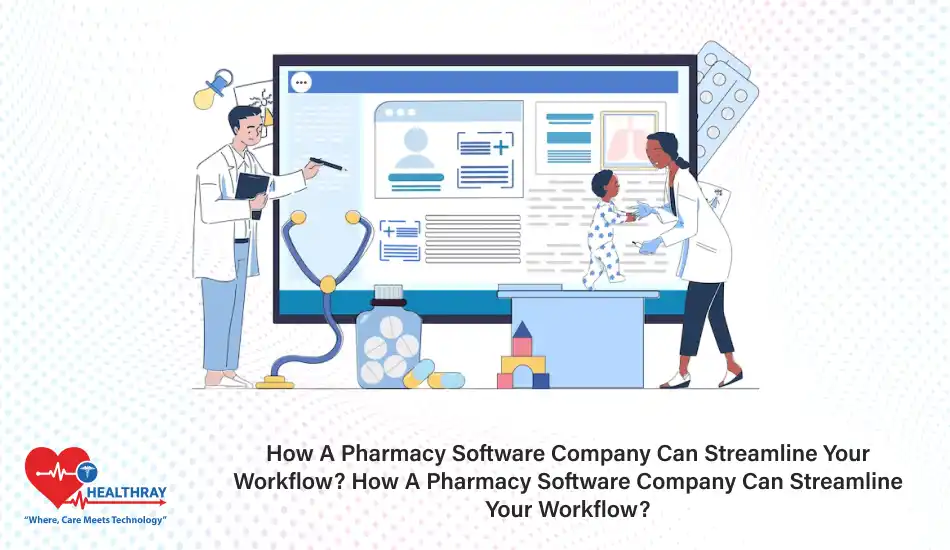

Running a pharmacy includes much more than just filling prescriptions. It means juggling a bunch of different roles–updating inventory, dealing with regulatory issues, and providing high-quality patient care. Overwhelming, right? That is where pharmacy software comes in.
Pharmacy software is no longer a mere tool for workflow optimization; it is a total transformer of workflows into something much less chaotic. This is done by the software automating all kinds of repetitive activities and thus freeing pharmacists just to concentrate on what really matters to them: patient outcome and business growth.
In this post, we will analyze how Pharmacy Management System companies can facilitate operations and be customized to cater to the needs of independent pharmacy owners, large chains, and healthcare administrators. We will discuss the various features, advantages, and implementation features that can really change your pharmacy workflows.
Key Features of Pharmacy Software
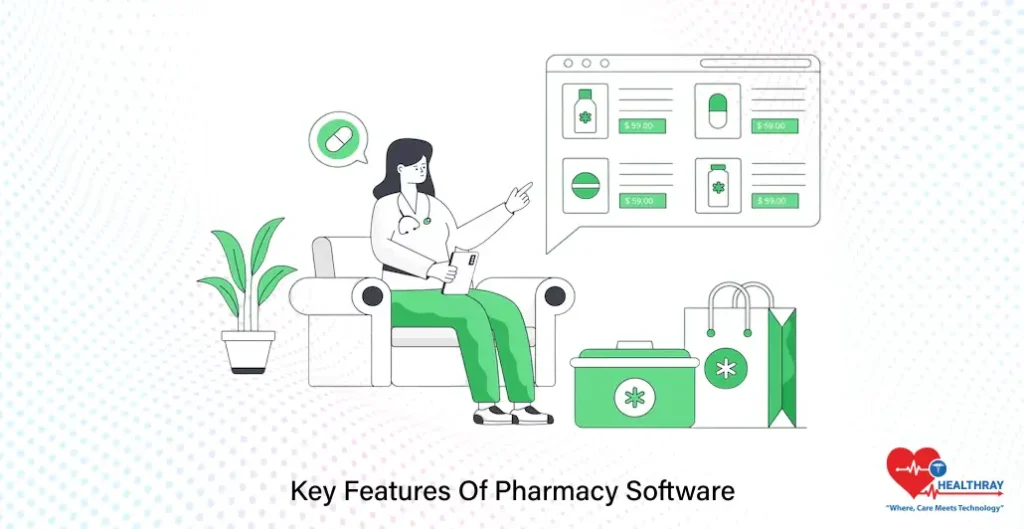
Pharmacy software is made specially to handle the unique demands of pharmacy operations and is an indispensable tool for furthering efficiency and accurateness in these. Let us consider the most impactful features that pharmacy owners, chain pharmacies, and health care administrators should look out for.
Automated Prescription Processing
Hand processing of prescriptions tends to be laborious and error-ridden. Pharmacy software thus automates this process by:
- Scanning and processing prescriptions electronically.
- Flagging possible drug interactions.
- Sending refill reminders to patients.
- This automation speeds up the processing of prescriptions and reduces errors in the process so that the end result that’s safer for the patients.
Inventory Management
Stock management is critical to ensure there are no overstocks and shortage of essential medications. This is easily handled by the Pharmacy software by:
- Tracking real-time inventory levels.
- Sending alerts for low stock.
- Generating reports on fast-moving or slow-moving items.
- These functionalities simplify inventory management at the central level for chain pharmacies.
Patient Management and Communication Tools
Fostering good relationships with patients lends to the success of any pharmacy billing software. From dealing with software tools, a pharmacy can:
- Create detailed profiles for all patients.
- Send out automated notifications for the medication being picked up and for following up.
- Provide online portals for patients to view prescriptions or apply for refill requests.
This creates a seamless experience that enhances patient satisfaction and loyalty.
Compliance and Regulatory Tools
Regulations of the health care industry are complex, continuously changing and redefining themselves. With pharmacy software, this is made easier through:
- Securing digital records that comply with regulatory demands.
- e-Prescription features that match with legal requirements.
- Providing audit-ready reports for inspection.
- Not so much a compliance headache, but now you can focus on running your business.
Reporting and Analytics
Having knowledge of how your pharmacy performs can contribute to better decision-making. The advanced reporting features that are useful include:
- Walking you through daily sales and prescription trends.
- Inventory turnover rate.
- Patient behavior analysis.
With insight from the data, you can recognize growth opportunities and streamline your operations.
These features are not mere embellishments; their very essence constitutes the core for supporting an optimized pharmacy workflow irrespective of the size of the conveyor belt. Next, let’s see how these benefits apply to different pharmacy settings.
Benefits for Various Pharmacy Settings
There is no one-size-fits-all when it comes to pharmacy software solutions. The different challenges that every type of pharmacy faces have to be addressed by the software. Let’s break down how pharmacy owners, chain pharmacies, and healthcare administrators can gain their technology benefits.
Independent Pharmacies: Efficiency With a Personal Touch
Independent pharmacies often find themselves limited by thin staff budgets. It helps by:
- Time savings: Automating tasks like processing and billing prescriptions lets pharmacists devote more energy to patient care.
- Lower error: Built-in safety checks avoid potential medication errors before they happen.
- Loyalty: Refill reminders, patient profiles, and other added features create a more personalized experience for patients.
These tools allow independent pharmacies to deliver the care their communities rely on without getting too bogged down by administrative tasks.
Chain Pharmacies: Consistency Across Locations
Chain pharmacies usually have a complication of managing the different branches. Pharmacy software provides:
- Centralized inventory management : Ensures that each location is stocked efficiently, avoiding waste and shortages.
- Uniform processes : Standardized workflows across all stores, maintaining high levels of consistency in service quality.
- Growth-ready : The software grows with the business, allowing quick adaptation to new branches or increased prescription volumes.
Good practices within operations keep them all running smoothly; chain pharmacies can then focus on scaling without sacrificing quality.
Healthcare Administrators- Seamless Integration with Larger Systems
Hospitals and health systems have more complex needs that increasingly require integration with electronic health records (EHRs) and other systems. The pharmacy software proffers:
- EHR compatibility : The seamless transfer of patient data to keep continuity of care intact.
- Regulatory tools : Audit-ready records and legal standards compliant documentation.
- Advanced analytics : Trends in medication use can be watched for policy improvement and efficiency.
This level of integration allows healthcare administrators to supervise pharmacy operations within the overall healthcare ecosystem, ensuring all aspects run smoothly.
Personalized benefits characterize how indispensable pharmacy software is for different settings, from small community pharmacies to giant healthcare facilities. The right software solution can relate closely to goals and challenges.
Ease To Integrate and Implement With Pharmacy Workflow Software
Switching over to a PMS System may seem insurmountably huge, but with the right steps in the right direction, it can be an absolutely smooth process. One would need to know how the software integrates into existing operations and carefully plan its implementation to be as seamless and involve as few interruptions as possible.
Compatibility with Existing Systems
More than one system is probably used in pharmacies to bill patients, keep their records and manage their inventory. Modern pharmacy software, however, was built:
- To work seamlessly with point-of-sale systems, electronic health records (EHR), and supplier networks.
- To support data migration so that records and other data can be stored in consolidated records from the old systems to the new ones.
- For APIs for custom integrations, thus leaving a flexibility for the establishment of its own unique workflows.
Before adopting a solution, make sure it is compatible with the systems you currently use.
Customizable Features
Each Pharmacy is Different. My pharmacy software can customize it:
Fits your workflow with tailored dashboards and features.
- Customize user permissions according to the roles within your working team; and
- Scalability with the business, can grow to add more locations and increasing volumes of prescriptions.
- Fittingness ensures that the software feels just like part of the pharmacy.
Training and Support
The success of implementation in any establishment depends largely on how best your team acclimatizes with the process of using the software.
- Training sessions to equip your team with know-how in using the software.
- Easy to learn for the most part; and Most software companies provide customer support for rapid resolution of challenges.
- Investing time in training one will guarantee that each member of the entire team will be competent to use the software to its maximum limits.
Implementation Timeline
New software is not changed, or even installed, in a day. Common implementation plan includes:
- Preliminary consultations that lead to understanding your needs and product design.
- Data migration phase for transferring information safely.
- Testing period to fix bugs and malfunctioning issues.
- Go-live date, where the system is fully operational.
Thus, a phased approach minimizes disruptions and a smoother transition.
Ongoing Updates
Pharmacy laws and technologies change rapidly. Good pharmacy software providers provide:
- Frequent updates keeping up with regulatory demands.
- Feature enhancements keeping up with industry trends.
- Feedback channels allowing users to provide suggestions to better use the software.
Your system keeps up with the times and remains an efficient instrument according to these updates.
Adopting pharmacy software needn’t be intimidating. Find a solution that integrates smoothly, plan as seamlessly as possible the transfer over, and leave the rest to ongoing support, and your pharmacy can now work a notch more efficiently.
Cost and ROI

Investing in pharmacy software may seem large at the outset, but the ROI usually exceeds the costs. Let’s look at what the installation will cost, where savings lie, and the financial bottom line overall.
Initial Investment
Start-up costs of pharmacy software will range depending on the provider and features you select. Typically, the following costs are included:
- Software license fees: Usually charged annually or monthly.
- Hardware costs: Such as scanners, tablets, or dedicated terminals.
- Implementation fees: Those incurred during data migration, setup, and initial training.
- The small-end pharmacy might spend lower amounts on entry-level solutions, while larger chains or big hospitals may invest a large amount into more advanced features.
Ongoing Costs
Once the system is installed and working, you will have to face some costs that recur, including the following:
- Subscription fees for software updates and support.
- Hardware or IT service maintenance costs.
- New licenses for users as your team grows.
- By budgeting for these recurring expenses, you ensure smooth operations.
Areas of Savings
Pharmacy software brings in economies that quickly offset its cost. There is clearly a potential for additional cost reductions in the following major areas:
- Labor efficiency: Tasks automated by software creating less need for extra hands to be hired.
- Inventory control: Avoided extra costs of surplus and stock-outs.
- Error reduction: Reduced prescription errors lead to a decrease in unnecessary expenditures on corrections or litigation.
- Patient loyalty: Better customer service means repeat visits and loyalty.
- These savings can be very meaningful in larger businesses.
Return on Investment-long Term
Benefits of pharmacy software go beyond profit-making. Major ROI indicators encompass:
Higher revenue: Less time taken to fill prescriptions translates directly into more customers served in a day.
Better decision-making: Business analytics tools provide insights allowing better optimization of operations.
Compliance assurance: No fines for non-compliance means better for the pocket.
Thus, for a pharmacy with 300 prescriptions per day, this will save several hundred hours a year while also maximizing profit.
Success Stories/Case Studies.
Many pharmacies reaping tangible returns on investment from this software. Commonly measured instances of success to include:
- 30% increase in dispensing time for prescriptions.
- Inventory wastage curtailed by 20%.
- Great savings in workforce costs, which can be channeled to other areas.
Such figures are testimony that the right solution pays for itself throughout its lifetime.
When you are aware of costs and really focus on measuring benefits, pharmacy software is a smart investment for pharmacies of all shapes and sizes.
Compliance and Security
Pharmacies operate under a tight regulatory environment; hence, compliance and security are crucial. Pharmacy software is built to assist you in staying compliant with the industry standards and also secure all sensitive patient and business data. Here is how it can safeguard the legality and security of all your operations.
Regulatory Compliance
The pharmacy software was intended to guide the user to pursue the current laws affecting its operation. Some of the software features geared toward compliance include:
e-Prescription. This type of software meets the digital transmission standard of prescriptions, preventing errors and achieving a greater accuracy level in records.
Audit-ready reports. These reports automatically generate comprehensive documentation for inspections; thereby these limits will cut time in an audit.
Controlled substances monitoring. This desensitization feature tracks and monitors the Substantive Schedule II-V to prevent misuse and provide accurate reporting.
So, it should be very clear by now, based on compliance activities, the software would greatly reduce any risks toward fines or penalties.
Data Security and Privacy
Pharmacies handle sensitive patient information; therefore, security comes first. Pharmacy management software solutions safeguard:
- Using encrypted protocols for storage and transfer of data
- Role-based access controls granting access to sensitive information for authorized staff only
- HIPAA compliance ensures patient privacy and protection against breaches
- This instills confidence in patients while shielding your pharmacy from any potential lawsuits.
Before Any Adjustments To Regulations, Automated Updates
Regulation of healthcare is ever-changing. Usually, pharmacy software providers promise that:
They regularly give customers updates on new compliance catches.
So those who are affected by any regulatory changes that can interfere with their operations will alert in real-time.
Compliance issues will have support from time to time.
Thus, keeping current will make sure that your pharmacy moves in synchrony with the legal requirements.
Fraud and Risk Management
Fraud prevention is an important component of security. Pharmacy software includes
- Fraud detection tools that flag anything unusual, such as duplicate prescriptions
- Tamper-proof records to ensure patient data and prescription data integrity
- Multi-factor authentication safeguards to verify identities and prevent unauthorized access
- These tools help protect against direct loss of money and secure the safety of your operations.
Backup and Disaster Recovery Mechanisms
In the event of system failures or hacking attacks, on the whole, pharmacy software would allow:
- Automated backup of data, to protect against loss of vital data
- Solutions for fast restoration of the system after disaster, to reduce downtimes.
- All these features will ensure that your pharmacy operations won’t be affected by unforgiving incidents.
- Compliance and security mean the protection of your business as well as gain customer confidence.
These features of pharmacy applications let you work comfortably ensuring that your pharmacy complies with all required standards.
Conclusion
Pharmacy software is more than just a piece of the tooling set. It is a lifeline to the modern pharmacy, which reviews operational processes and services under the microscope. And when it comes to pharmacy, it has to be good for independent pharmacy owners, chain managers, and those pharmacies subjected to the dictates of the health care system.
Pharmacy software facilitates pharmacy management at each and every single stage, from going to prescription automation and inventory management all the way to compliance and security. It saves time by cutting down on errors, allowing you to do the only thing that matters-provide quality care for your patients.
The transition to Hospital Management System seems challenging, but with customizable features, seamless integrations, and dedicated support, the rewards far outweigh the effort. By choosing the right solution and implementing it thoughtfully, you set your pharmacy up for sustained success and growth.