Let’s talk interoperability especially considering a project with multiple challenges, from prescription handling to stock management. The slow accumulation of tasks may foster room for error, and collaborations may suffer. Therefore, Pharmacy Management System (PMS) was initiated to straighten such issues. It is not simply about task automation but transforming the functioning of pharmacies.
Just think: the instant access to patient information, ease of managing stock and preventing costly mistakes for the team. PMS software contains it all to run pharmacy owners, operators, and small business owners within the tropical paradise of smoothness and productivity.
This guide explores how teams can collaborate more easily, PMS increases productivity, and how it helps resolve some of the unique challenges pharmacies face. Ready to go further? Let’s unfold all PMS technicalities.
What is Pharmacy Management Software (PMS)?
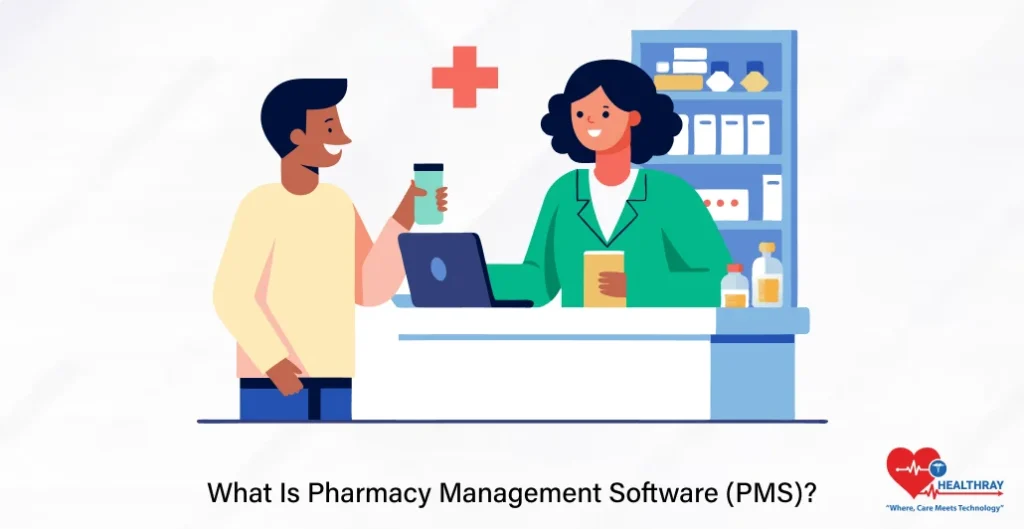
Pharmacy Management Software (PMS) is a system designed to process and manage in- and out-flowing pharmacy services. These run the gamut from prescription managing to billing. Thus, PMS software integrates these administrative functions on one platform, so people can work together without interruption and focus on patient care.
PMS Key Features
Prescription Management: It automates the processing of prescriptions, reduces errors, and maintains a digital record that can be readily retrieved in case of queries.
Inventory Management: It provides real-time tracking of stock levels, alerts on the need to restock, and prevents overstocking or shortages.
Billing and Insurance: It enables the user to easily audit claims in a manner conducive to proper billing.
Patient Records: It offers fast access to patient records stored in a centralized database thereby permitting personalized service.
Reporting and Analytics: It provides insights on sales trends, the status of inventory, and overall performance.
By integrating these features, PMS software helps pharmacy teams work smarter, reduce redundancy, and maintain seamless day-to-day operations.
Key PMS Features That Drive Collaboration in the Team
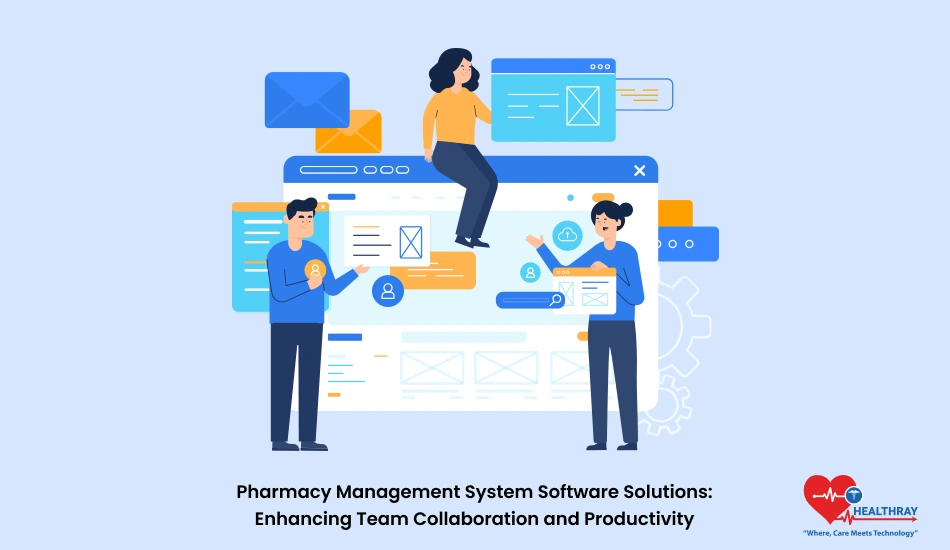
Team collaboration is paramount for every pharmacy operation to be effective. Given the multitude of moving parts prescriptions, inventory, billing, and patient care the chances for miscommunication grow, which is the beginning of costly errors and inefficiencies. PMS is a centralized mechanism attempting to keep everyone on the same page with their work. In this way, it serves a similar coordination purpose to team collaboration tools, giving pharmacy teams a shared environment where information, tasks, and operational updates can be accessed and managed more efficiently.
Real-Time Exchange and Access to Data
PMS ensures that products are accessible to all team members at all times, whether updating data on the patient record, prescription details, or stock levels. This avoids erroneous transactions due to outdated or miscommunicated data.
Centralized Patient and Prescription Records
Most pharmacies would work with recurring patients and long-term treatments. With PMS, it combines the history of patients and prescriptions into one platform where it can be easily retrieved in any situation with the least time and effort from the pharmacy personnel, making hand-overs between shift staff and service to customers much smoother.
Streamlining Task Management
PMS, where available, then removes repetitive tasks such as inventory updates and prescription verifications from the workload of team members and allows them time to collaborate and attend to patient issues.
Cross-Functional Integration
From billing to inventory management, PMS provides bridges over areas that tend to act as walls between departments. For example, as soon as a prescription reaches being filled, PMS gets the inventory adjusted at the same time billing info is generated. Thus, one would not be wasting time trying to communicate back and forth whilst helping the workflow along.
Built-In Tools for Internal Communication
Some PMS options provide for the inclusion of built-in communication tools, enabling teams to leave notes, flag tasks, or request clarifications, all within the system without recourse to external messaging systems. This means faster responses and better coordination.
Combined with the Pharmacy software system, the pharmacy teams gradually get better at working together, overcoming bottlenecks, and ensuring smooth operations deeper into the operational peaks.
How Are Pharmacy Management Solutions Improving Productivity?

Pharmacy Productivity relates to how task management is organized and how quickly the team can perform tasks. PMS tackles just that and takes over expensive, tedious processes and converts them into efficient work notices.
Automating the Repetitive
Manual tasks such as counting inventory, updating stock levels, or verifying prescriptions take time away from more important tasks. PMS, however, automates those processes so that the accuracy achieved allows staff more time for critical duties such as patient care and consultation.
Mistakes Are Reduced
Mistakes during prescription maintenance or billing can be too costly. This is made less probable through the PMS error-checking mechanisms, barcode scanners, and digital records all meant to guarantee that prescriptions are filled and billing is done correctly.
Optimizes Stock Control
It knows that overstocking wastes and understocking halts operations. PMS literally tracks stock levels in real-time so it can call the staff’s attention with alerts and create orders when stocks run low. This means everything in their inventory stays at the right level, allowing uninterrupted service.
Increased Speed in Prescription processing
The manual process of filling prescriptions is slow and boring. PMS improves on time by automatically running checks on prescriptions, integrating insurance details, and updating patient records in real time. This saves time, thereby increasing patient satisfaction.
Better Reporting for Intelligent Decision Making
PMS creates insightful reports on sales trends, inventory movement, and operational bottlenecks. With this information, owners and managers are better informed, can improve performance, and spot areas for growth.
Support for Multitasking
A typical pharmacy is juggling, if not multitasking, a couple of priorities most of the time. With PMS, while one team member processes a prescription, another could manage billing or inventory updates without tripping each other. Keeping everybody in the loop guarantees more productivity.
PMS Benefits for Small Business Owners and Pharmacy Operators
Pharmacy Management Software (PMS) is not just a tool; it perfectly changes the game for small business owners and pharmacy operators wishing for an opportunity to streamline trade and grow their businesses farther. The benefits reach past daily operations, affecting the overall working efficiency and profit of the pharmacy.
Improved Operational Efficiency
PMS really converges all pharmacy operations into one place. Whether it is prescription management, inventory tracking, or billing, everything hinges off one another thereby eliminating redundancy, reducing manual work, and quickly moving through in the workflow.
Enhanced Customer Application
Happy customers are loyal customers. PMS aids pharmacies in providing a seamless customer experience by helping the pharmacies with accurate prescriptions, timely service, and personalized care. Features liked automatic prescription refills and notifications are icing on the cake to customer satisfaction.
Cost Savings for Small Business
Every dollar is of great importance to small business owners. PMS cuts down on operating costs, reducing wastage or preventing stock overages, and lessening the manual process. Automated workflows let workers concentrate on value-generating work, saving both time and money.
Better Regulatory Compliance
Complying with all regulations is a significant headache. PMS ensures accurate bookkeeping and allows for the easy generation of auditing reports, which assist the pharmacy in adhering to industry standards. It contains robust features for the management of drug schedules and expiration dates to ensure compliance.
Data-Driven Decision-Making
PMS equips pharmacies with analytics and reports highlighting trends in sales, inventory, and customer behavior. Using this data, small business owners can determine what is working and what needs changes, leading them to solid decisions and strategic development.
Scalability with Growing Pharmacies
As pharmacy growth becomes greater, so hence become complex its need of operations. Pharmacy Software is meant to grow together with the business, larger inventories, higher number of customers, and increased number of staff. This flexibility then makes sure the growth does not break the business.
Peace of Mind for Operators
An operator’s confidence stemming from knowing that his/her software truly got him/her covered translates to peace of mind. With the vast majority of menial tasks handled by automated processes and room for error heavily reduced, operators are left to focus much more attention on the management of their teams and attending to customers.
PMS isn’t just meant for keeping things alive; it ensures they run smarter, more profitable, and forms the right base for business expansion.
Pharmacy Management Software in Action
PMS is not just a theoretical solution; it puts its theory into action by positively impacting many pharmacies globally. These real-life examples of PMS usage by pharmacies emphasize how the prescriptions were successfully fulfilled through the PMS, with low impact given to the workflow within pharmacy operations and daily assessments of team efforts.
Streamlining operations for a busy urban pharmacy
One of the busiest pharmacies in the area, Operating Urban Pharmacy without a proper way to go about their business, faced lots of waiting by customers, while stock discrepancies were still being experienced. Upon implementation of PMS, the pharmacy automated prescription processing and integrated inventory tracking with real-time updates. The results, a 30% reduction in wait time and 25% increase in inventory accuracy.
Takeaway: Automation of repetitive work gives the staff time to concentrate on customer service.
Improved retention in a small-town pharmacy
Another small-town pharmacy witnessed the difficulty of retaining customers due to inconsistency in the service offered and missed medication refill. Now with the adoption of PMS, automatic refill notification, and personalized customer profiles were created. Within six months, customer retention increased by 40%.
Key Takeaway: PMS-backed personalized services strengthen the relationships we share with customers.
Chain pharmacy optimizes collaboration between teams
Through PMS, multi-location operations were standardized by a regional pharmacy chain. The centralization of both patient records and inventory tracking allowed staff members to work better together. Each branch was able to increase productivity by 20%, and there was a drop in human error rates.
Key Takeaway: Centralized systems ensure seamless coordination in multi-location pharmacies.
Independent pharmacy saves from better inventory management
An independent pharmacy was on the losing end with stock and medications expiring under never-to-waste orders. The PMS helped it by setting up alerts that track real-time inventory. Thousands got saved for the pharmacy each year via these prevented losses.
Key Takeaway: Real-time inventory management prevents wastage and saves money.
Rural Pharmacy Eases into Regulatory Compliance
This rural pharmacy has serious challenges keeping pace with industry regulations and audits. The switch to PMS generated audits that were ready for auditing and tracked compliance metrics automatically. Audits got rid of stress, and the pharmacy walked its full compliance.
Key Takeaway: PMS helps operators breathe easy when it comes to regulatory compliance.
Considerations Before Choosing a PMS
Choosing the right Pharmacy Management Software (PMS) is the most critical decision for pharmacy owners and operators. Considering the multitude of options available, look for your requirements, emphasizing features that would support the operations of your pharmacy. Here are some of the major considerations:
Compatibility to Size and Needs of Your Pharmacy
Every pharmacy operates differently. Small independent pharmacies may need a lightweight, cost-effective solution; chain stores are more likely to require powerful systems to manage several locations. Go for that software which scales with your business needs.
Integrating with existing system
This is module-based PMS in which you can just choose one or two modules according to your type and size of pharmacy and integrate with all other existing billing, insurance claims, and inventory systems in your pharmacy.
This reduces all kinds of disturbances and helps directly connect all your systems for more efficient working.
Compliance and Security Feature
Both security regarding patient data and compliance with regulations are trifles under discussion; what should be done is to choose a PMS following HIPAA regulations (or the equivalent in your country) and ensuring strong data encryption. Drug schedules, and built-in reporting for automatic audits are some examples of compliance features that save audit time.
Cost and Scalability
Cost-benefit analysis becomes more important for small businessmen. Some PMS may be subscribed to while others may require a larger sum to be paid upfront. Add to this the assessment of scalability so that it can grow along with your pharmacy rather than needing constant upgrades.
Reporting and Analytics Features
Good software not only executes tasks but also gives information about it. Advanced reporting and analytics can keep track of sales, monitor trends in stocks, and identify bottlenecks in operation. These insights come in handy during decision-making.
Market Reputation and Client Support
Research thoroughly on their reputation about the PMS provider. Reviews, testimonials, and even case studies are the sources to gauge their reliability. A vendor with considerable customer support can solve issues at the least time and lessen the amount of downtime.
Customization Options
Most Definitely, Most PMS vendors would offer some amount of trial or demo access before making a purchase decision.
Many Trials and Demos
Use that time to try out the particular software to examine the functions offered, see how it fits with your business operations, and check out the input with your team before actual commitment.
Choosing the right PMS will be one step towards the future of your pharmacy. With these considerations fully taken, one can find a solution that will improve efficiency, enhance collaboration, and grow with your business.
Conclusion
No easy task running a pharmacy office. A lot has to be juggled-from managing prescriptions to chasing inventories and ensuring compliance. Autopilot processes have been imported into collaboration, bringing in fewer errors and making work even more productive with Hospital Management System.
For small business owners, operators, and pharmacy owners, PMS stands for much more than the software. It is more like a step towards smoother operations, better customer care, and growth that can be sustained through the ages. With a good system, you can concentrate on what really matters-serving customers and growing your business.
Begin at the start. Look at your pharmacy’s needs, inspect the options, and invest in this PMS so that it aligns with your vision of a better, more efficient, collaborative, and productive pharmacy.