

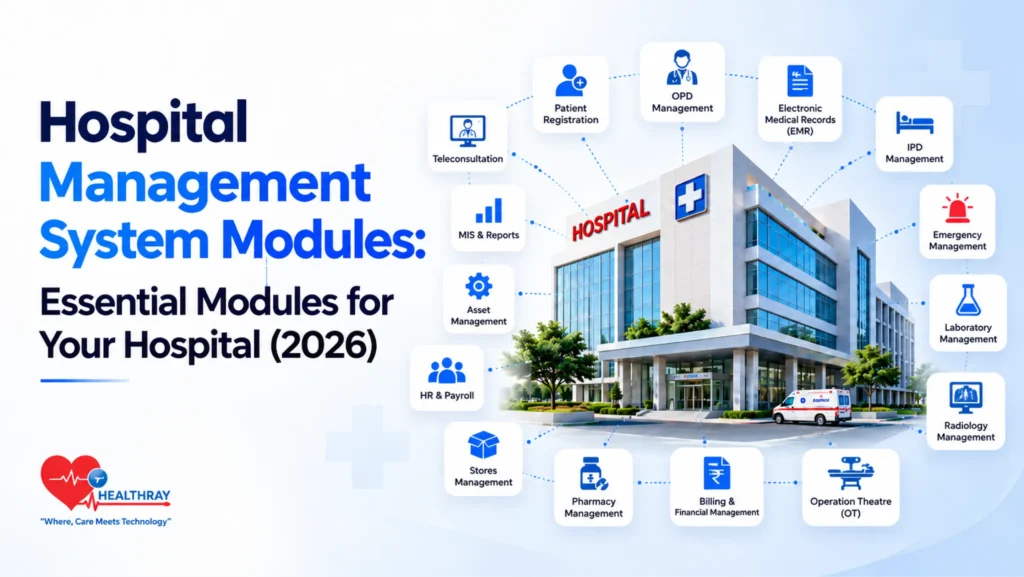
Imagine your hospital is planning to adopt a Hospital Management System (HMS). Most HMS platforms offer core modules such as patient registration, appointments, electronic medical records, laboratory management, pharmacy and billing. But does your hospital need all these modules from the start, or should you prioritise the ones that address your current operational needs?
The answer becomes clearer when you consider a typical patient visit. A patient registers at the clinic, consults the doctor, undergoes any prescribed tests, collects the prescribed medicines and makes payment. When departments use separate systems, staff may need to enter the same information multiple times or search across different sources for patient details.
An HMS can connect these workflows through different modules, but not every hospital needs the same set of modules. Some may prioritise appointment management and billing, while others may need laboratory, radiology or operating theatre management based on their services. This guide covers 15 common HMS modules, explains what each one does and helps you identify which modules best fit your hospital’s needs.
What Is a Hospital Management System Module?
A hospital management system (HMS) module is one part of hospital software that handles a specific task or department, such as patient registration, appointment scheduling, clinical documentation, laboratory testing or billing. Each module provides the functions staff need to manage that part of hospital operations.
Hospitals should check two things before choosing an HMS: whether they can purchase modules separately or must select a predefined package, and whether the modules share information automatically. Separate modules may allow a hospital to start with essential functions and add others later, depending on the vendor’s licensing terms. When modules are properly integrated, information can flow between departments without staff having to enter the same details repeatedly.
Module availability, purchasing options and integration capabilities vary by vendor, so confirm these details before making a purchase.
Quick Overview of the 15 Hospital Management System Modules
The table below provides a quick view of the 15 HMS modules before the detailed sections. It highlights their operational challenges, key benefits and the hospital staff who typically use them.
| HMS Module | Primary Users | Operational Challenge | Benefit |
| Patient Registration and Management | Receptionists | Long queues, duplicate records | Faster registration |
| OPD Management | Doctors, OPD staff | Patient queues, appointment delays | Smoother patient flow |
| Electronic Medical Records (EMR) | Doctors, nurses | Fragmented records, illegible notes | Quick access to clinical records |
| IPD Management | Admission staff, ward teams | Bed allocation and discharge delays | Better bed utilisation |
| Emergency Management | Emergency doctors, nurses | Delayed triage, coordination gaps | Faster emergency coordination |
| Laboratory Management | Lab technicians, pathologists | Manual entry errors, sample-tracking gaps | Accurate results tracking |
| Radiology Management | Radiologists, imaging technicians | Delayed imaging and reports | Faster access to scans |
| Operation Theatre (OT) Management | Surgeons, OT coordinators | Scheduling conflicts, theatre downtime | Better OT utilisation |
| Pharmacy Management | Pharmacists | Stock shortages, expired medicines | Better stock control |
| Billing Management | Billing staff, finance teams | Billing errors, claim delays | Faster, more accurate billing |
| Inventory and Stores Management | Storekeepers, purchase teams | Stockouts, overstocking | Reduced wastage, better stock visibility |
| Human Resource (HR) Management | HR staff, department managers | Roster gaps, attendance errors | Better staff allocation |
| Biomedical Equipment Management | Biomedical engineers | Missed maintenance, equipment breakdowns | Improved maintenance planning |
| Teleconsultation and Remote Care | Doctors, telehealth teams | Limited remote access, follow-up gaps | Easier remote consultations |
| MIS and Reporting | Hospital administrators, department heads | Scattered data, slow reporting | Faster operational insights |
15 Hospital Management System Modules Explained
The modules below explain what each function does, the tasks it covers, and how it helps hospitals address operational gaps and manage daily workflows more efficiently.
1. Patient Registration and Management
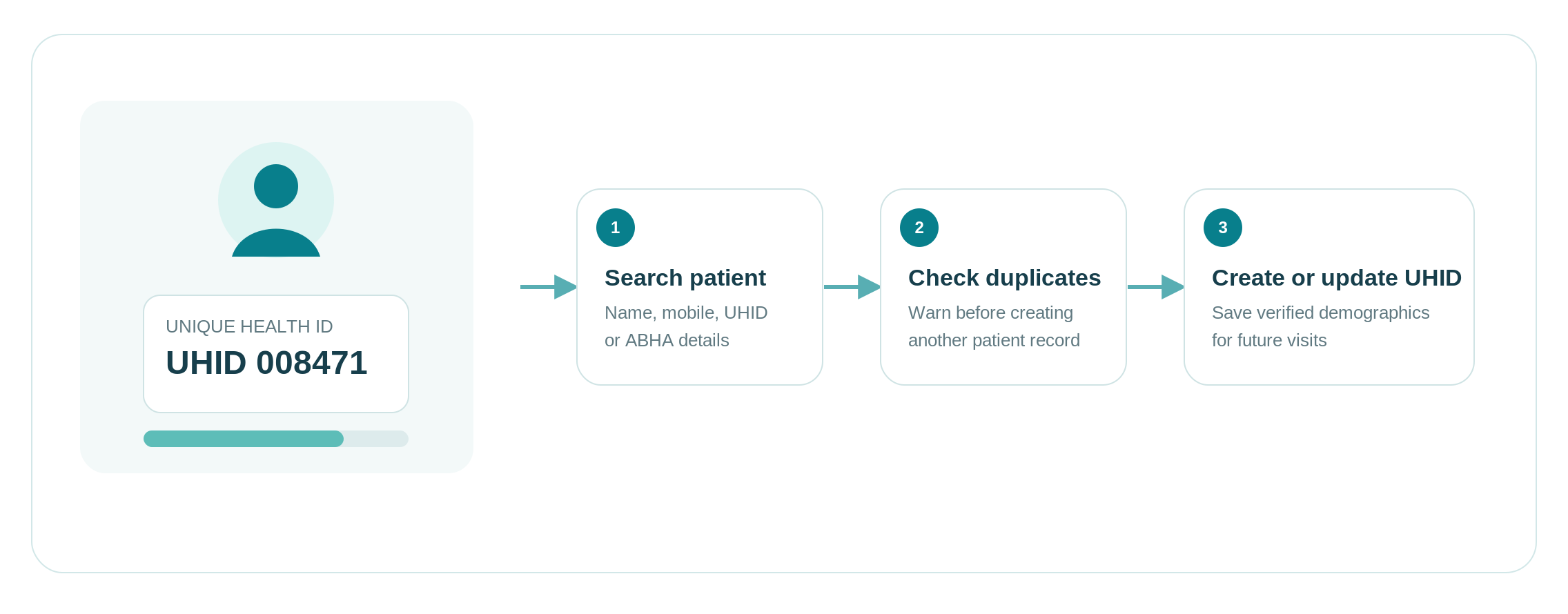
The Patient Registration and Management module records a patient’s demographic and contact details and assigns a unique hospital identification number (UHID). This number helps staff identify the patient and retrieve their medical records during future visits.
This includes new and existing patient registration, UHID generation, patient searches, record updates, and duplicate record warnings. In some instances, an ABHA generation and validation feature is supported by the system based on the integration configuration with the ABDM portal.
Patient registration is a basic requirement for hospitals. A dedicated module becomes especially useful when paper records or disconnected systems make it difficult to find returning patients or prevent duplicate registrations.
2. OPD Management
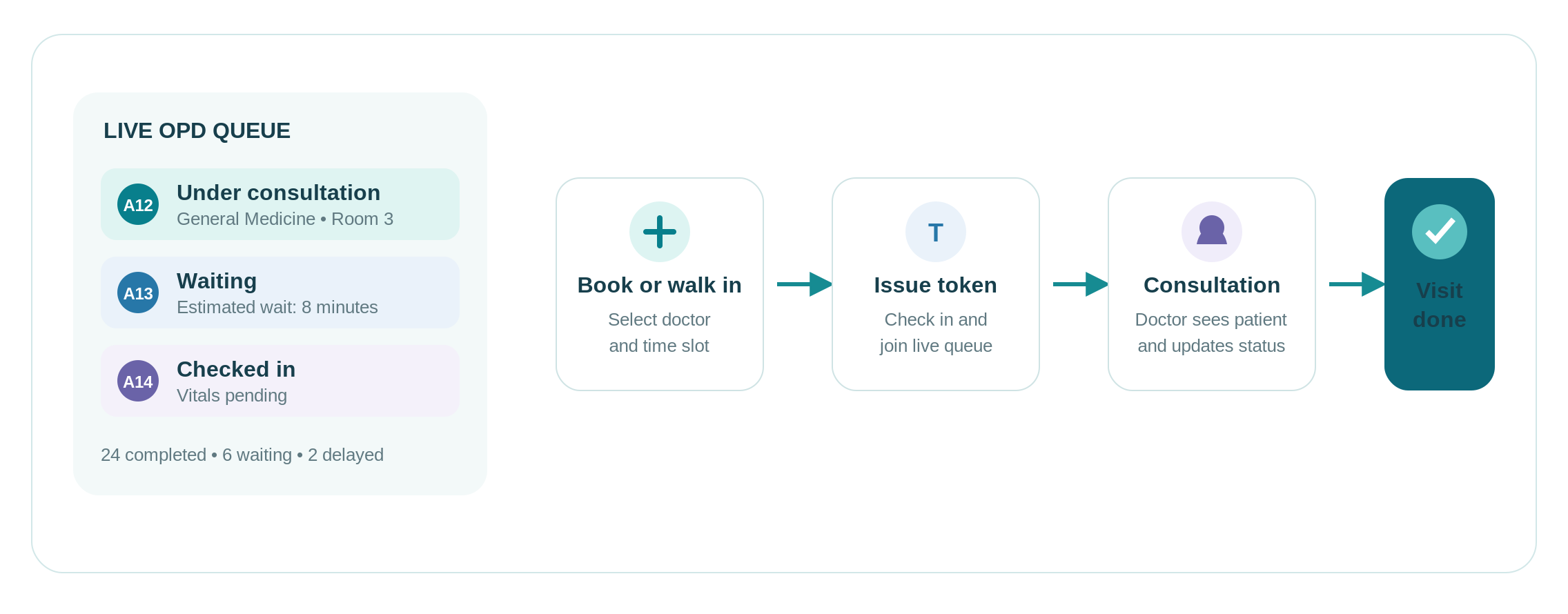
The Outpatient Department (OPD) Management Module manages outpatient visits from making appointments to visit completion.
It includes details about doctors’ scheduling, appointment scheduling, registration of walk-ins, token management, and the status of the queue. Staff will be able to know which patient is pending, which is under consultation, and which patient’s visit is completed.
For a busy OPD, long queues, appointment clashes, or confusion over waiting patients indicate a need for better coordination. OPD management helps staff organise appointments and track visits without relying on separate registers or repeated verbal updates.
3. Electronic Medical Records (EMR)
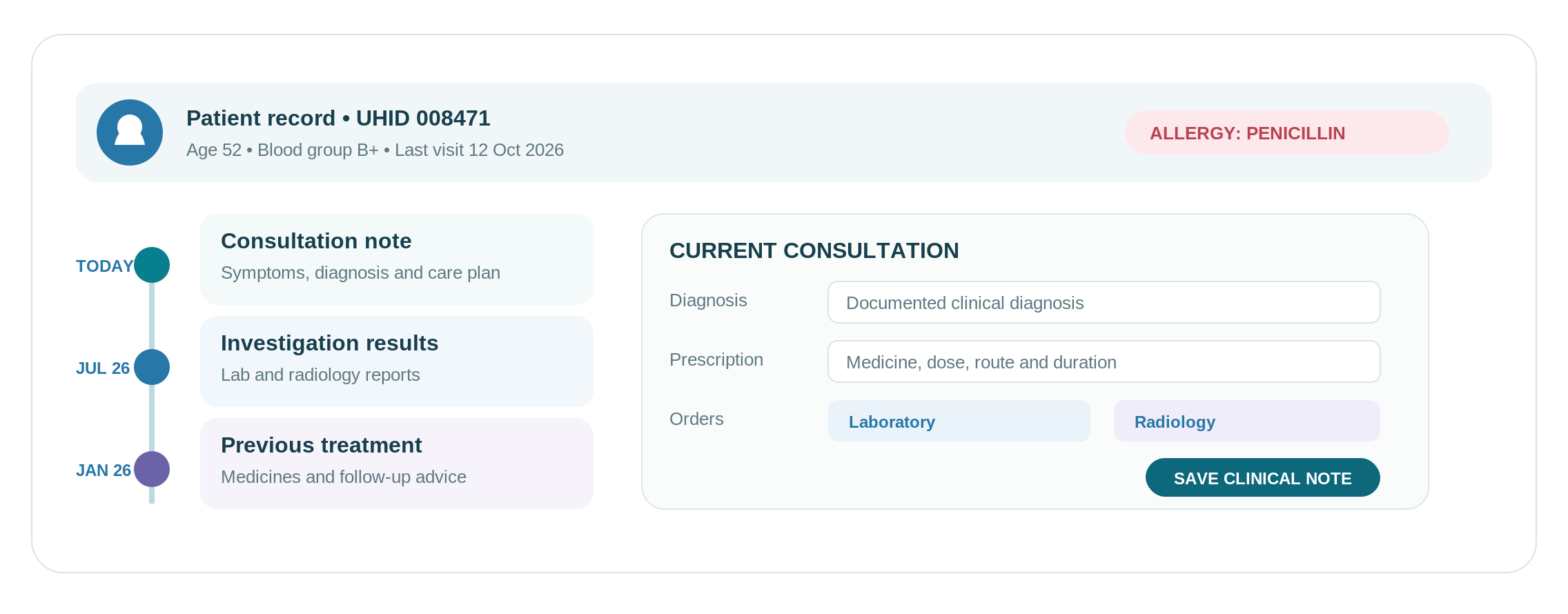
The Electronic Medical Records (EMR) module will have all the clinical data of the patient in electronic form for the purpose of allowing authorised healthcare providers to view the patient’s medical records and document any consultations.
The EMR module can contain such information as consultation notes, symptoms, diagnosis, allergies, prescribed medications, investigation results, and treatment options.
An EMR becomes important when clinicians have to search through paper files or separate systems to understand a patient’s medical history. It is particularly useful when several clinicians need access to the same clinical information during ongoing treatment.
4. Inpatient Department (IPD) Management
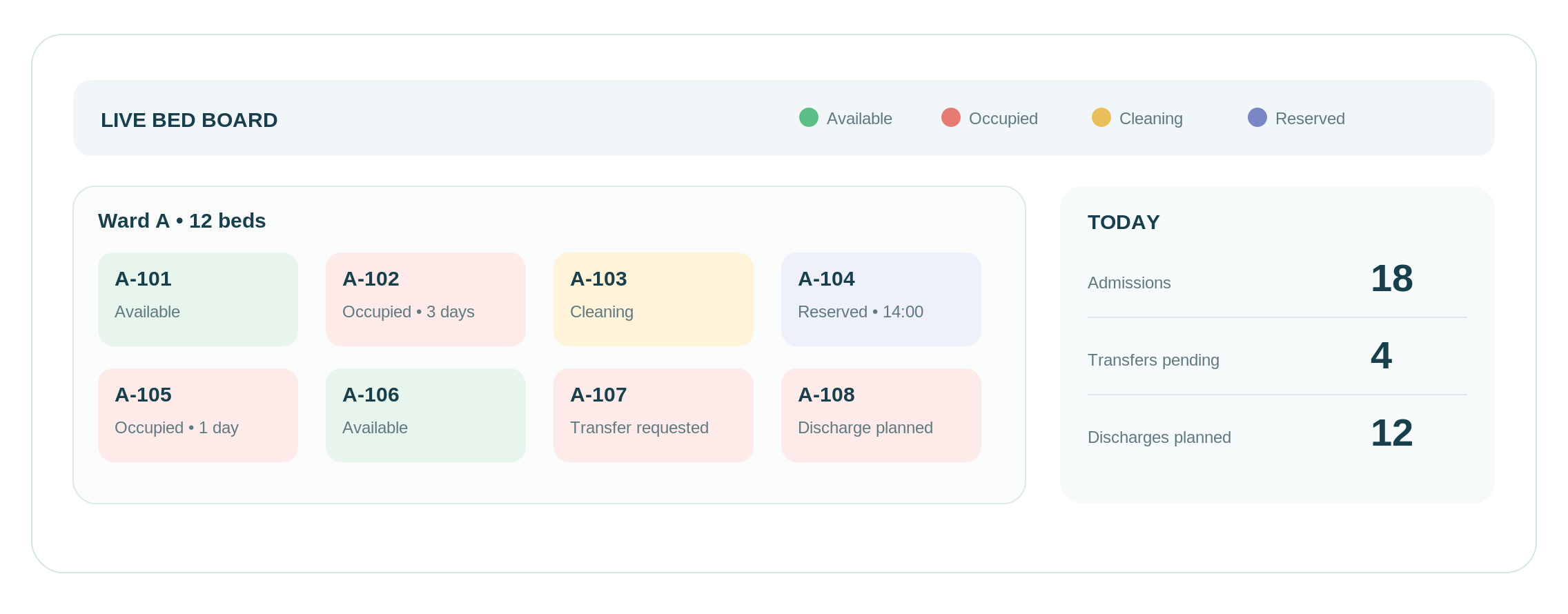
The Inpatient Department (IPD) Management module handles all the processes from admitting the patient to the hospital to their transfer and discharge from the hospital.
These include the process of recording admissions, assigning wards and beds to patients, transferring patients, and managing their discharge.
Hospitals managing multiple wards or frequent patient transfers can benefit from IPD management when staff struggle to confirm bed availability, locate admitted patients or coordinate discharges. It helps keep inpatient movements organised throughout the hospital stay.
See How Healthray Handles Billing and TPA Claims
Check how patient charges and TPA billing are handled, including where manual entry may still be needed.
5. Emergency Management
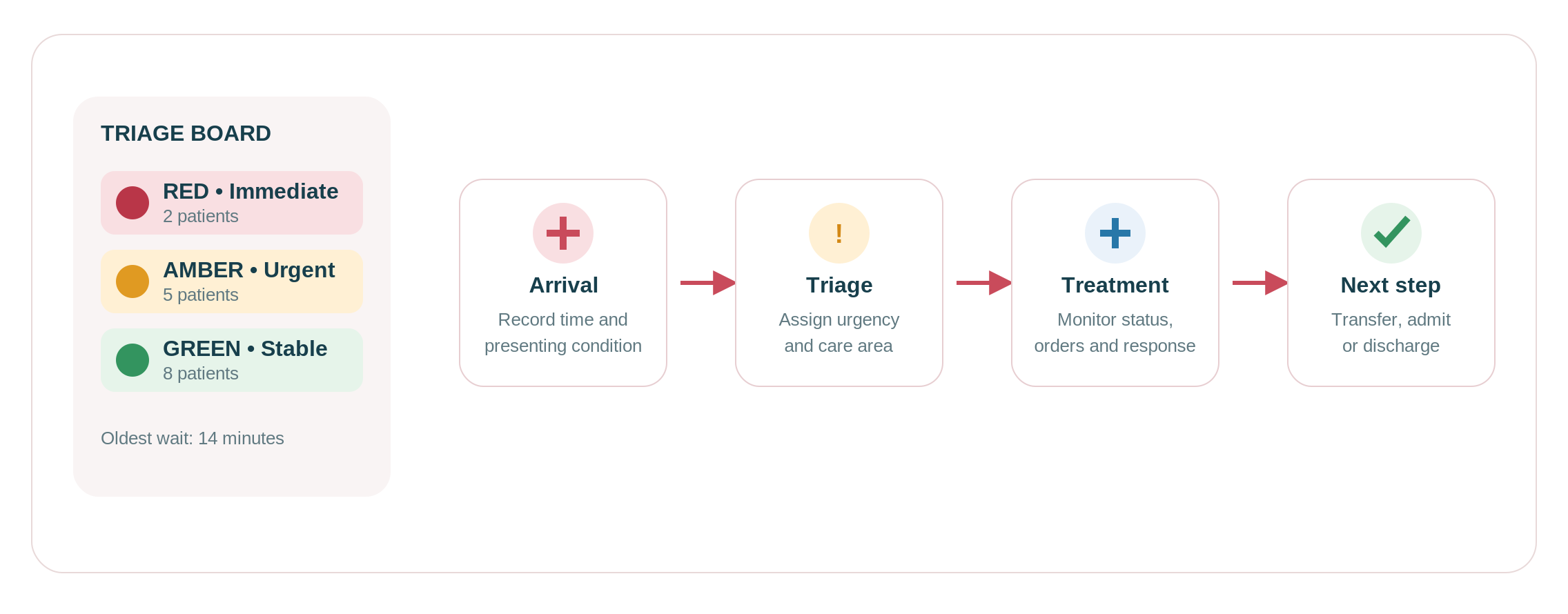
The Emergency Management module assists staff in managing the arrival of emergencies, prioritising urgency, and tracking patients who go through the process of emergency treatment.
These features include triage classifications, time of arrival, emergency case management, status of treatment, and transfer or discharge of the patient from the emergency room.
For hospitals with a busy or 24-hour emergency department, a dedicated emergency workflow becomes valuable when staff struggle to prioritise cases or track several patients at once. It helps teams monitor case progress without depending entirely on paper registers or verbal handovers.
6. Laboratory Management
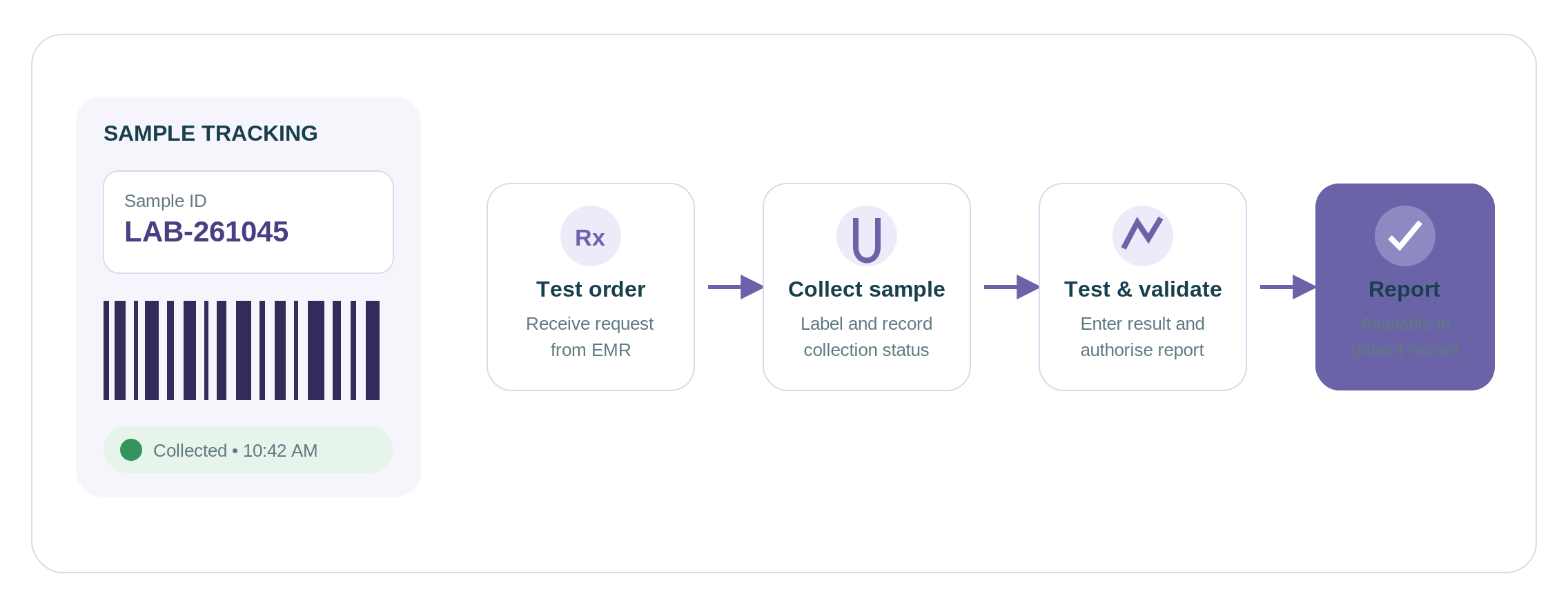
The Laboratory Management module manages laboratory testing services, starting from the receipt of a testing order, sampling, testing, and reporting the results.
This function includes testing orders, sample identification, sample collection, laboratory task lists, result documentation, quality control documentation, and report creation. This feature enables lab staff to monitor samples and outstanding tests.
For hospitals that have their own lab, sample backlogs and uncertain status of samples or delayed reports may suggest the necessity for improved tracking in the laboratory. With a laboratory module, the hospital staff will be able to track samples through the whole procedure and determine possible bottlenecks.
7. Radiology Management
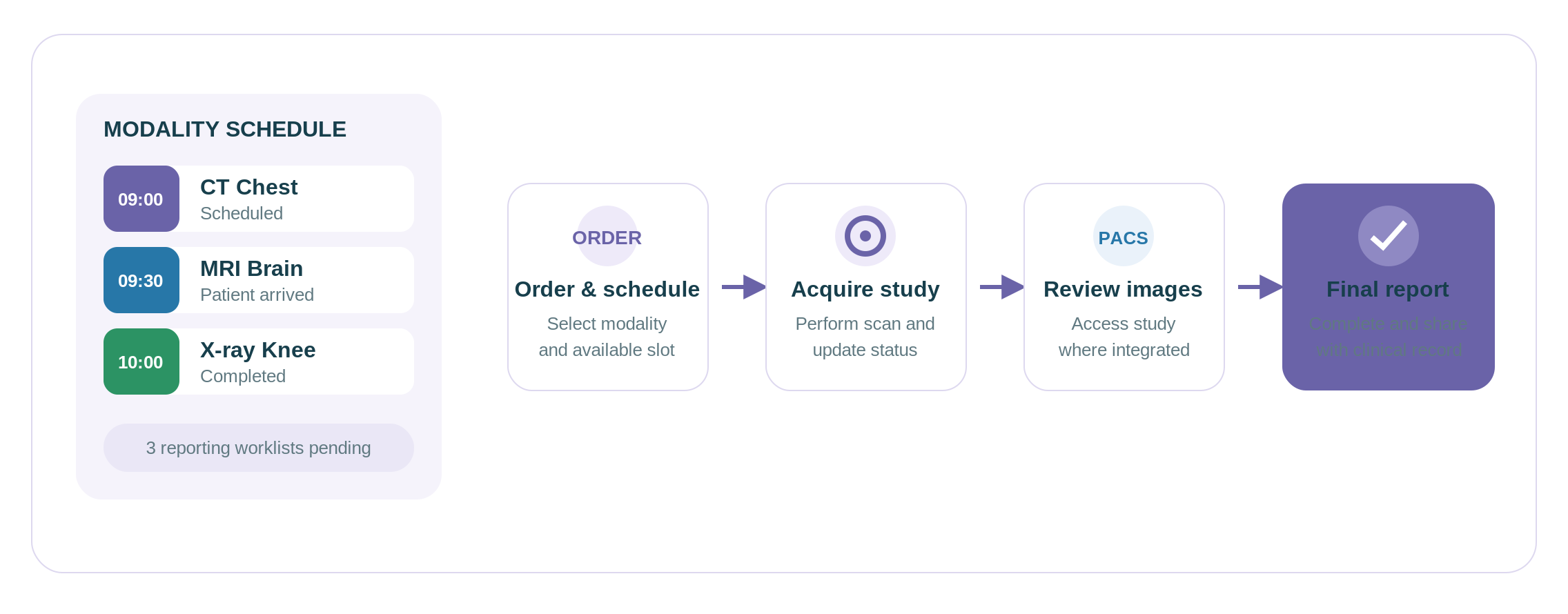
The Radiology Management module integrates imaging studies, such as ordering, scheduling, tracking studies, and completing reports.
It includes scheduling for modalities, imaging worklist, study status, image acquisition, and radiology reports. It depends on the system whether there will be integration with the RIS and PACS systems through the DICOM communication protocol for transfer of medical images and associated information.
In situations where the imaging appointments, imaging scans and imaging reports are recorded in different systems or registries, radiology management could assist in making the process more efficient. This will be especially useful for those hospitals which have many imaging procedures like X-ray, CT, and MRI, among others.
8. Operation Theatre (OT) Management
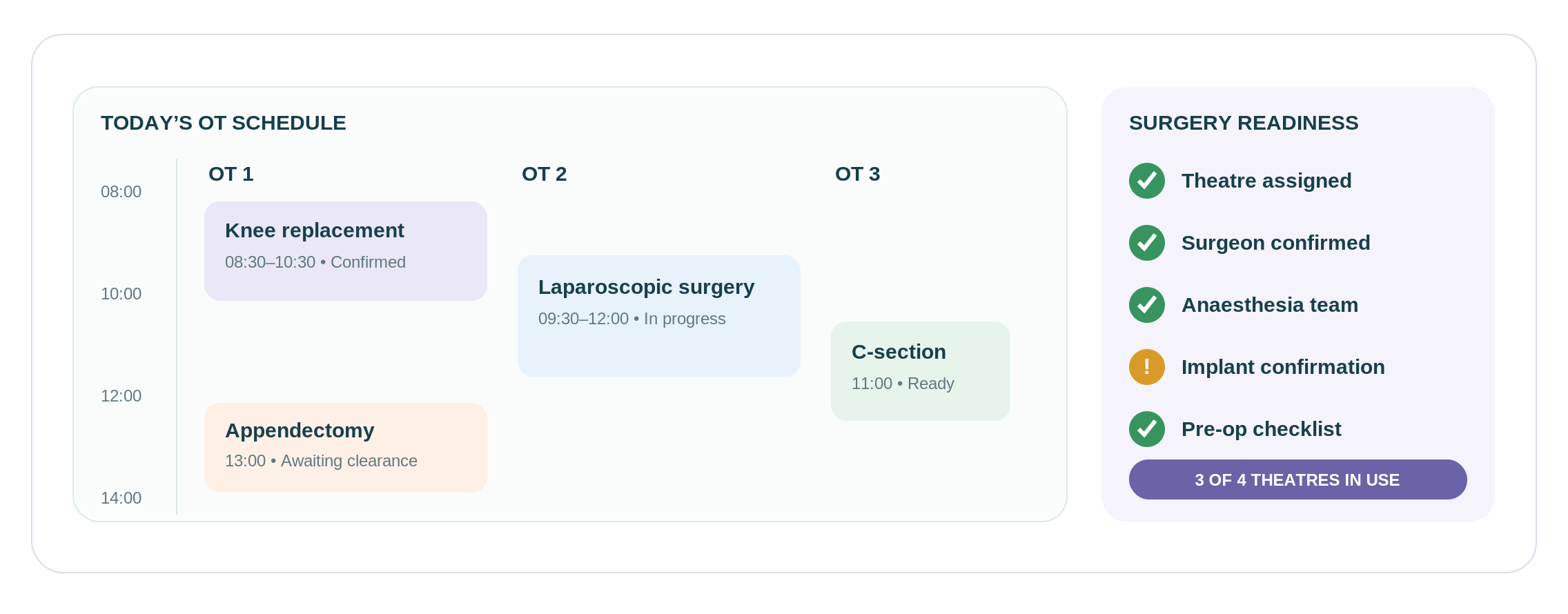
The Operation Theatre (OT) Management component enables the staff to manage schedules for surgery and coordinate operating theatre schedules.
It may contain OT calendars, surgery lists, surgeon and anaesthesia team scheduling, etc. The functionalities provided here assist teams in planning surgeries and managing modifications in the operating schedule.
Hospitals that have more than one operating theatre may require dedicated OT management because there could be scheduling conflicts and last-minute changes due to lack of information about theatre availability.
9. Pharmacy Management
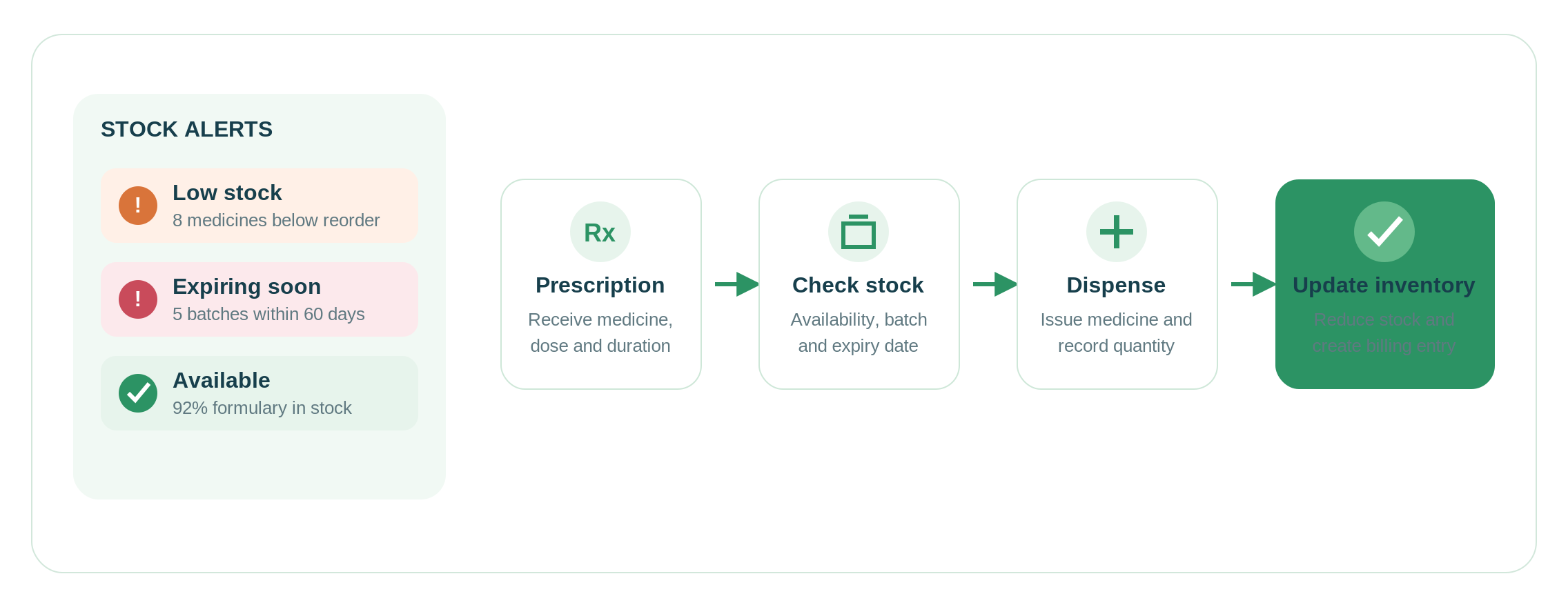
Pharmacy Management Module is responsible for managing the dispensing of medicines and medicine inventory, ranging from prescription management to medicine availability control.
Features such as prescription management, dispensing, medicine stock, batch management, expiry management, and re-supply alerts are some of the key elements of this module. They are important for effective tracking of medicines and alerting on expiry.
Constant shortages in medication, expiration of medications, or problems in linking prescriptions to inventory records indicate that there is room for improvement in the area of pharmacy management. Such improvement will help the staff keep an adequate supply of medications and minimise their wastage.
10. Billing Management
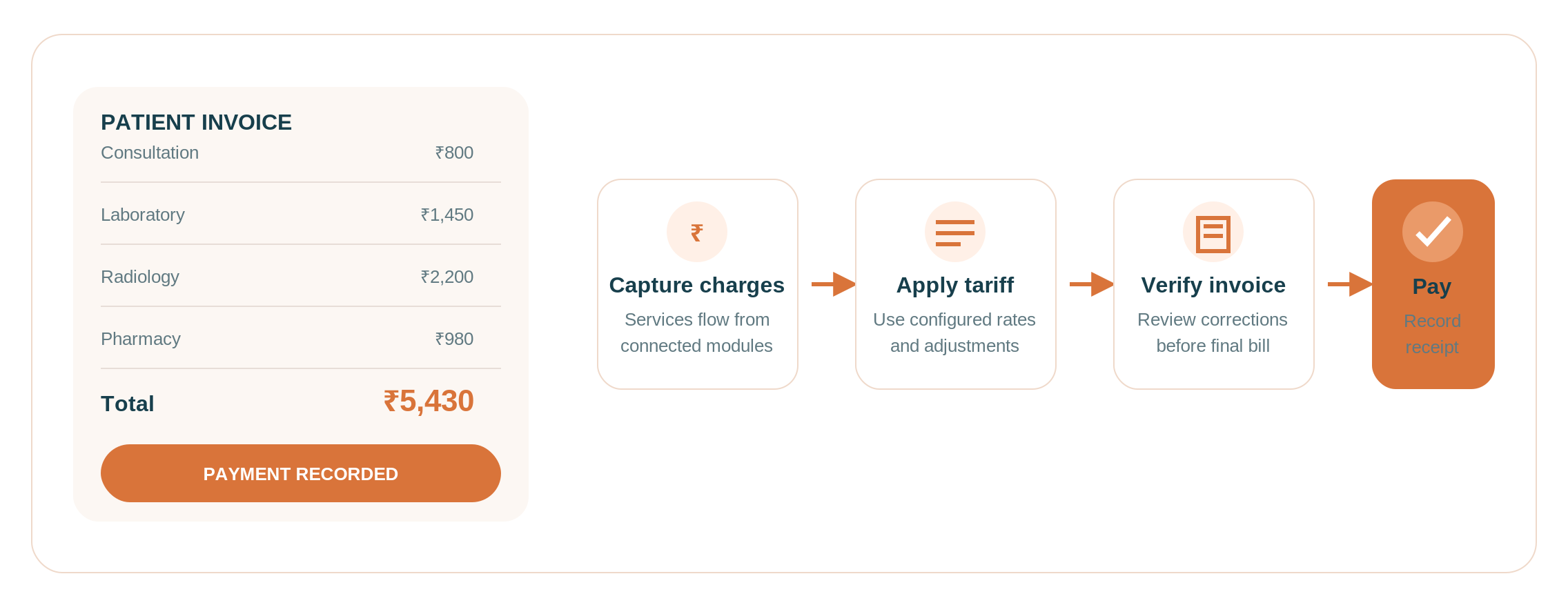
The Billing Management Module is responsible for calculating charges for patients and creating bills for hospital services.
This may consist of service charges, tariff management, invoicing, payments, and billing corrections. Based on the software being used, there could be insurance and third-party administrator billing as well. This ensures that the hospital staff charges accurately and records all the payments made.
Complicated tariffs, billing adjustments, delays in bills after discharge, or complications with following insurance payments make billing management very important. It helps eliminate the risk of making mistakes while calculating bills manually and facilitates monitoring of unpaid bills.
See How Healthray Handles Billing and TPA Claims
Check how patient charges and TPA billing are handled, including where manual entry may still be needed.
11. Inventory and Stores Management
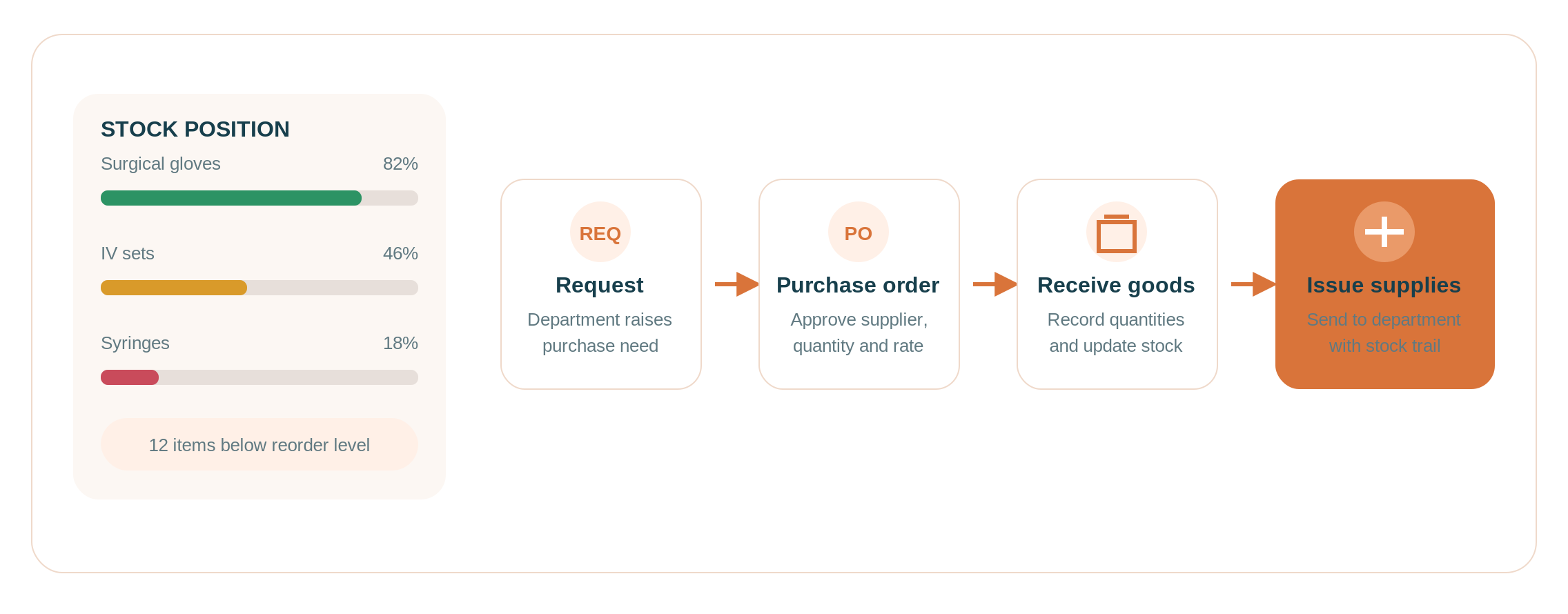
The Inventory and Stores Management component is concerned with managing the inventory of the general supplies of the hospital, including those that are stored in central stores and distributed to various departments.
These features may include purchase requests, suppliers, purchase order management, goods received, inventory status, and issues. They all assist staff in documenting the supply receipt and tracking their distribution in the hospital.
Stock shortages, excessive buying, or confusion regarding the amount of inventory on hand will impede daily work when departments share supplies. Effective inventory control makes it easier for the hospital to monitor its inventory and minimise unnecessary expenses.
12. Human Resource (HR) Management
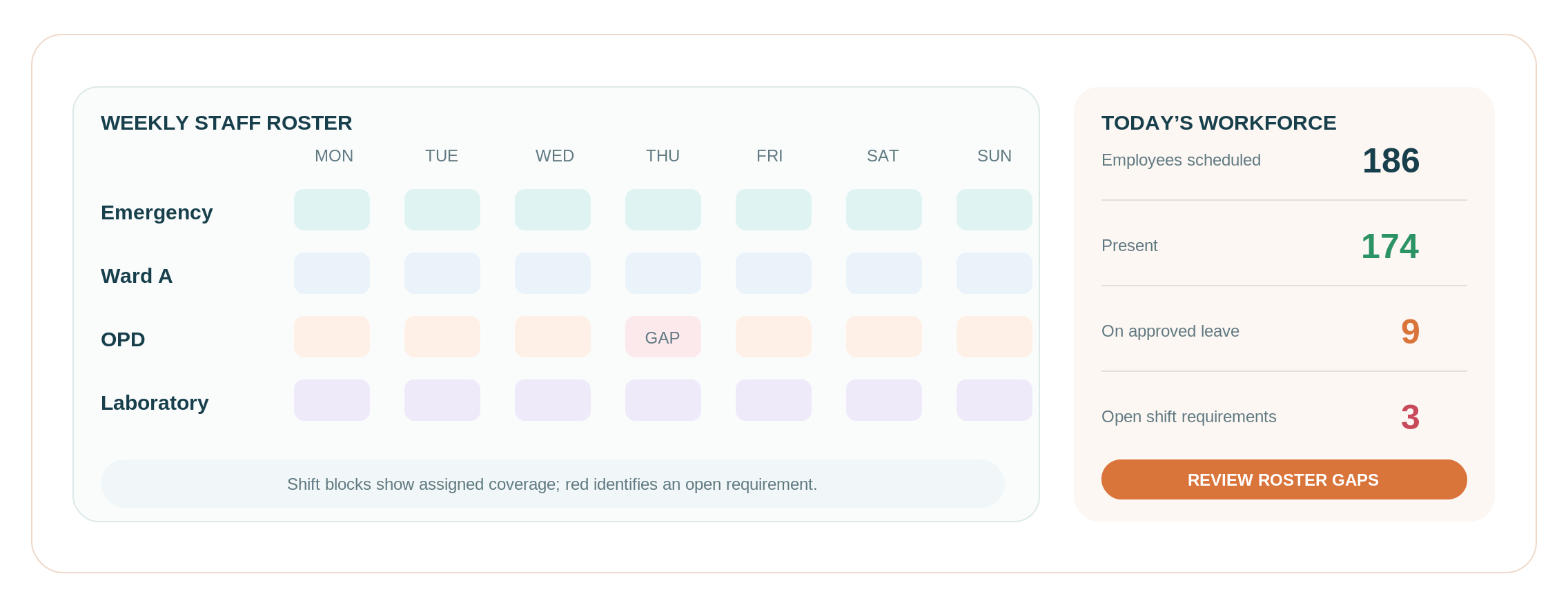
The HR Management module contains the records of employees and the regular management of the hospital workforce.
This may consist of employee details, attendance, leave records, shift rotations, and payroll depending upon the particular system. This assists the HR staff in maintaining the details of employees and coordinating the staffing arrangements without having separate spreadsheets for each of these processes.
As staffing is becoming more difficult in different departments and shifts, human resources management will be of great assistance when there is too much manual labour associated with attendance, scheduling, or payroll.
13. Biomedical Equipment Management
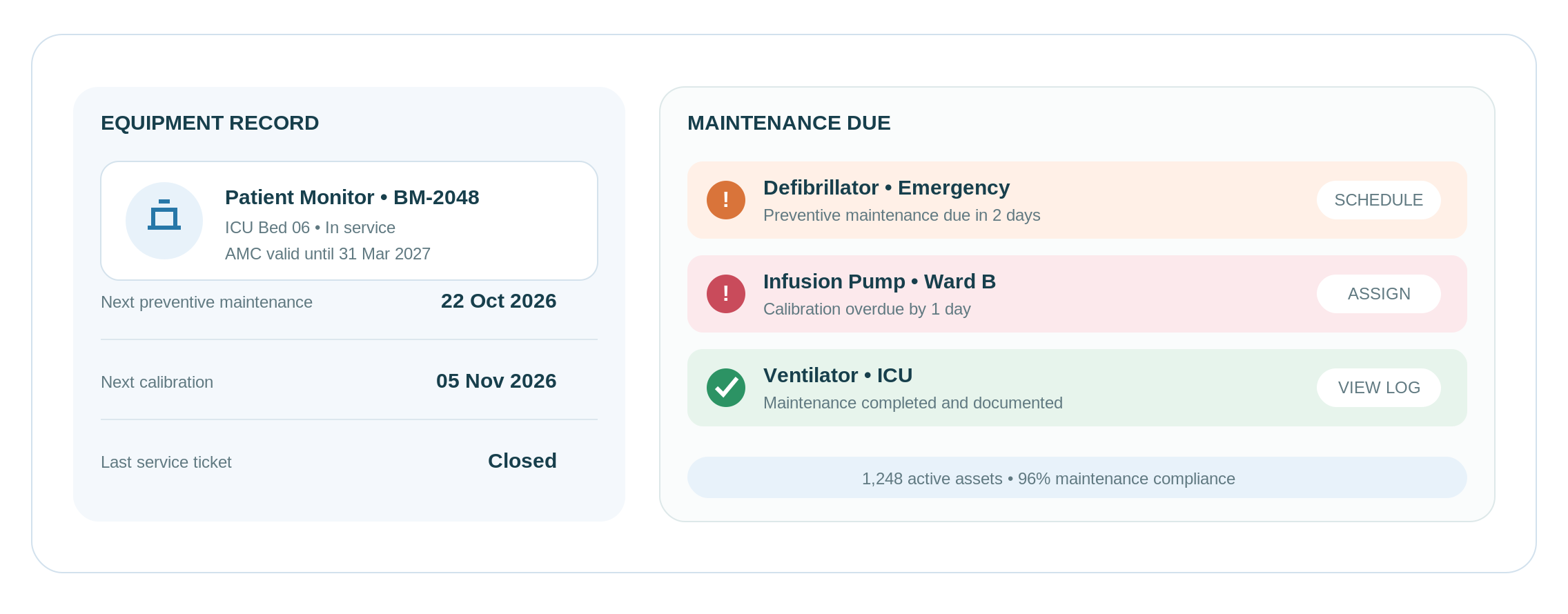
The Biomedical Equipment Management module is responsible for the management of medical equipment along with its maintenance needs during its lifecycle.
It can include such things as equipment logs, location of the equipment, warranties, annual maintenance contracts (AMCs), preventive maintenance schedule, and calibration schedule. Such documents are used for monitoring the state of the equipment and determining its maintenance requirements.
In the case when a hospital uses several medical devices at once in different departments, the problem may be late servicing, late calibration, or lack of information on where the device is located. The management of biomedical equipment can help to organise maintenance records.
14. Teleconsultation and Remote Care
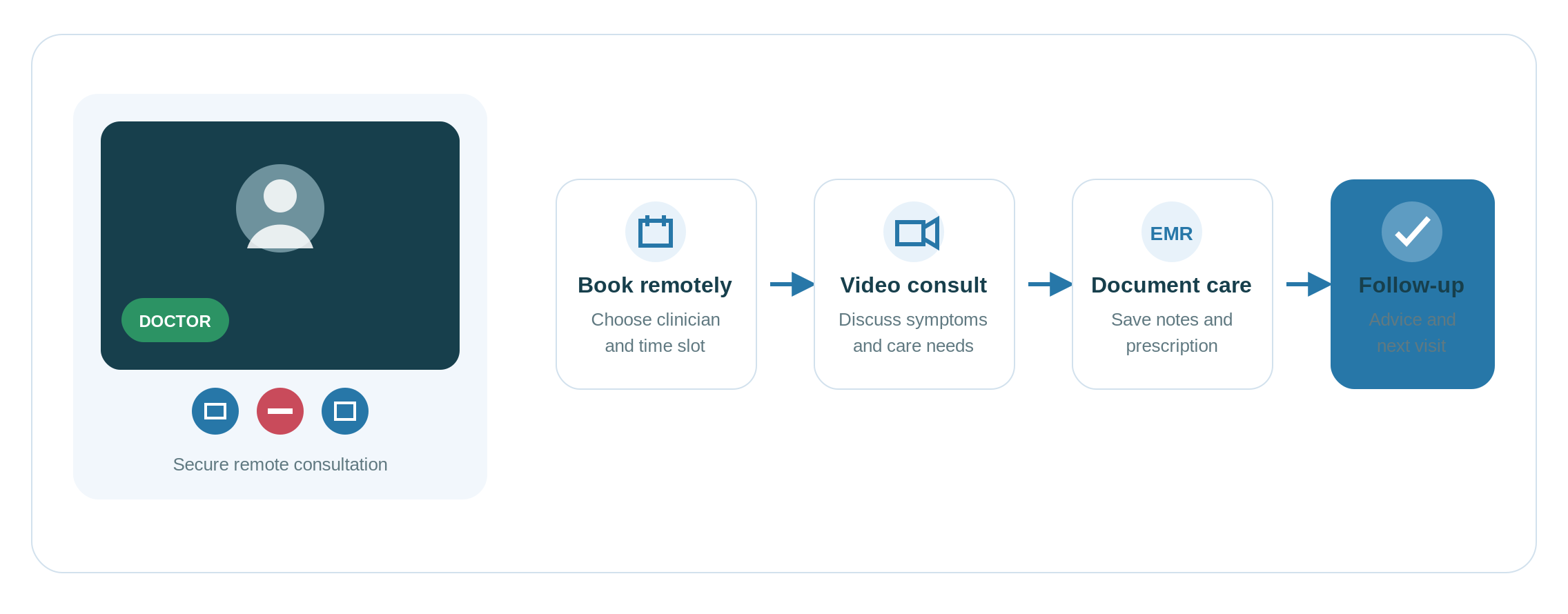
The Teleconsultation and Remote Consultation module enables clinicians to conduct remote consultations in situations where physical consultations are neither necessary nor practical.
This could cover remote appointment scheduling, video consultation, consultation notes, prescriptions and post-consultation notes. If this system integrates with the EMR system, then it would also be possible to maintain records of remote consultations.
Teleconsultation may be considered where the hospital has to conduct remote follow-up consultations or has to deal with people who cannot travel for consultation purposes. The hospital can extend its services beyond the confines of the institution, especially for those follow-ups that do not require physical examination.
15. Management Information System (MIS) and Reporting
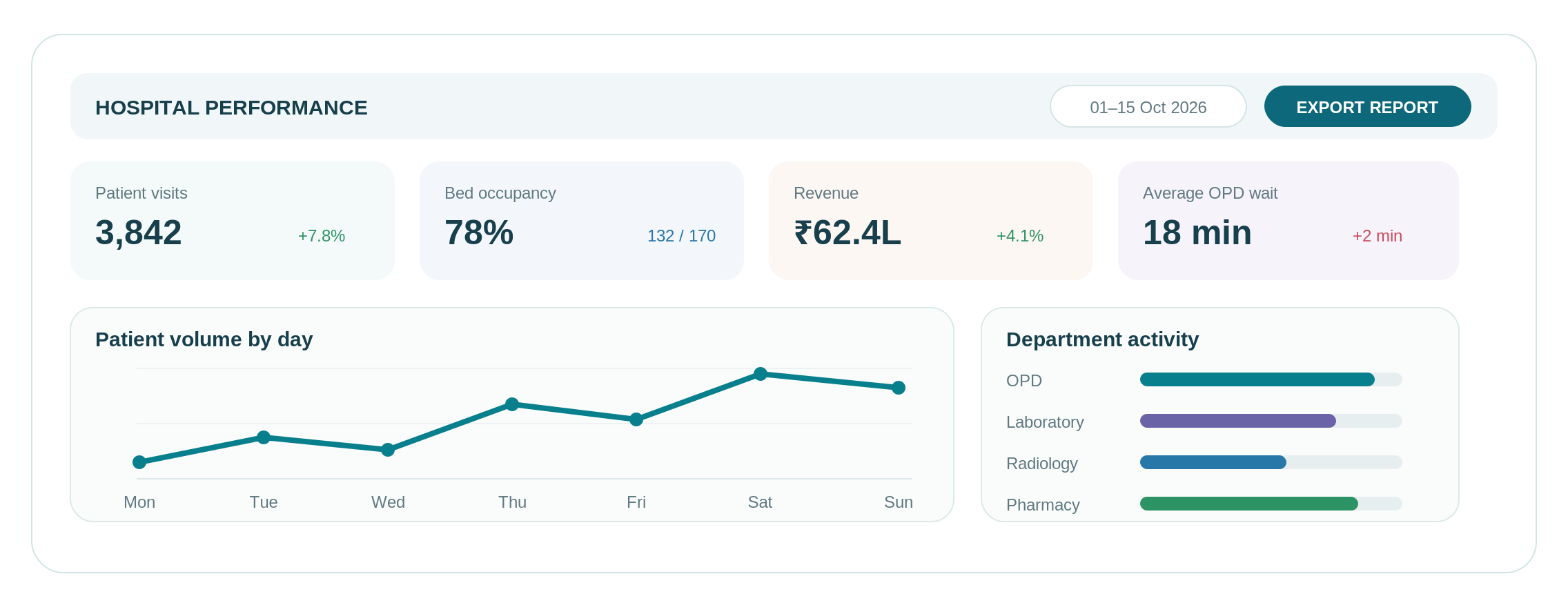
The Management Information System (MIS) and Reporting component enables reports to be generated from data that is available from the HMS modules that are linked. The module assists with analytics and not with processing any registration, treatment, or inventory activities.
The report may include information such as the number of patients, bed occupancy rate, income, accounts, and department performance, depending on the system and the information available. The use of dashboards, date range filtering, exporting of data, and scheduling of reports helps the manager obtain an overview of the operational information.
MIS report can become relevant where there is too much involvement of managers in joining spreadsheets and also where they face problems with departmental reports being either delayed or in understanding the changes in the hospital’s performance.
How to Evaluate Hospital Management System Modules Before Buying
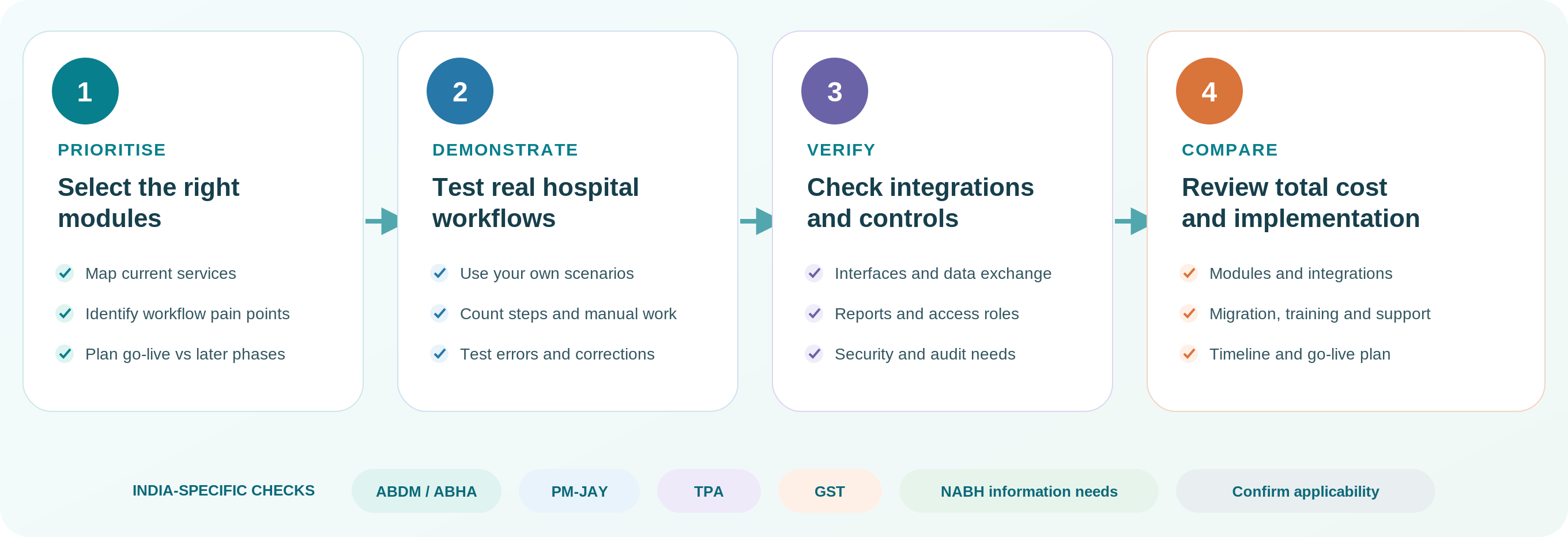
After reviewing the 15 modules, use these checks to compare HMS options against your hospital’s actual needs.
1. Prioritise Modules Based on Your Requirements
Start by identifying the services your hospital provides and the operational problems it needs to solve. Use the bed-wise table to shortlist relevant modules, then classify each one as essential at go-live, suitable for a later phase or not currently required. Confirm these priorities against your actual workflows, existing systems and planned services before comparing vendors.
The following table should help you prioritise the HMS modules depending on the hospital facility. Adjust these priorities according to your hospital’s services, existing systems and operational requirements.
E = Essential at go-live; C = Consider based on services; L = Lower initial priority.
| HMS Module | OPD-Focused Clinic (1–5 Doctors) | Nursing Home (10–30 Beds) | Multispeciality Hospital (50–199 Beds) | Large Hospital (200+ Beds) |
| Patient Registration and Management | E | E | E | E |
| OPD Management | E | E | E | E |
| Electronic Medical Records (EMR) | E | E | E | E |
| IPD Management | L | E | E | E |
| Emergency Management | L | C | E | E |
| Laboratory Management | C | C | E | E |
| Radiology Management | L | C | E | E |
| Operation Theatre (OT) Management | L | C | E | E |
| Pharmacy Management | C | C | C | C |
| Billing Management | E | E | E | E |
| Inventory and Stores Management | L | C | E | E |
| Human Resource (HR) Management | C | C | E | E |
| Biomedical Equipment Management | L | C | E | E |
| Teleconsultation and Remote Care | C | C | C | C |
| MIS and Reporting | C | C | E | E |
 NOTE
NOTE
2. Test Real Workflows
Ask each shortlisted vendor to demonstrate the same workflows using scenarios relevant to your hospital. For example, test patient registration, laboratory ordering, result access through the clinical record and the corresponding billing entry, where applicable.
Check how the system handles corrections, missing information and failed integrations. Compare the steps required, the information exchanged and any manual work that remains.
3. Check Integrations, Reports and Access Controls
Make sure the relevant modules have an interface with your existing system, the reports generated are as per requirements, and patient data security is taken care of through proper access control.
For hospitals in India, verify the required ABDM/ABHA integration, PM-JAY claim workflows for empanelled hospitals, TPA processes, GST requirements and support for relevant NABH documentation needs. Ask vendors which capabilities are available out of the box, require additional configuration or integration, or are not supported.
4. Compare HMS Pricing and Implementation
Request an itemised quotation covering your selected modules, integrations, customisation, data migration, training and ongoing support. Check which items are included, what costs extra and what the implementation plan covers, including the expected go-live date.
Compare the shortlisted systems using the same requirements and total costs before making your decision.
Conclusion
An HMS is most useful when its modules work together to support the hospital’s daily operations. Digitising individual tasks is only part of the solution; relevant information must reach the departments that need it through appropriate integrations.
Healthray HMS brings clinical, administrative and operational functions together. The right configuration depends on your hospital’s services, workflows and integration needs.
To explore which modules may suit your hospital, book a demo and see how Healthray HMS could support your daily operations.