



August 26, 2026

8 Best Ezovion Alternatives and Competitors in 2026

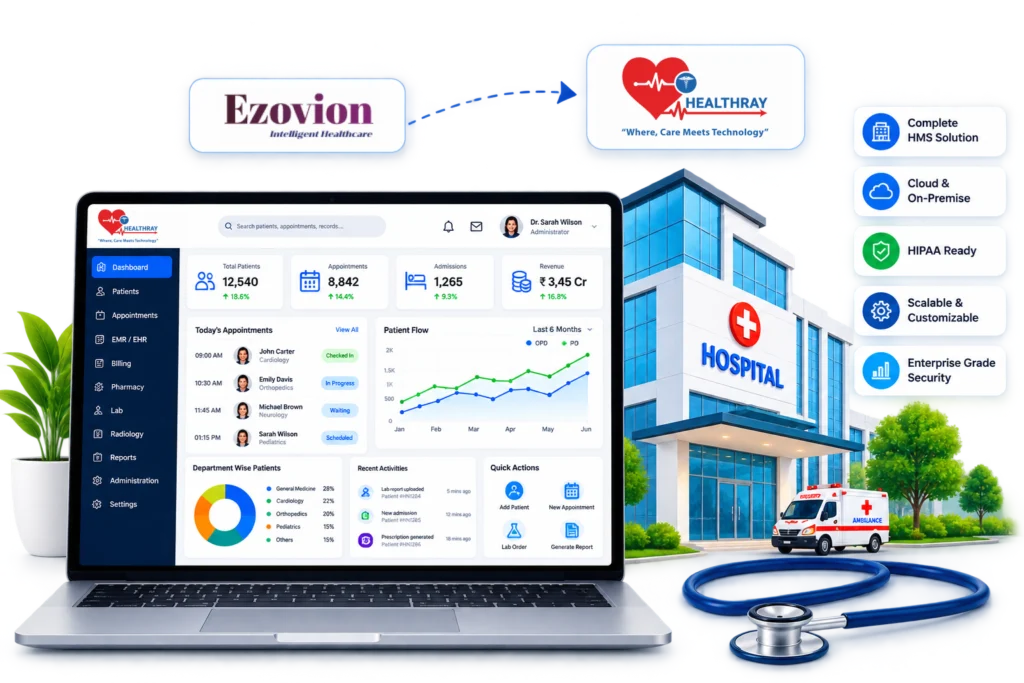
Healthray hospital management dashboard for Ezovion alternatives

Hospitals usually start looking for new software when small daily problems stop being minor.

The patient management system may take too long to load during a busy OPD morning. Front desk staff may face server errors while registering patients or generating bills. Billing may wait for updates from the pharmacy or laboratory. Staff may enter the same patient details into two different screens because departments do not share information. Monthly reports may still require data exports and manual Excel work.

None of these issues is a major failure on its own. But when they happen every week, while the hospital adds beds, opens departments, or expands to another location, they can signal that the current system was built for a smaller, simpler hospital.

If you are evaluating an alternative to Ezovion for these reasons, the decision goes beyond comparing feature checklists. This guide compares eight hospital management platforms for 2026, from dedicated Indian hospital management systems to larger enterprise healthcare platforms, and explains where each fits and where it may fall short.

How We Analyse and Select Ezovion Alternatives

Our process of selecting Ezovion alternatives involves reviewing each platform’s hospital capabilities, workflows, strengths, and limitations. We refer to official vendor websites and product documentation, along with G2 and Capterra reviews where available. We checked the information in August 2026.

We assess key areas such as workflow fit, clinical support, department connectivity, billing and revenue operations, scalability, regulatory and operational requirements, interoperability, and ease of adoption across OPD, IPD, emergency, OT, pharmacy, laboratory, radiology, and other hospital workflows.

We then compare these findings to understand where each platform fits best. We do not rank platforms based on a single score. Instead, we look at which products may be better suited to different hospital needs and workflows. The comparison uses publicly available product information and verified user feedback to highlight the capabilities, strengths, and limitations that matter when choosing a hospital management system.

Ezovion Alternatives: Compare the Options at a Glance

Healthray Logo

Healthray

Mocdoc

MocDoc

Softclinic

SoftClinic GenX

Ehospital Logo

eHospital Systems

Epic

Epic

Best for Hospitals & Health Systems Hospitals, Clinics & Diagnostics Hospitals & Clinics Hospitals & Healthcare organisations Enterprise Health Systems
Pricing Custom plan by beds & modules Quote-Based Quote-Based Quote-Based Enterprise Quote-Based
Migration & implementation Migration + training · 1–3 weeks(Free) Migration + training Training + implementation Migration + training Implementation varies by scale
India readiness ABDM/ABHA · PMJAY · NABH ABDM/ABHA · PMJAY · NABH
Key integrations HL7/FHIR · PACS/DICOM · Lab HL7/FHIR · PACS · Lab HL7 · PACS · Lab HL7 · PACS · Lab HL7/FHIR · PACS/DICOM · Lab
Deployment Cloud / On-premises / Hybrid Cloud Cloud Cloud / On-premises Cloud / Hosted
Rating
OPD/IPD Management
Bed & Ward Management
Operation Theatre
EMR / EHR
Pharmacy
Lab / LIMS
Billing
TPA / Insurance Claims
ABDM / ABHA
PMJAY Support
NHCX Readiness
NABH-related Tools
HL7 / FHIR
PACS / DICOM
Lab-Instrument Integration
Typical Implementation Time
1–3 weeks
Varies by scale
Migration & Training Support
Both
Both
Training
Both
Not stated
Offline-Tolerant Workflows
Support Model / SLA
Post-Go-Live Support
MIS Dashboards
Custom Reporting
Smart / Predictive Analytics
AI & Automation
Encryption & Data Protection
Access Control & Audit Trails
High Availability & Backup
Disaster Recovery
Security Certifications / Data Residency
ISO 27001 · India
ISO 27001 · HIPAA
HIPAA · GDPR
Not stated
Data Privacy Framework
Central Stores & Procurement
Not stated
Not stated
Ambulance Management
Not stated
Not stated
Housekeeping Management
Not stated
Not stated
Dietary Management
Not stated
Not stated
Biomedical & Asset Management
Not stated
Not stated
Not stated
HR / Payroll / Duty Rosters
Not stated
Patient Communication
Multi-Facility Support
Not stated
Not stated
Get A Demo

1. Healthray

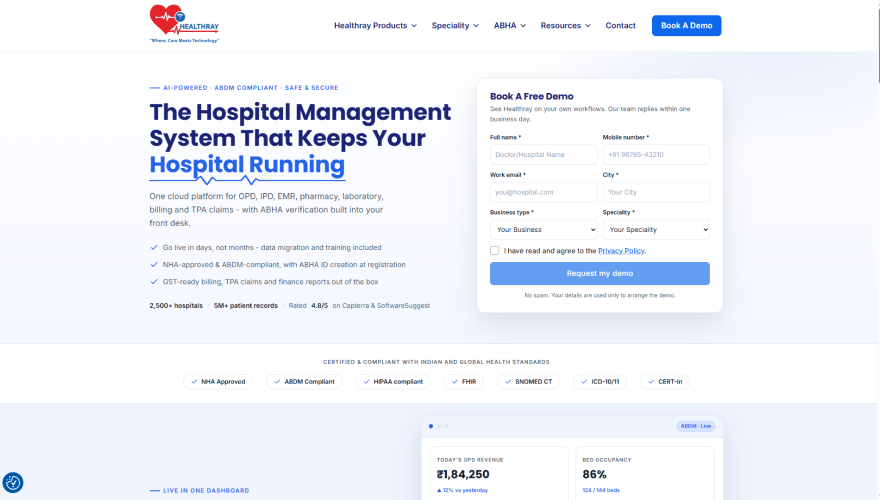
Healthray Site Scrrenshot

Healthray is a hospital management solution that connects clinical, operational, financial, and administrative workflows in one system. It gives hospitals a shared digital environment to manage patient information across departments and reduce duplicate data entry. The platform also supports AI-powered features, customisable workflows and templates, helping hospitals adapt the system to their clinical and operational requirements. It is designed for Indian healthcare workflows while supporting Indian healthcare requirements such as ABDM, ABHA, GST, and TPA workflows, along with global healthcare interoperability and clinical coding standards such as FHIR, SNOMED CT, and ICD-10/11.

What Stands Out

  • Broad Hospital Coverage: Healthray brings OPD, IPD, EMR, diagnostics, pharmacy, billing, inventory, OT, ICU, blood bank, HR, finance, and analytics into one platform. For hospitals relying on several disconnected applications, bringing these functions together can simplify coordination and reduce repeated data entry.
  • Migration and Implementation Support: Healthray provides migration and implementation support to help transfer data, configure workflows, train teams, and reduce disruption during the transition.
  • AI for Everyday Operations: Healthray uses AI for voice-to-note clinical documentation, smart appointment scheduling, predictive analytics, automated billing audits, and AI-powered diagnostics, helping reduce documentation and administrative workload while supporting faster clinical and operational decisions.
  • Specialty-Specific Workflows: Healthray supports configurable workflows and templates across different departments and medical specialities, allowing teams to adapt EMR and clinical processes to their specific requirements instead of relying entirely on standard workflows.
  • Multiple Deployment Options: Healthray offers cloud, on-premises, and hybrid deployment options, allowing hospitals to select an approach that fits their infrastructure, data management, security, and operational requirements.

Best For

Hospitals that want to manage clinical, departmental, financial, and administrative workflows through one connected HMS rather than multiple fragmented systems.

4.8/5 by G2

Pros

  • Comprehensive Hospital Management: Covers clinical, financial, administrative, pharmacy, laboratory, billing, and other hospital workflows in one platform.
  • User-Friendly Interface: Provides an intuitive interface that simplifies complex hospital workflows.
  • Multilingual Support: Supports multiple languages, helping hospitals make the system more accessible to staff and users from different language backgrounds.
  • Responsive Support: Provides quick support to help users manage their hospital operations.

Dr Bhaumik Rathore.

The different departments were using separate software, which made coordination difficult. After switching to Healthray, patient records, billing, pharmacy, and inventory are connected in one system. This has reduced duplicate data entry and made it easier to track pending tasks across departments.

Verified G2 Review

Cons

  • Advanced Features Require Familiarisation: Some advanced features may take time for new users to learn.
  • Additional Modules Could Expand Versatility: More modules could further broaden the platform’s capabilities.

Milan K.

The advanced features take some time to learn, but once you become familiar with them, the product feels powerful and flexible.
Verified G2 Review

Considering Healthray for Your Hospital?

See how Healthray fits your hospital’s workflows, departments, and current setup.

Book a Free Demo

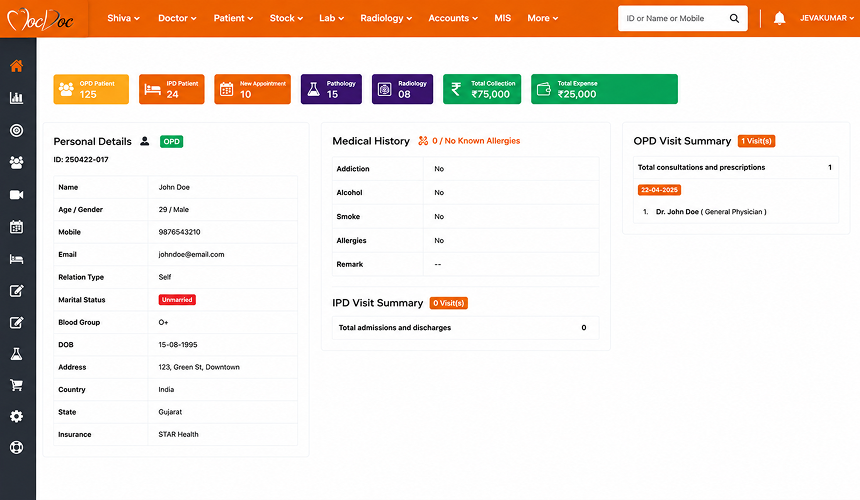
2. MocDoc

MocDoc Screenshot For Alternatives

MocDoc is a cloud-based healthcare management solution that facilitates hospital, lab, and pharmacy operations. MocDoc HMS integrates OPD, IPD, patient management, billing, pharmacy, lab, and all other hospital processes into a single software solution. MocDoc also provides separate LIMS and pharmacy management solutions.

What Stands Out

  • Hospital and Diagnostic Coverage: MocDoc is particularly relevant for organisations where hospital operations and diagnostics need to work closely together. Its LIMS offering also gives diagnostic-heavy organisations an option beyond basic laboratory functionality.
  • Cloud-Based Setup: The cloud model can appeal to hospitals that want to avoid managing extensive on-site infrastructure and prefer a system they can access without maintaining their own server environment.
  • Dedicated LIMS and Pharmacy: Organisations with more demanding diagnostic or pharmacy operations can use MocDoc’s dedicated solutions rather than relying only on the core hospital platform.
  • Built for Standard Workflows: MocDoc can work well when departments follow relatively established processes and do not require extensive changes to the way the system works.

Best For

Hospitals and healthcare organisations looking for an integrated HMS with strong OPD, IPD, laboratory, pharmacy, billing, and diagnostic workflows.

4.7/5 by G2

Pros

  • User-Friendly Interface: Offers a user-friendly interface that facilitates efficient management of workflows in hospitals.
  • Integrated Hospital Workflows: Combines patient, billing, laboratory, and other hospital processes in one system.
  • Effective Customer Support: Offers reliable customer support to assist users in case of any problem.

Sushma A.

MocDoc provides quick support whenever there is a question or issue. The team responds quickly and helps solve problems, making it easier to manage daily work without delays.

Verified G2 Review

Cons

  • Limited Customisation: Limited customisation options can slow down workflows.
  • Occasional Performance Lag: Occasional lag can affect workflow efficiency.
  • Mobile App Limitations: The app’s user interface could be improved compared with competing solutions.

SIVAGURU K.

The software can sometimes lag, which may slow down daily work. The limited customisation options can also make it difficult to adjust the system to specific needs.

Verified G2 Review

3. SoftClinic GenX

SoftClinic GenX Screenshot For Alternatives

SoftClinic GenX is hospital and clinic management software that helps link clinical, administrative, financial, and patient management activities into a single system. It assists healthcare institutions in managing their day-to-day activities through digitisation and patient information management.

What Stands Out

  • Simple Day-to-Day Management: SoftClinic GenX has a straightforward interface that can make routine activities such as consultations, prescriptions, admissions, and billing easier for staff to manage.
  • Predefined Clinical Templates: Predefined templates can help speed up prescription and clinical documentation, while previous visit information can be reused for returning patients.
  • Specialty-Specific Support: The platform supports speciality areas such as cardiology, gynaecology, ophthalmology, neurology, orthopaedics, and ENT, making it relevant for practices with specific clinical requirements.
  • Scales with Operational Needs: As requirements expand, organisations can introduce additional capabilities such as pharmacy, laboratory, radiology, insurance, and HR without having to change the core system.
  • Multilingual Use: SoftClinic GenX supports multiple languages for its interface and provides options for prescriptions and clinical documentation in regional languages.

Best For

Clinics, nursing homes, and smaller hospitals that prioritise straightforward implementation and day-to-day clinical management over the complexity of an enterprise HMS.

3.6/5 by Capterra

Pros

  • Efficient Daily Tasks: Helps make routine clinic tasks easier and more efficient for staff each day.
  • Good Working Speed: Provides good working speed during regular day-to-day use without major delays.
  • Ease of Use: Offers a straightforward experience for routine tasks with simple and clear navigation.

Dr Ghanshyam M.

User-friendly SQL-based software, good working speed. Multi-user, very good for multispeciality clinics and hospitals

Verified Capterra Review

Cons

  • Recurring Errors: Repeated errors can sometimes interrupt normal daily use.
  • Frequent Bugs: Bugs may affect regular software usage and workflow.
  • Support Capacity: Support resources may be limited as the number of users increases.
  • Initial customisation: Some customisation may be needed during setup to match specific requirements.

VIJAY G.

Recurring errors can make the software difficult to use comfortably. Support availability may also be limited, and some users may find it difficult to reach the owner directly. Overall, the software may not offer sufficient value for money.

Verified Capterra Review

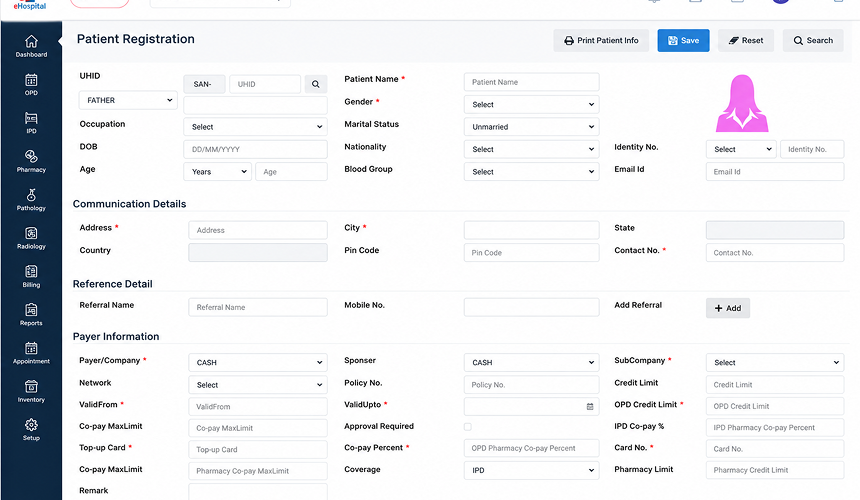
4. eHospital Systems

EHospital Systems Screenshot For Alternatives

eHospital Systems from Adroit Infosystems is a hospital management system designed to integrate clinical, administrative, and operational workflows into a single system. The platform allows hospitals to manage their operations and processes through shared data across departments.

What Stands Out

  • Staged Adoption: Hospitals can roll out eHospital Systems progressively, allowing departments to adopt the platform according to their implementation priorities.
  • Specialty-Based Documentation: Clinical templates can be configured for different medical specialities, helping teams maintain documentation suited to their specific clinical practices.
  • Diagnostic System Connectivity: HL7-based laboratory machine integration and PACS connectivity allow diagnostic data to move between systems with less manual intervention.
  • On-Premise or Cloud Deployment: eHospital Systems gives hospitals the option to deploy the platform on their own infrastructure or use a cloud-based setup.
  • Digital Care Access: Patient portals, mobile applications, doctor access, and telehealth support interactions beyond the hospital’s internal system.

Best For

Hospitals seeking to modernise clinical and administrative operations while accommodating different infrastructure and digital access requirements.

4.7/5 by G2

Pros

  • Easy to Use: Offers a simple and user-friendly experience that makes it easier for staff to use the system in their daily work.
  • Centralised Records: Keeps patient and hospital information in one system, making records easier to access.
  • Customer Support: Assists users when they have questions or face issues while using the system.

Ines M.

eHospital Systems integrates patient files, billing, pharmacy, laboratory, and reporting into a single system, decreasing the need for switching applications. Furthermore, it allows customisable workflows and customer support.

Verified G2 Review

Cons

  • Data Privacy Issues: Sharing of personal data may cause issues regarding privacy.
  • Performance with large datasets: Performance might be slowed down while dealing with large datasets.
  • Reporting Capabilities: Some aspects of reporting might not be flexible enough.
  • Interface Issues: There might be some workflows that need extra navigation.

Jennifer L.

The system may work a little faster for very large data sets, especially when dealing with larger amounts of data.

Verified G2 Review

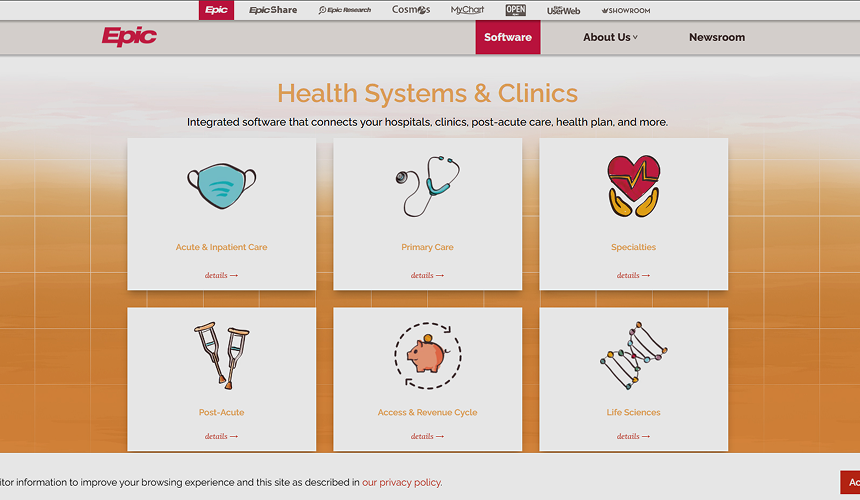
5. Epic

Epic Screenshot For Alternatives

Epic is an integrated healthcare software platform that links together hospitals, ambulatory care, post-acute care, insurance companies, and other healthcare organisations. The platform provides solutions in the following areas: acute care; primary care; more than 60 specialities; patient access, flow, and capacity management; revenue cycle; patient experience; healthcare intelligence; and interoperability.

What Stands Out

  • Enterprise-Scale Design: Epic is built for healthcare organisations with multiple facilities, large user bases, and complex care structures operating across the same ecosystem.
  • Strong Patient Engagement: MyChart, telemedicine, remote access, and remote monitoring extend Epic beyond internal hospital workflows and give patients a more active role in their care.
  • Advanced Care Coordination: Epic supports care teams with tools for care management and population health, helping organisations coordinate care beyond individual clinical encounters.
  • Data-Driven Decision Support: Its analytics capabilities help organisations use clinical and operational data for reporting, decision-making, and population-level insights.

Best For

Large healthcare organisations that need sophisticated care coordination, patient engagement, and data-driven operations across complex care networks.

4.2/5 by G2

Pros

  • Patient Information Access: Makes patient information easier to access within the system.
  • Data Security: Offers reliable security features to ensure data protection.
  • System Integration: Facilitates seamless system integration with other healthcare systems.
  • Centralised Information: Maintains all client information and updates in one place.

Scott C.

All data is easily accessible at once on the system. It is possible to get updates from service providers and access the required data immediately.

Verified G2 Review

Cons

  • High Learning Curve: Users might require thorough training to feel at ease using the system.
  • Complicated Interface: The system interface is complicated and confusing, especially for new employees.
  • Poor Performance: System performance can be negatively affected when the system is used by a large number of users.
  • IT Support for Customisation: Advanced customisation may require IT involvement.
  • High Cost: Licensing and maintenance costs can be high, particularly for smaller organisations.

Josiah B.

Sometimes features like adding a file or attaching an email do not work properly. We occasionally experience slowness and freezing.

Verified G2 Review

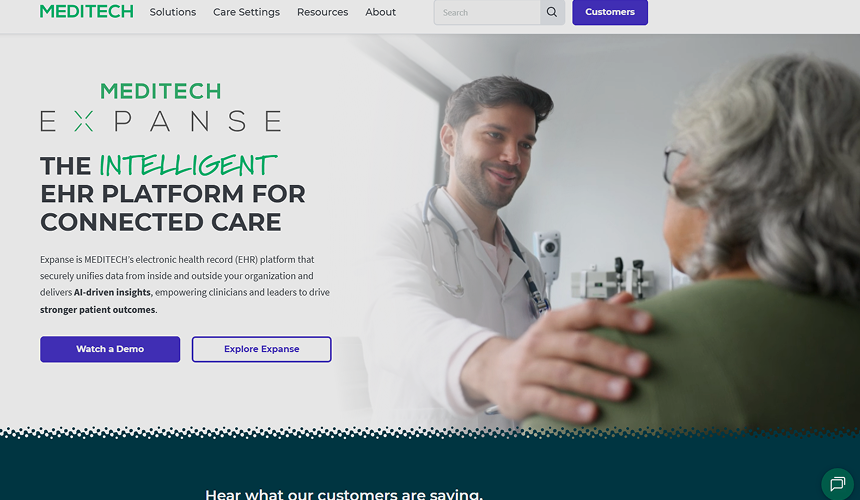
6. MEDITECH Expanse

MEDITECH Expanse Screenshot For Alternatives

MEDITECH Expanse is a cloud-based EHR system that integrates all the core functions of healthcare in one single platform. This includes the integration of clinical operations, business operations, patient services, and even finance-related work in the healthcare setting.

What Stands Out

  • Mobile-First Clinical Access: Expanse makes it possible for doctors and other clinicians to access their patients’ data and perform routine actions using their mobile phones, making clinical practice possible outside the desktop computer.
  • AI-Powered Clinical Tasks: Uses ambient intelligence to capture patient-provider conversations and generate clinical notes, while AI-powered tools can summarise patient information, create hospital course summaries and nursing handoffs, and surface relevant data within the clinical workflow.
  • Intelligent Interoperability: The Traverse Exchange solution allows external patient data to be brought into the clinical workflow, allowing clinicians to access the data provided by other healthcare organisations without leaving the EHR.
  • Communication Outside the Portal: Expanse Patient Connect facilitates two-way automated messages, appointment notifications, and intelligent responses to patients via their preferred communication channels.
  • Workflow Customisation: Expanse offers templates, order sets, flowsheets, and configurable widgets that can be tailored to fit individual workflow requirements.

Best For

Hospitals and health systems looking for a modern EHR with mobile clinical access, intelligent interoperability, and AI-supported workflows.

3.1/5 by G2

Pros

  • Easy Documentation: Provides check-off options with a field to add additional notes or summaries.
  • Patient Record Access: Makes it easier to retrieve and update patient information.
  • Simple Navigation: Provides straightforward navigation between different sections.

Chiappardi R.

The check-off boxes make documentation easier, while the case note field allows users to add further details or summaries.

Verified G2 Review

Cons

  • Limited Clinical Documentation: Some clinical documentation needs may not have dedicated fields.
  • Medication Alerts Can Be Missed: Medication-order expiration notifications may be easy to overlook.
  • Slow Response Time: Some procedures can take more time to process or load.
  • Limited customisation: The customisation option may fail to cater to specialised needs.
  • Problem with Scheduling: It becomes difficult to schedule the same procedure in a certain time frame.

Jessica W.

The scheduling process can be difficult when trying to schedule the same procedure within a specific time frame.

Verified G2 Review

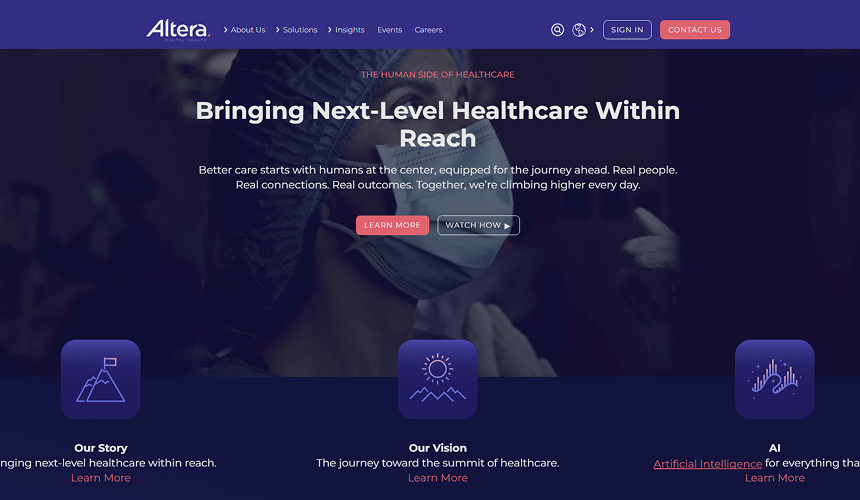
7. Altera Digital Health

Altera Digital Health Screenshot For Alternatives

Altera Digital Health provides solutions for healthcare providers in the form of EHR, financial, operations, analytics, and population health solutions. The company offers Sunrise as an acute, ambulatory, and financial solution for hospitals and health systems and Paragon Denali as a cloud-native EHR solution for rural, critical access, and community hospitals.

What Stands Out

  • Revenue-Cycle Worklists: Sunrise Financial Manager includes dedicated worklists for claims, billing, payment processing, and denials, giving financial teams tools focused on day-to-day revenue-cycle management.
  • Electronic Record Processing: Sunrise Health Record supports scanning, indexing, record completion, and release-of-information processes, helping medical-record teams manage documentation within the same environment.
  • Ambient Note Creation: Sunrise Thread AI can capture clinician-patient conversations and create draft notes, reducing the amount of manual documentation clinicians need to complete.
  • Patient Scheduling and Messaging: Sunrise CarePath supports appointment scheduling, reminders, secure messaging, and patient access to health information.
  • Clinical Documentation Shortcuts: Sunrise includes acronym expansion within clinical documentation, allowing frequently used terms to be entered more quickly while creating notes.

Best For

Hospitals that need dedicated tools for revenue-cycle management, medical-record processing, clinical documentation, and patient administration alongside their EHR.

3.3/5 by G2

Pros

  • Analytics: Provides useful data for reviewing patient populations and practice operations.
  • Acronym Expansion: Helps save time and effort when entering clinical notes.
  • Scheduling Visibility: Allows users to access provider schedules and appointment information

Aziz S.

The feature of acronym expansion is time-saving and allows you to avoid unnecessary spending of time while taking notes.

Verified G2 Review

Cons

  • Interoperability Limitations: Sharing data with other service providers or systems could be difficult.
  • Slow Processing Time: It might take some time to load and could break down while being used.
  • Complex Workflow: Certain operations could need many clicks, making it harder for you to do some basic actions.
  • Configuration Complexity: Extensive configuration can require dedicated training and super users.
  • Data Loss During Concurrent Charting: Changes can be lost when two people work on the same patient record simultaneously.

Vanessa Dana M.

The system can take time to load and may occasionally break unexpectedly, which can interrupt regular workflows.

Verified G2 Review

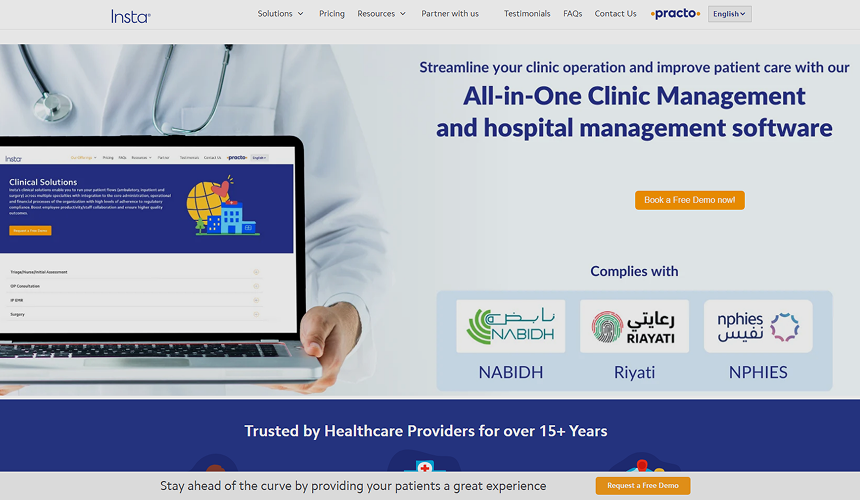
8. Insta HMS

Insta HMS Screenshot For Alternatives

Insta HMS by Practo is a web-enabled solution to manage hospitals and clinics. It enables healthcare organisations with multiple centres to have an effective system that integrates clinical processes along with other aspects such as administration, finance, diagnostics, pharmacy, inventory, and patients.

What Stands Out

  • Central Laboratory Model: Insta HMS supports a hub-and-spoke laboratory setup where samples can be collected at different centres and processed through a central laboratory.
  • Automated Bed Charges: The system can calculate bed-related charges based on allocation, shifts, retention, and discharge, reducing manual calculation during inpatient billing.
  • Package-Based Treatment: Health-check, surgical, and treatment packages can be defined and managed as bundled offerings within the system.
  • Prescription-to-Sale Tracking: The pharmacy workflow can track whether prescribed medicines have been converted into pharmacy sales, helping identify pending or incomplete medication transactions.

Best For

Single and multi-centre hospitals and clinics that need centralised management of clinical, financial, administrative, and operational workflows.

3.5/5 by Capterra

Pros

  • Report Builder: Provides useful report-building capabilities for hospital reporting needs.
  • Inpatient Module: Includes dedicated functionality for inpatient management.
  • ICD Coding: Provides an ICD coding module for clinical documentation and coding needs.

Nageswara Rao B.

The software is easy for semi-skilled staff to use, and the report builder is particularly useful. New employees can understand the system with minimal training. It also offers flexibility to add new fields to modules, with some unique modules available.

Verified Capterra Review

Cons

  • Support Delays: Support issues can remain unresolved for extended periods, with limited follow-up.
  • Limited Module Functionality: Some modules may lack features needed for specific operational requirements.
  • Integration Challenges: Integrating the system with other platforms can be problematic.
  • Tax Management Limitations: Handling taxes such as VAT may require additional functionality.
  • Channelling Limitations: The channelling module may not fully match specific booking and consultation workflows.

Roshni T.

The software ends up creating more difficulties than facilitating easy management of tasks. It can take weeks or even months to resolve support tickets without any proper follow-up on the matter.

Verified Capterra Review

How to Choose the Right Ezovion Alternative for Your Hospital

Once you have shortlisted two or three Ezovion alternatives, compare them using the same hospital workflows and requirements. Do not rely only on feature lists. Look at how each system handles OPD, IPD, billing, pharmacy, laboratory, insurance, discharge, and the processes your teams use every day.

Before making a decision, check data migration, existing integrations, implementation time, staff training, support after go-live, and total cost. Ask what is included in the quoted price and what may cost extra, such as customisation, integrations, additional users, locations, training, or ongoing support.

Most importantly, ask every shortlisted vendor to demonstrate the same real hospital workflow. For example, ask them to show:

Registration → Consultation → Investigation → Pharmacy → Billing → Admission / Discharge

Use your actual hospital process during the demonstration. Involve doctors, nurses, billing staff, pharmacists, laboratory teams, and administrators in the evaluation so you can see which system works best for the people who will use it every day.

Final Verdict

There is no single HMS that will suit every hospital. The right choice depends on workflow fit, staff usability, existing integrations, data migration, support, and how well the system can keep up with future growth.

For Indian hospitals looking to bring clinical, billing, pharmacy, laboratory, and operational workflows into one system, Healthray is worth considering. Its focus on connected hospital operations and India-specific requirements makes it a relevant option for hospitals looking to reduce manual work and reliance on multiple systems.

Once you have selected your options, use your evaluation findings to make the final decision. If Healthray is among the platforms you are considering, a product demo can help your team understand its capabilities, clarify implementation requirements, and decide whether it is the right fit for your hospital.

See How Healthray Would Work in Your Hospital

Walk through the workflows your team uses every day and discuss your requirements around migration, integrations, implementation, and training.

Book a Free Demo

Frequently Asked Questions

How is Healthray different from Ezovion?

Healthray is designed to connect clinical, operational, and financial workflows in one hospital management system. Alongside core HMS functions, it offers LIS and RIS capabilities and includes NABH readiness and compliance-related tools.

How long does it take to switch from Ezovion to new software?

Timelines vary by hospital size and data volume, but most vendors in this comparison, including Healthray, MocDoc, and eHospital Systems, offer phased implementation with a parallel-run period.

Is migration and staff training included when switching vendors, or billed separately?

This varies by vendor. Healthray, MocDoc, eHospital Systems, and Insta HMS bundle data migration and staff training into the standard implementation. Others, such as Epic, typically handle this as a separate professional services engagement, often through third-party consultants — worth confirming directly with any vendor before signing.

What should I ask a vendor before switching from Ezovion?

Make sure to request a customised demo using their software for OPD, IPD, and their billing process, as well as the migration and post-go-live process. It will be beneficial for you to know about the measures they take for data security and downtime during cut-over.

Healthray Editorial Team

About the Author

Healthray Editorial Team

The Healthray Editorial Team creates and reviews content based on Healthray's experience working with hospitals, clinics, and healthcare technology. Our content covers hospital management software, EMR/EHR, healthcare IT, automation, and digital transformation.