



September 22, 2026

6 Best Caresoft Alternatives & Competitors in 2026

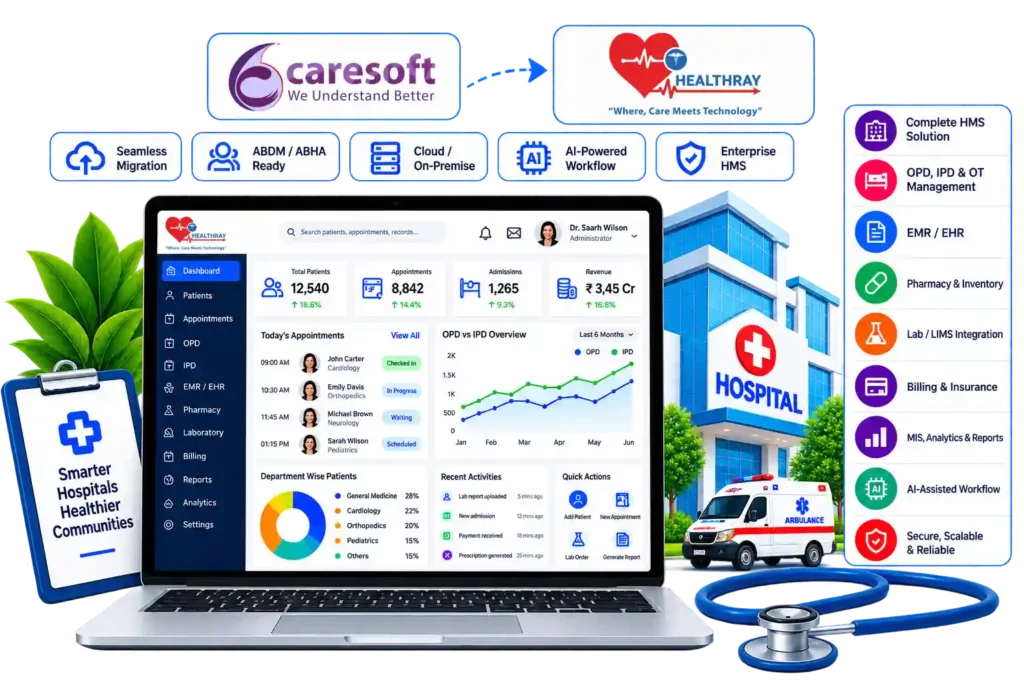
Caresoft-alternatives-healthray-hospital-management-dashboard

The hospital is getting busier, but day-to-day work is starting to take more effort than it should. A patient’s details are entered at registration and then entered again in another department. Billing waits for pharmacy or laboratory updates before closing a bill. Meanwhile, the admin team is still collecting information manually to prepare routine reports.

These may seem like minor setbacks, but with an increase in patient volume and departments, they begin impacting more of the hospital’s activities. That is when the team begins asking whether the current HMS can still support how the hospital works today.

For hospitals using CareSoft, this can be the point where they start evaluating a CareSoft alternative that fits their current workflows and future needs.

How We Evaluated These 6 Alternatives

We evaluated the six CareSoft alternatives across the areas that matter when a hospital considers switching, including workflow coverage, ease of use, integrations, implementation, migration, support, and scalability.

We also assessed how well each system fits the needs of Indian hospitals, rather than judging the software only by its feature list. This included areas such as hospital operations, billing, diagnostics, pharmacy, and other workflows commonly used in Indian healthcare settings.

For the evaluation, we referred to official vendor websites and product documentation, along with public information from G2, Capterra, SoftwareSuggest, Techjockey and Google ratings. We used these sources to assess what each platform offers, where its limitations are, and which types of healthcare organisations it suits.

A Quick Comparison of Top CareSoft Alternatives

Here’s a quick side-by-side comparison of the six CareSoft alternatives before we look at each one in detail. A ✓ means the software covers the full requirement, X means it does not cover the requirement, and brackets mean the vendor publicly lists only part of it.

Healthray Logo

Healthray

HealthPlix LOGO

HealthPlix

Mocdoc

MocDoc

Docon Logo

Docon

LOGO Ezovion

Ezovion

Best For Multi-Speciality Hospitals, Growing Hospital Chains, Clinics, Diagnostic Labs & Multi-Facility Healthcare Groups Doctors, Clinics & Hospitals Hospitals, Clinics & Multi-Location Healthcare Groups Solo Doctors, Specialist Clinics & Small Outpatient Practices Multi-Speciality Hospitals, Hospital Groups & Multi-Location Healthcare Organisations
Pricing Custom-based ₹17,999/year Quote-based Quote-based Quote-based
Migration & Implementation Migration + training (FREE) Migration + training Migration + training Migration + training Migration + training
India Readiness ABDM/ABHA · PMJAY · NABH ABHA ABDM/ABHA · PMJAY · NABH ABDM ABHA · PMJAY
Key Integrations HL7, FHIR, PACS/DICOM, lab, accounting, payments & insurance 300+ integrations FHIR, NHCX & healthcare integrations Lab integration, EHR interoperability HL7, FHIR, PACS/RIS
Deployment Cloud/On-premises/Hybrid Cloud/On-premises Cloud On-premises Cloud/On-premises/Hybrid
Ratings
OPD / IPD Management
(OPD)
Bed & Ward Management
(Bed)
Operation Theatre
EMR / EHR
Pharmacy
Lab / LIMS
(Lab integration)
Billing
TPA / Insurance Claims
ABDM / ABHA
(ABHA)
(ABDM)
(ABHA)
PMJAY Support
NHCX Readiness
NABH-Related Tools
HL7 / FHIR
(FHIR)
PACS / DICOM
(PACS)
Lab-Instrument Integration
Typical Implementation Time
7 days
Not stated
10 days
Not stated
Not stated
Migration & Training Support
Offline-Tolerant Workflows
Support Model / SLA
24×7
(Phone, email & ticket support)
(Phone/email)
(SLA)
Post-Go-Live Support
Not stated
Not stated
MIS Dashboards
Custom Reporting
Smart / Predictive Analytics
(Prescription analytics)
(AI analytics)
(AI/ML)
AI & Automation
(Automation)
(Automation)
Encryption & Data Protection
(Secure data storage)
Access Control & Audit Trails
(RBAC)
(RBAC)
High Availability & Backup
(Backup)
(Backup)
Disaster Recovery
(Recovery)
Security Certifications / Data Residency
HIPAA · GDPR · ISO 27001 · CERT-In · SOC 2
(HIPAA, ISO, NABH)
(ISO 27001, HIPAA)
(HIPAA)
Central Stores & Procurement
Ambulance Management
Housekeeping Management
Dietary Management
Biomedical & Asset Management
(Asset)
HR / Payroll / Duty Rosters
Patient Communication
Multi-Facility Support
Get A Demo

Best CareSoft Alternatives for Hospitals & Healthcare Practices

1. Healthray

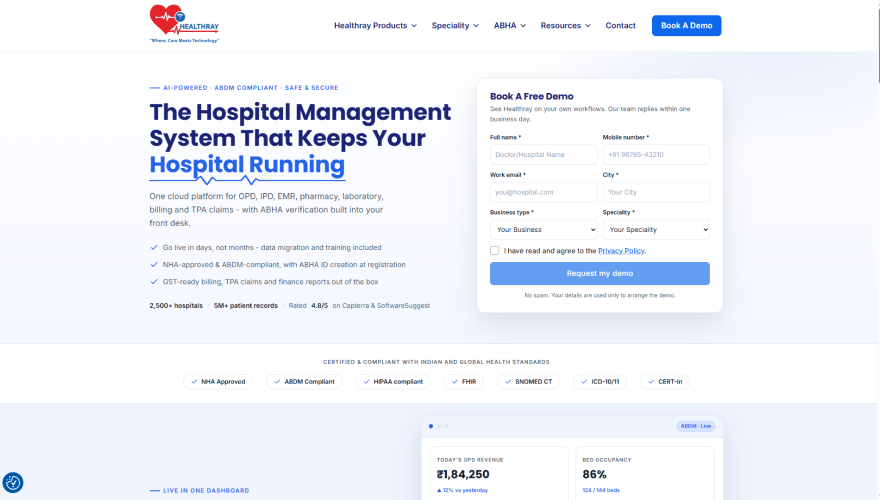
Healthray Site Scrrenshot

Healthray is an all-in-one hospital management software that brings a hospital’s different teams and day-to-day operations onto one platform. It connects clinical, financial, administrative, and operational work so hospitals can manage patient care and routine processes without relying on multiple disconnected systems. The platform is built to support hospitals, clinics, diagnostic centres, and growing healthcare groups with a broader set of hospital management needs.

Best For

Multi-Speciality Hospitals, Growing Hospital Chains, Clinics, Diagnostic Labs & Multi-Facility Healthcare Groups

4.9/5 by G2

What Stands Out

  • 30+ Speciality-Specific EMR Templates: Healthray offers speciality-specific templates for areas such as cardiology, homoeopathy, and Ayurveda, with 30+ speciality workflows available.
  • AI Assistance: Doctors can dictate notes instead of typing them out. Billing, inventory, lab, and reporting also come with some automation, so staff need not enter the same data again and again.
  • Migration and Implementation Support: For hospitals moving from another HMS, Healthray’s team takes care of data migration, system setup, implementation, and staff training.
  • Flexible Deployment: Available on cloud, on-premises, or hybrid, whichever suits the hospital. Chains with multiple branches can also run on one common system instead of separate setups per branch.
  • Indian Healthcare Support: Healthray supports ABDM, ABHA, PM-JAY, and TPA workflows, along with HL7, FHIR, and DICOM interoperability.

Dip Kavaiya

17 July 2026

The software is user-friendly, fast, and well-organized, making processes like appointment booking, registration, billing, and accessing medical records smooth and hassle-free. The staff can quickly retrieve patient information, which reduces waiting time and improves service quality. I also appreciate the accuracy of the billing system and the seamless coordination between different hospital departments. Overall, this is a reliable and efficient hospital management solution that enhances both patient satisfaction and hospital operations. I would highly recommend it to any healthcare organization looking for a modern and dependable hospital management system.

Pros

  • Multiple users can work with the software simultaneously, even during the peak working hours in the hospital.
  • Automation of reminders will assist the staff to perform appointments and other tasks effectively.
  • Multilingual support will make the program convenient for the staff and patients of different languages.
  • Classification of patients and notifications will allow the staff to prioritise patients and tasks.
  • Backup through the cloud will help to ensure the safety of the data in the hospital.

Dr. Ketan Rupala

No two specialties work exactly the same way. We needed a system that fits our urology workflow, not the other way around. Healthray was customized based on our requirements, so it works according to our process. Whenever we face any issue, the support team is helpful and resolves it within time.

Verified Review

Cons

  • Custom reports may require additional setup before they are ready for regular use.
  • Advanced features can take time for new users to become familiar with.

Milan K.

The advanced features take some time to learn, but once you become familiar with them, the product feels powerful and flexible.

G2 Review

Overall Verdict

Healthray serves hospitals that need more than basic HMS functions. Its wider clinical and operational coverage, speciality-based EMR, Indian healthcare capabilities, and flexible implementation approach make it a strong fit for multi-speciality hospitals and growing hospital groups. The main consideration is the time teams may need to become comfortable with its more advanced functions.
Considering Healthray for Your Hospital?

See how Healthray fits your hospital’s workflows, departments, and current setup.

Book a Free Demo

2. HealthPlix

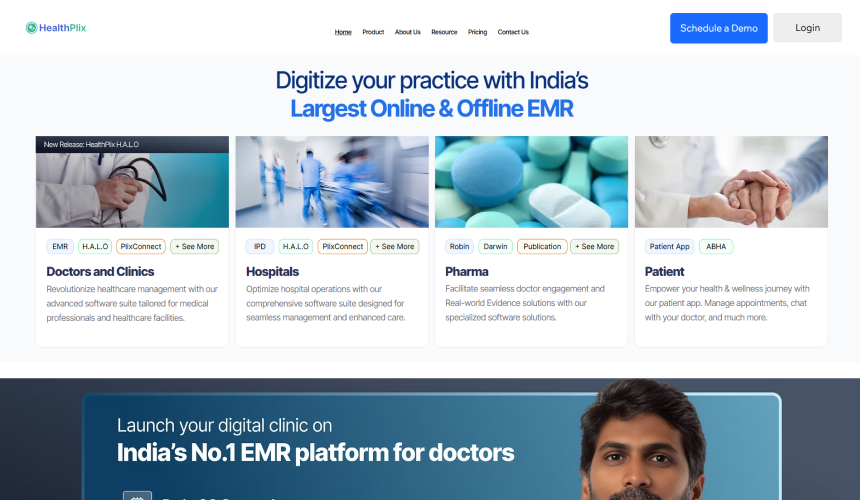
HealthPlix Site Screenshot

HealthPlix started with a strong focus on doctors and digital medical records and has expanded into hospital, IPD, patient engagement, and revenue-focused solutions. Its platform is mainly built around clinical work, helping doctors manage consultations, prescriptions, appointments, and patient records, while also supporting hospital workflows such as admission, bed management, treatment, scheduling, and billing.

Best For

Clinics, Specialist Practices & Hospitals Looking for a Doctor-Focused EMR

4.3/5 by Techjockey

What Stands Out

  • Doctor-Centric Design: HealthPlix focuses on the workflows doctors use, with the interface built around consultation, documentation, and prescribing.
  • Prescription Analytics: Doctors can review prescription trends and their prescribing patterns through the platform’s analytics.
  • Revenue Insights: Its dashboards show revenue trends, possible revenue leaks, and resource utilisation across hospital operations.
  • Offline EMR: Doctors can access patient records and prescribe without an internet connection. Once the connection is back, the data is synced online.

Pros

  • Easy to use for doctors handling their day-to-day clinical work
  • Outpatient consultations can be managed without adding much complexity to the workflow
  • Clinic work can be kept more organised in one place
  • Patients can ask follow-up questions to their doctor after an in-person consultation

MEGHA G.

The best thing about Healthplix is you can ask follow-up questions to your doctor after the in-person consultation in their clinic. It is far better than its similar products.

G2 Review

Cons

  • Customer support can be inconsistent when issues need quick resolution.
  • Frequent server breakdowns can disrupt access to the platform and interrupt regular clinical workflows.
  • Administrative and hospital-wide workflows may not be as extensive for hospitals looking beyond doctor and clinical needs.

SHREE A.

No positive features at all. Shows adverts after paying a fee. Frequent breakdowns. Poor customer service.

G2 Review

Overall Verdict

HealthPlix fits when the priority is a doctor-focused EMR and straightforward clinical workflows. For hospitals comparing full HMS platforms, its broader administrative and departmental coverage should be checked carefully before choosing it.

3. MocDoc

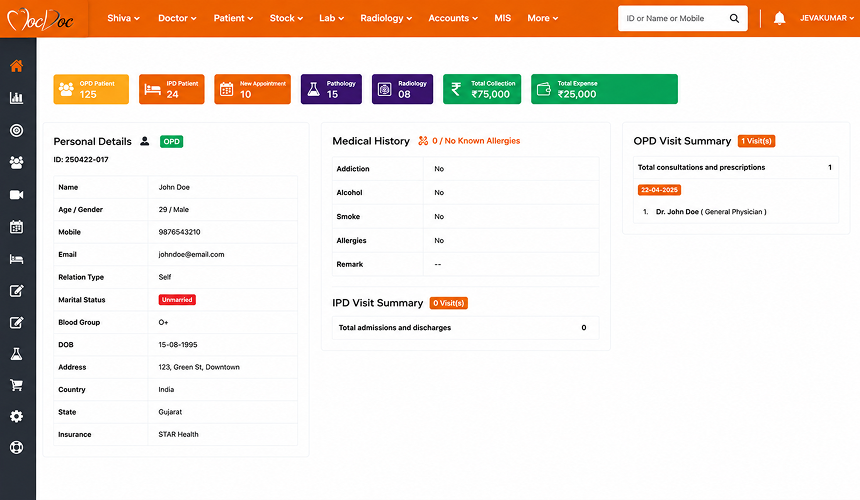
MocDoc Screenshot For Alternatives

MocDoc is a hospital management system covering hospital, laboratory, pharmacy, billing, and patient management. It also offers dedicated LIMS and pharmacy solutions for organisations that need separate tools for diagnostic and pharmacy operations. It also supports multiple locations across hospitals, clinics, and healthcare groups.

Best For

Hospitals, Clinics & Multi-Location Healthcare Groups

4.7/5 by G2

What Stands Out

  • Hospital + Diagnostic Workflows: It covers hospital management, laboratory, pharmacy, billing, and patient management within the same platform.
  • Dedicated LIMS and Pharmacy Solutions: Its separate LIMS and pharmacy products give organisations more specialised options when diagnostics or pharmacy operations need deeper workflows and more focused tools.
  • Cloud-based Setup: MocDoc runs in the cloud, so teams can access it from different locations. There is no traditional on-premises setup to maintain.
  • Multi-location Support: For healthcare groups with more than one hospital, clinic, or branch, MocDoc provides central monitoring and management across locations.

Pros

  • Easy for staff to learn and use in their daily work
  • Implementation and training are handled well
  • Support is helpful when teams need assistance
  • The system works quickly during regular use

KALYANAPU B.

All specifications are good and fast, easy to use. Never hangs and doesn’t slow down. Implementation was good, and anytime getting support from the Mocdoc Team anytime.

G2 Review

Cons

  • Limited customisation for complex hospital workflows
  • Occasional lag can affect system performance during use
  • Fewer functions in the mobile app compared with the desktop version

SIVAGURU K.

Occasional lag and limited customisation options can slow down workflow.

G2 Review

Overall Verdict

MocDoc can be a practical option for hospitals and healthcare groups that want a cloud-based system with broad coverage across hospital, laboratory, pharmacy, and billing operations. Hospitals with highly customised workflows should look more closely at its flexibility before choosing it, particularly where complex processes or extensive configuration are involved.

4. Docon

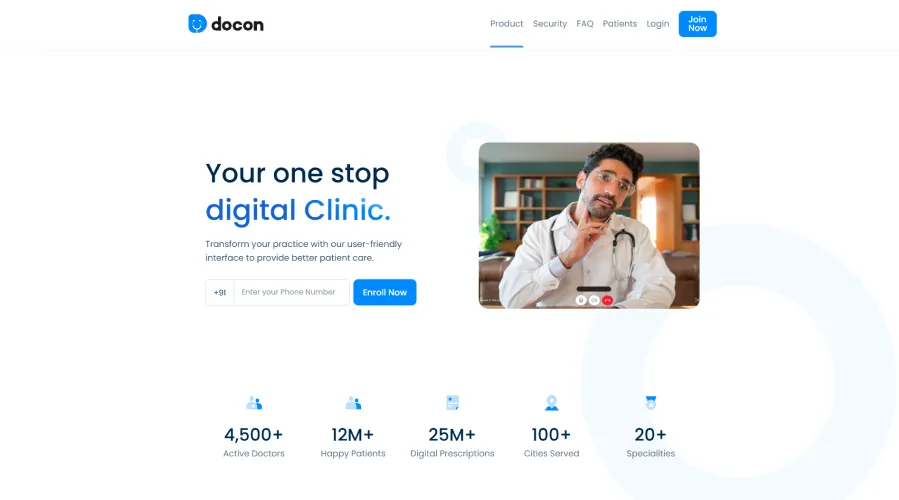
Docon Screenshot

Docon is a digital healthcare platform built around practice management and doctor-patient interactions. It brings together EMR, electronic prescriptions, appointment scheduling, billing, patient management, and other clinic functions in one system. It also includes tools for telemedicine, patient communication, analytics, and access through mobile devices.

Best For

Solo Doctors, Specialist Clinics & Small Outpatient Practices

4.8/5 by SoftwareSuggest

What Stands Out

  • Speed-First Prescription Workflow: Docon says its type-free prescription interface can take less than 40 seconds from opening the patient record to preparing the prescription.
  • Patient App Access: Patients can access their digital prescriptions and medical records through the Docon app after their consultation.
  • Integrated Multi-Module Ecosystem: Docon connects doctor, reception, billing, patient, and EMR functions, with additional support for lab integration, inventory management, and task management.
  • Patient Communication: Docon supports appointment reminders, follow-up messages, and secure messaging for communication with patients after consultations.

Pros

  • Simple interface for routine doctor and clinic work
  • Outpatient consultations can be handled without a complicated workflow
  • Basic analytics and reporting are available for practice management
  • Video consultations and online patient payments are supported

Abhijit B.

Excellent for video consultations and receiving payments from patients to one’s bank account. Payment is settled on a weekly basis. However, good internet connectivity is required at both ends.

SoftwareSuggest Review

Cons

  • Strong internet connectivity is important for some of its online functions
  • Advanced hospital-level requirements may require additional systems or integrations
  • Support response can be slower for some issues

Vinayak Moorthy

I’m unable to log in to the app. When I enter my mobile number and tap Continue, it displays some HTML tags instead of proceeding.

App Review

Overall Verdict

Docon suits smaller healthcare setups that do not need the depth of a full hospital information system. Its more focused approach can be an advantage for practices that want to keep their digital operations simple, while hospitals with more complex or wider-ranging requirements should shortlist options with greater hospital-wide coverage.

5. Ezovion

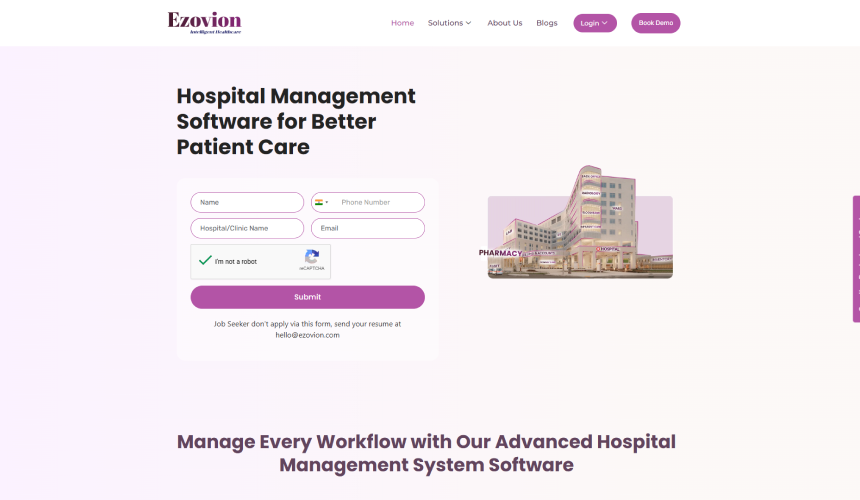
Ezovion Screenshot

Ezovion is a hospital management platform that brings clinical, patient, financial, and administrative work into one system. It covers areas such as OPD, IPD, EHR, billing, diagnostics, pharmacy, and inventory, along with patient engagement and back-office functions.

Best For

Multi-Speciality Hospitals, Hospital Groups & Multi-Location Healthcare Organisations

4.0/5 by G2

What Stands Out

  • Flexible Deployment: Ezovion is available in both cloud and on-premises setups, giving hospitals a choice based on their infrastructure and IT requirements.
  • Native Radiology Viewer: Ezovion has its own radiology viewer for hospitals that manage imaging services in-house.
  • AI-Driven Pharmacy Reordering: The pharmacy module uses AI-based reorder support to manage stock and know when medicines need to be reordered.
  • Customisation Studio: Hospitals can configure reports, templates, and other selected parts of the system around their own processes.

Pros

  • Multiple branches can be managed from a single account
  • TPA and insurance claim workflows are supported
  • Training and implementation assistance is available

Nirupama

Ezovion’s AI/ML features improve efficiency, save costs, and drive profits, while building your healthcare service through iHSE from patient registration to caring, billing, insurance, realisation, and beyond.

Capterra Review

Cons

  • Some workflows may need additional customisation
  • Connecting different third-party systems can be challenging
  • Minor-priority defects and enhancement requests can take up to two weeks to resolve

SURAJ VERMA

I need to get a few areas of my workflow customised, but right now I can’t even register because the OTP isn’t coming through to my phone.

G2 Review

Overall Verdict

Ezovion is better suited to larger hospitals and healthcare groups that need a wide-ranging HMS with advanced capabilities across areas such as pharmacy and radiology. Hospitals with highly customised or department-specific processes may find other platforms a better match if they want more of those requirements covered without extensive configuration.

6. Insta HMS

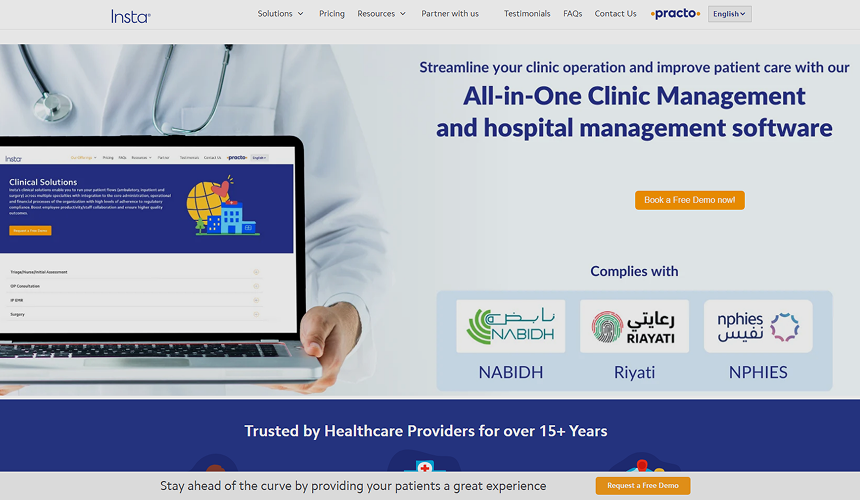
Insta HMS Screenshot For Alternatives

Insta HMS by Practo is a web-enabled hospital and clinic management system that combines clinical, administrative, financial, diagnostic, pharmacy, inventory, and patient-related processes. It supports both single and multi-centre healthcare organisations, with options to connect the system with other tools used across hospital operations.

Best For

Multi-Speciality Hospitals, Clinics, Nursing Homes & Healthcare Groups

3.6/5 by Capterra

What Stands Out

  • Billing and Claims Workflows: Insta HMS supports detailed billing structures, insurance and TPA processes, claims handling, and doctor payout calculations.
  • Central Laboratory Model: Samples collected from different centres can be routed to a central laboratory for processing.
  • Wide Integration Options: HL7 and API integrations can connect Insta HMS with PACS, laboratory equipment, accounting, HRMS, CRM, analytics, and other systems.
  • Custom Reporting: The reporting tools include multiple templates and MIS reports, with options to create reports around specific hospital requirements.

Pros

  • Report Builder supports different hospital reporting requirements
  • Dedicated inpatient management module is available
  • ICD coding is included for clinical documentation and coding
  • The system is easy for semi-skilled staff to learn and use

Nageswara Rao B.

The software is easy for semi-skilled staff to use, and the report builder is particularly useful. New employees can understand the system with minimal training.

Capterra Review

Cons

  • Some modules may not cover all functions needed for specific hospital processes
  • Customisation for specific requirements can take longer than expected
  • Support issues may take extended periods to resolve
  • Integrating the system with other platforms can be challenging

Roshni T.

The software ends up creating more difficulties than facilitating easy management of tasks. It can take weeks or even months to resolve support tickets without any proper follow-up on the matter.

Capterra Review

Overall Verdict

Insta HMS makes more sense for hospitals that already have defined processes and need detailed control over areas such as billing, claims, reporting, and integrations. It may not be the better choice for hospitals that expect a faster setup or frequent changes to specialised workflows.

How to Choose the Right CareSoft Alternative

Choosing a CareSoft alternative is about more than comparing features. Consider the integration possibilities with the existing workflow, ease of transition, and associated costs of switching over.

Start with the Current Workflows: Take a look at the workflows of your existing teams in CareSoft. Find out what processes run smoothly, what can be improved upon, and where you need manual intervention.

Check Migration and Implementation: Ask how long it will take to set up the system, test it, migrate data, train employees, and go live. Get a clear implementation plan before committing.

Review the Existing Integrations: List the lab, PACS, accounting, payment, insurance, and other systems currently connected to CareSoft. Confirm that the new HMS can support the systems your hospital already uses.

Compare Training and Support: Confirm what kind of training will be provided before and after the go-live and what will happen if you face some technical difficulties with the new solution.

Plan Data Migration: Verify which patient and hospital records will be migrated, how older data will be handled, and how the migrated data will be verified.

Calculate the Total Cost: Do not compare the software price alone. Include migration, customisation, integrations, training, additional users or locations, and ongoing support.

Find the Right CareSoft Alternative

The right CareSoft alternative depends on what your hospital needs from the new system. A smaller clinic, a multi-speciality hospital, and a healthcare group operating across locations will have different requirements.

The six options above cover different use cases. Shortlist those that are compatible with your current infrastructure, and then test your workflows on each demo. Assess migration issues, integration, ease-of-use, support, and overall cost before making a change.

Healthray is one option to evaluate if your needs involve speciality-based EMR, hospital operations, migration issues, and multiple-facility administration. However, whichever system you choose, it should solve the gaps you currently face with CareSoft without creating new problems during implementation or daily use.

See How Healthray Would Work in Your Hospital

Walk through the workflows your team uses every day and discuss your requirements around migration, integrations, implementation, and training.

Book A Free Demo

Frequently Asked Questions

How to properly evaluate an HMS during a live demo?

Skip the general features comparison and run an actual patient process workflow. Ask the vendor to walk you through one patient’s experience, from registration through the end of her stay, including OPD/IPD, lab work, pharmacy, billing, and discharge. Also, remember to test their reporting system.

What costs and terms must we verify before signing the contract?

Look beyond the base price to spot hidden implementation and scaling fees. Check if there are any extra costs for data migration, customisations, integrations, adding more users, or setting up other clinics. Always check the terms of support, software updates, data ownership, and post-launch issues.

What should hospitals check about data security in an HMS?

Ensure the security level for patient data, who will have access to the information, user permission levels, and data backup and recovery plans. In addition, ensure that you check out for any security certification of the vendor before signing up.

Who owns the hospital data after switching to a new HMS?

The hospital is supposed to own its data. Check the terms and conditions before signing for the handling of data export, data backup, and data retrieval upon termination of the contract.

Healthray Editorial Team

About the Author

Healthray Editorial Team

The Healthray Editorial Team creates and reviews content based on Healthray's experience working with hospitals, clinics, and healthcare technology. Our content covers hospital management software, EMR/EHR, healthcare IT, automation, and digital transformation.